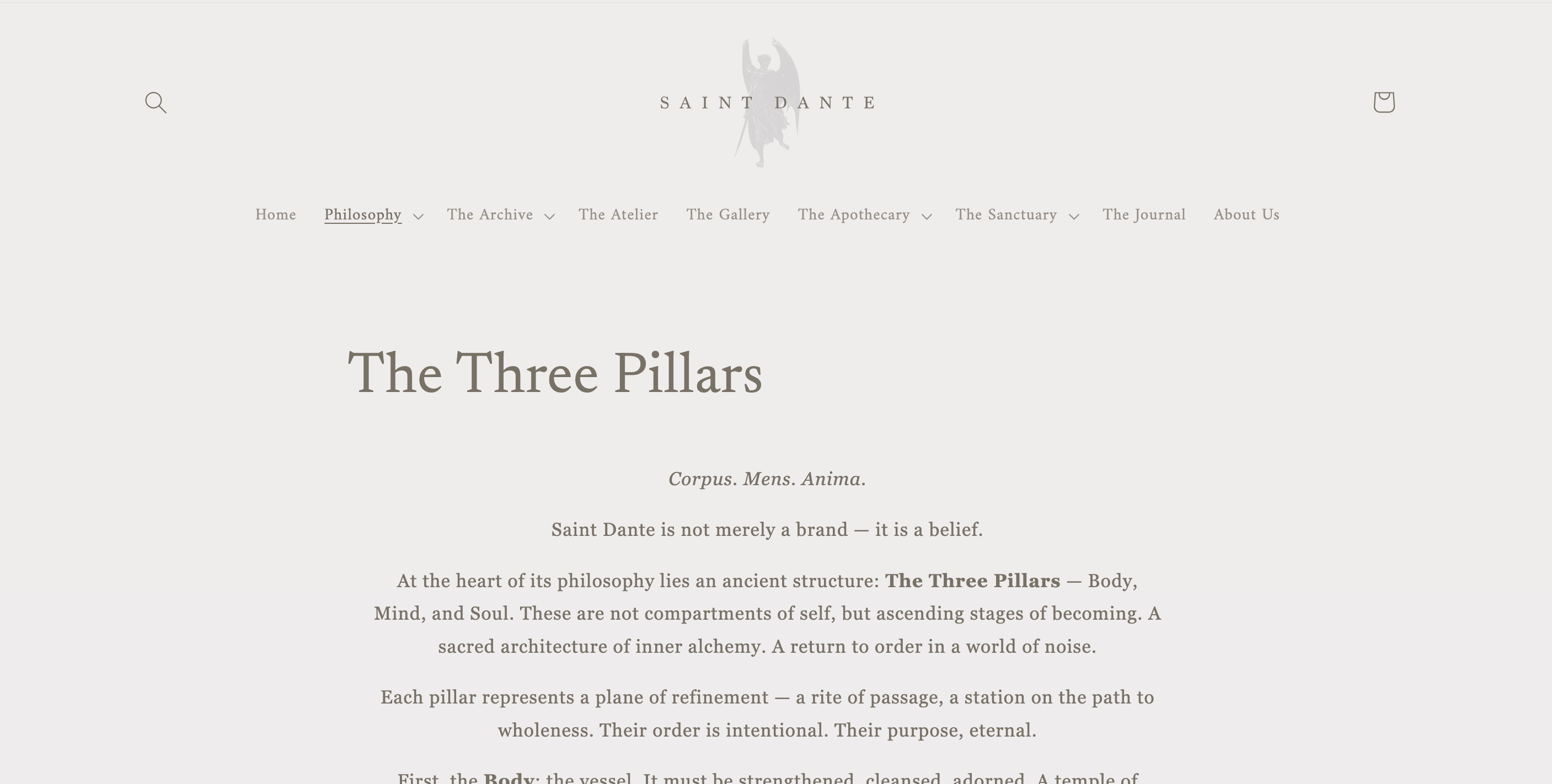
I’m not sure what i’ve done (think i was playing around with coding a bit too much, but the title and the body text have gone all weird on my pages. The title has uncentered and the text has gone all small. The last image is compared to a collection page which is what it was like before it went all weird. The last two photos are comparisons on mobile (one page and one collection).
Could I get some advice on where i’ve gone wrong  (Last image is the base.css coding at the bottom)
Website URL: saintdante.co.uk on Studio
Hey! @deadrosesuk ,
Go to your Shopify Admin Panel.
Navigate to Online Store → Themes.
Click on Edit Code (not Customize).
Open the theme.liquid file (found inside the Layout folder).
Scroll down and paste the code just before the tag:
Thank you so much worked perfectly! Do you know how I can go about corrected the text body issue?
@deadrosesuk if this was not an asset file do a file rollback:
https://help.shopify.com/en/manual/online-store/themes/theme-structure/extend/edit-theme-code#roll-back
Most suggestions for stuff like this are band-aids and won’t undo or fix the damage.
Further read the friendly manually thoroughly your time and business literally depend on it.
https://help.shopify.com/en/manual/online-store/themes/customizing-themes/edit-code/edit-theme-code#before-you-customize-your-theme
To prepare for customizing your theme, complete the following recommended tasks:> > - Duplicate your theme to create a backup copy. This makes it easy to discard your changes and start again if you need to.> - Make sure that you understand what level of support is available.> - Learn about the requirements and best practices for uploading images.
Otherwise for theme repair services contact me for services.
Contact info in forum signature below  .
.
ALWAYS please provide context, examples: store url, theme name, post url(s) , or any further detail in ALL correspondence.
I just added the code to center the page title.
Found my response useful? Like it and mark as Accepted Solution!