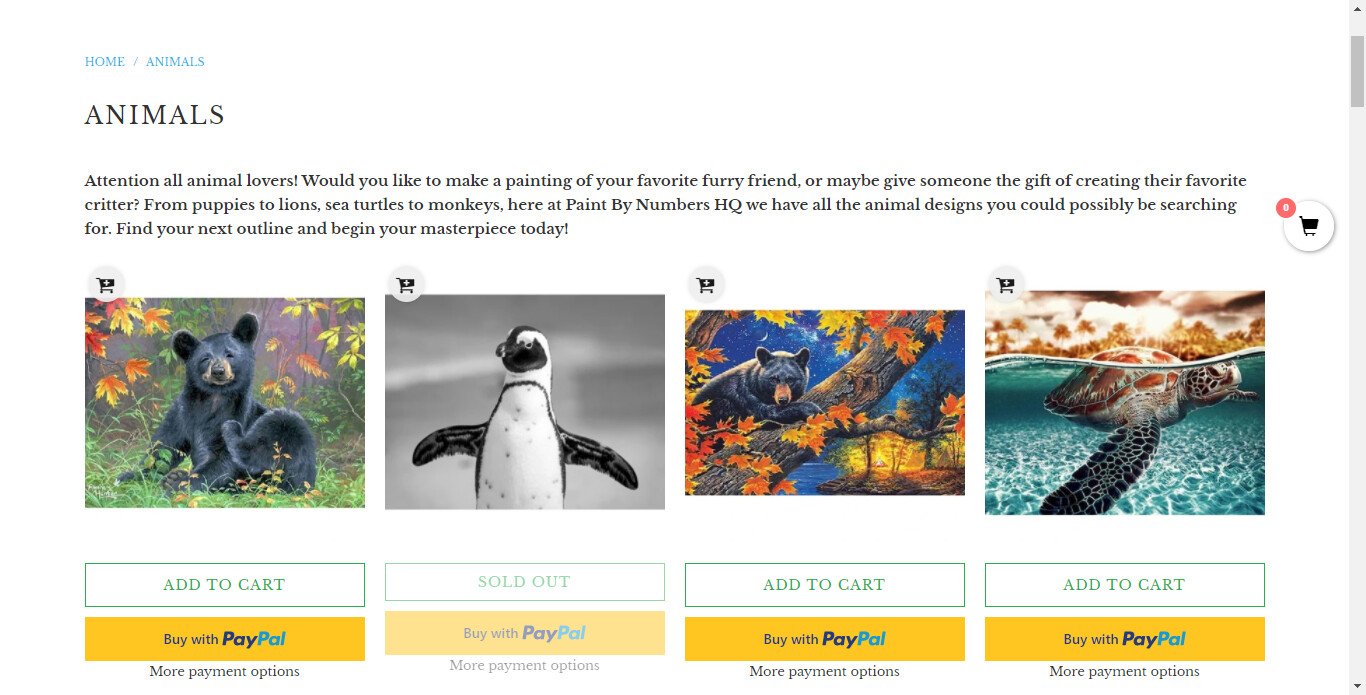
For each of the products on my site, there’s about 6 different options for what size to choose, but I’d like to hide those options from being viewed on the homepage and collections pages so that they only show up when you click on each individual product. It just looks cluttered to have all of those options underneath each product when I’m trying to showcase a collection. I’m using Turbo theme for this site. Any help would be greatly appreciated, thanks !
I’ve read your problem and before providing a solution, would like to analyze your website. Then, I will provide a solution to you up here - on the forum.
Could you share your website URL? And if your website is password protected then also provide a password?
Make sure there is no ‘{% stylesheet %}’ tag in the files before using the above code. If there is, you will have to use the code below instead, placing it just before the closing ‘{% endstylesheet %}’ tag that is already in the file concerned.
I had the same questions and I have used this code you recommended in a couple of places:
sections/collection-template.liquid AND
sections/search-template.liquid
I have NOT used it in product-template.liquid as it deleted the varianys from the product listing itself and I tried it on product-recommendations.liquid to try and remove the options from the recommended products - BUT once again - it removed the variants from the product listing itself.
Do you know where i need to post the code to stop the variants appearing at the bottom of the product page and any other places on the site other than the product listing itself.
I have attached a powerpoint - I hope it makes sense!!