Horizon theme variant selector customization

Topic summary

A user wants to reduce the width of the variant selector in the Horizon theme, as it currently takes up too much space on the product page. An image shows the selector extending wider than desired.

Solution Provided:

  • Multiple respondents suggest adding custom CSS code to the theme settings
  • The CSS targets a specific variant selector using its data-option-id attribute
  • Code adjusts the width using the --variant-ch CSS variable set to 8ch

Implementation Steps:

  1. Navigate to Online Store → Themes → Customize
  2. Click Settings icon (left sidebar)
  3. Scroll to Custom CSS section at bottom
  4. Paste the provided CSS code

Screenshots demonstrate both where to add the code and the expected visual result after applying the customization. The discussion appears resolved with a working CSS solution.

Summarized with AI on October 23. AI used: claude-sonnet-4-5-20250929.

I’m using the horizon theme in that i want to customize the variant selector, it is taking more width, so I want to reduce the width of the quantity selector as marked in the attached image.

website: https://2e8c8p9ij9b0aj44-25088491610.shopifypreview.com

1 Like

I understand you’d like to adjust the width of the quantity selector in the Horizon theme so it aligns better visually with your product form. This can be done by adding a small snippet of CSS.

1 Like

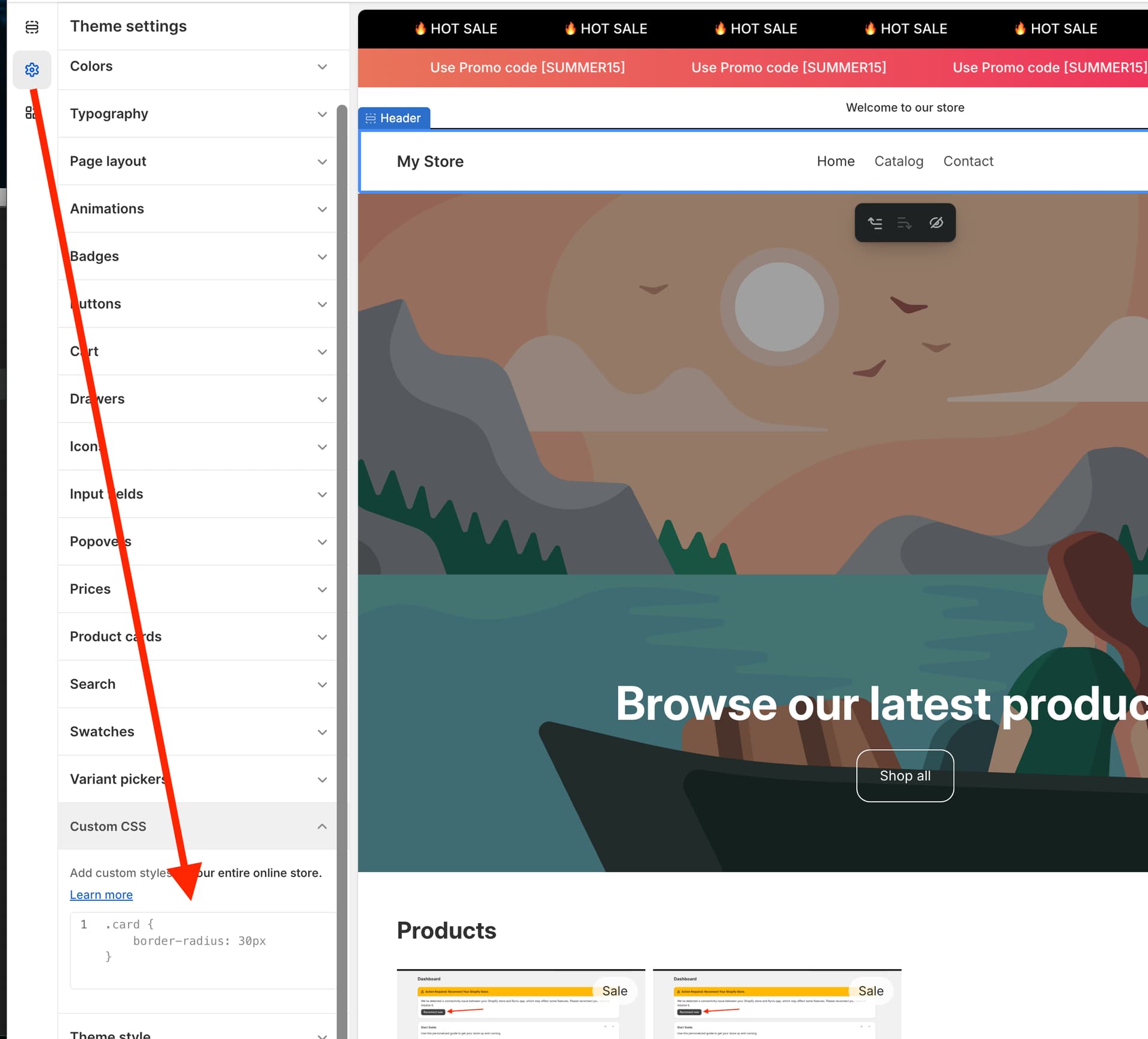
Please add this code to Custom CSS in Theme settings.

[data-option-id="template-20217812058326__product-information-8574564860118-size"] {
    --variant-ch: 8ch !important;
}

Best regards,
Dan from Ryviu: Product Reviews App

Go to Online store >> Themes >> Customize >> Click on Settings icon to the left >> Scroll down to the bottom and paste it to the custom CSS tab.

[data-option-id="template-20217812058326__product-information-8574564860118-size"] {
    --variant-ch: 8ch !important;
}