Hi everyone,
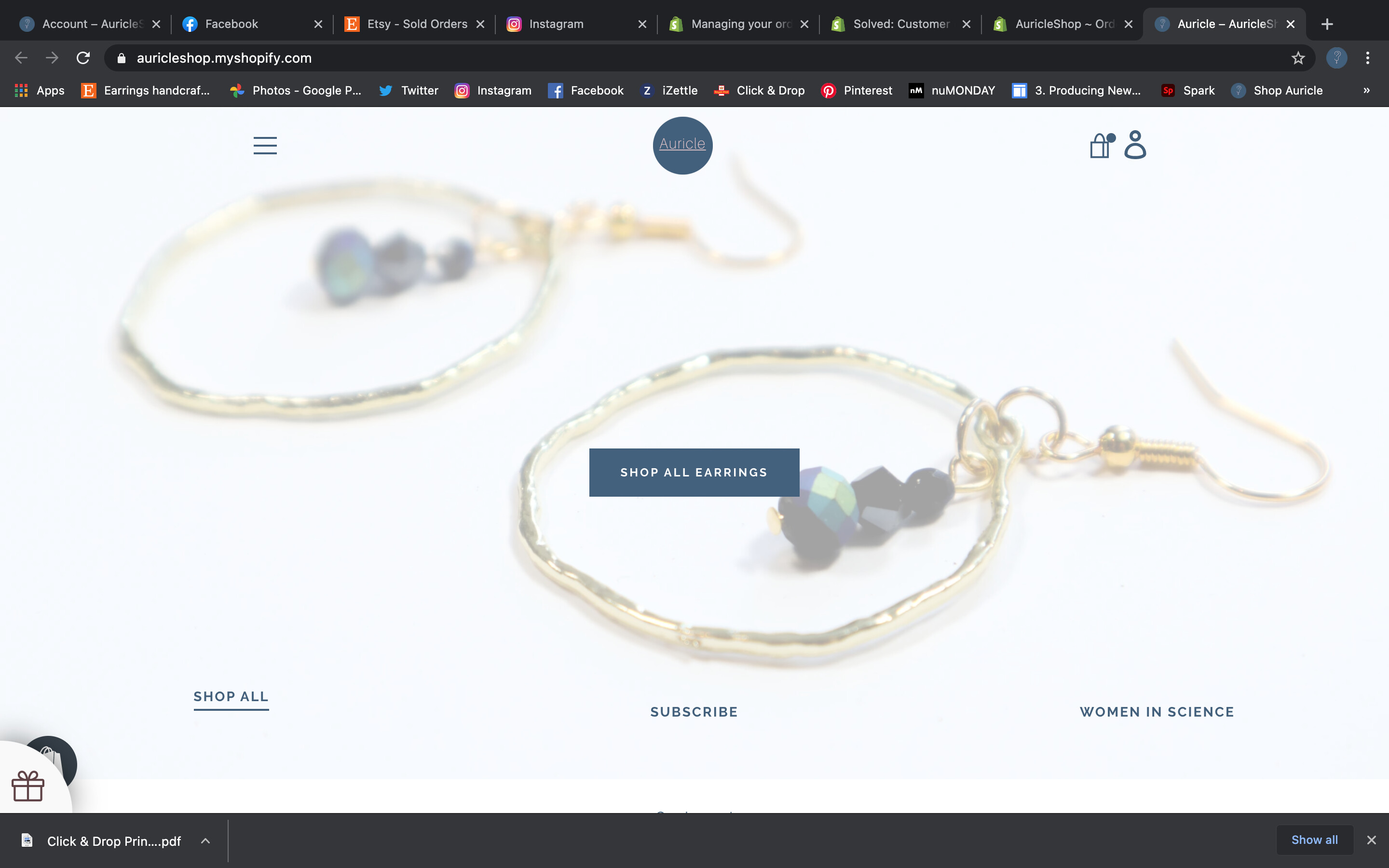
is there any way to add customer login account icon on Narrative Theme, I found quite a few people asking the same question, but couldn’t find a solution.
Guess it’s just a few lines in the header.liquid that have to be changed or added.
Thanks!
2 Likes
Hello, @Oliver_Blake
Welcome to the Shopify community!
and Thanks for your Good question.
Please share your site URL,
So I will check and provide a solution here.
1 Like
Hi Ketan,
Thanks for the fast reply,
my store link is - https://muave.co.uk/
I have managed to get the icon on the header, but can’t place it properly.
I was using the following code:
The whole line looks like this:
          {%- assign icon = 'icon-header-' | append: section.settings.icon %}
          {% include icon %}
          {{ 'general.header.view_cart' | t }}
The final result is:
It would be great if you’re able to help, to move it on the left side of the cart icon. Thanks!
1 Like
@Oliver_Blake
Good one
yes i can help you
sorry but your store is password protect.
1 Like
@Oliver_Blake
Thanks
- Go to Online Store->Theme->Edit code
- Asset->/theme.scss.liquid->paste below code at the bottom of the file.
.site-header__section--button {
    display: flex;
    align-items: center;
}
1 Like
Hi Ketan,
Thank you so much for that!
For anyone wanting to the same thing the accurate line is the one bellow, the one above loads the cart, does not lead to the account log in page.
Fix:
1 Like
@Oliver_Blake
Thanks for the update and support.
1 Like
Hi there i’m trying to do the same thing… i actually just asked the same question. Can you tell me where to paste this code? Thanks!
Got it! Is there a way to
-
adjust the stroke width of the icon (it is very wide)
-
make it an if logged in then go to account page
Hi Dannys,
you can follow the instructions above and paste the code in header.liquid section. Hope it works well for you! If you need anything else just let me know.
Hi there
Yeah i’ve got that now - see my edits: I still have questions…
Edit questions:
is there a way to:
-
adjust the stroke width of the icon (it is very wide)
-
make it an if logged in then link to account page
@dannys14
Welcome to the Shopify community!
and Thanks for your Good question.
Please share your site URL,
So I will check and provide a solution here.
@dannys14
can you please give me screenshot
@dannys14
Thanks what do you like both are changes?
I don’t understand the question.
I’d like to
-
adjust the stroke width of the logon icon (it is very wide)
-
i’d like the icon to go to “my account” if the person has already logged in. so, if they are visiting the site and would first like to login, they click that. then, if they are browsing and would like to return to their customer account then i’d like the icon to send them to their account, rather than the login page.
@dannys14
Thanks
yes, icon is svg file also if you like new icon change
also account link it’s proper work
Hi @KetanKumar ! Thanks for providing a solution for the login icon alignment.
How can I change the SVG file ? The current login Icon is great but it’s too thick.
Many thanks!
1 Like
That is exactly what I’m trying to figure out too…
1 Like
@Petit_Papa @dannys14
It can be done by doing some code customization. please send me a personal message and we can discuss what you’d like
1 Like