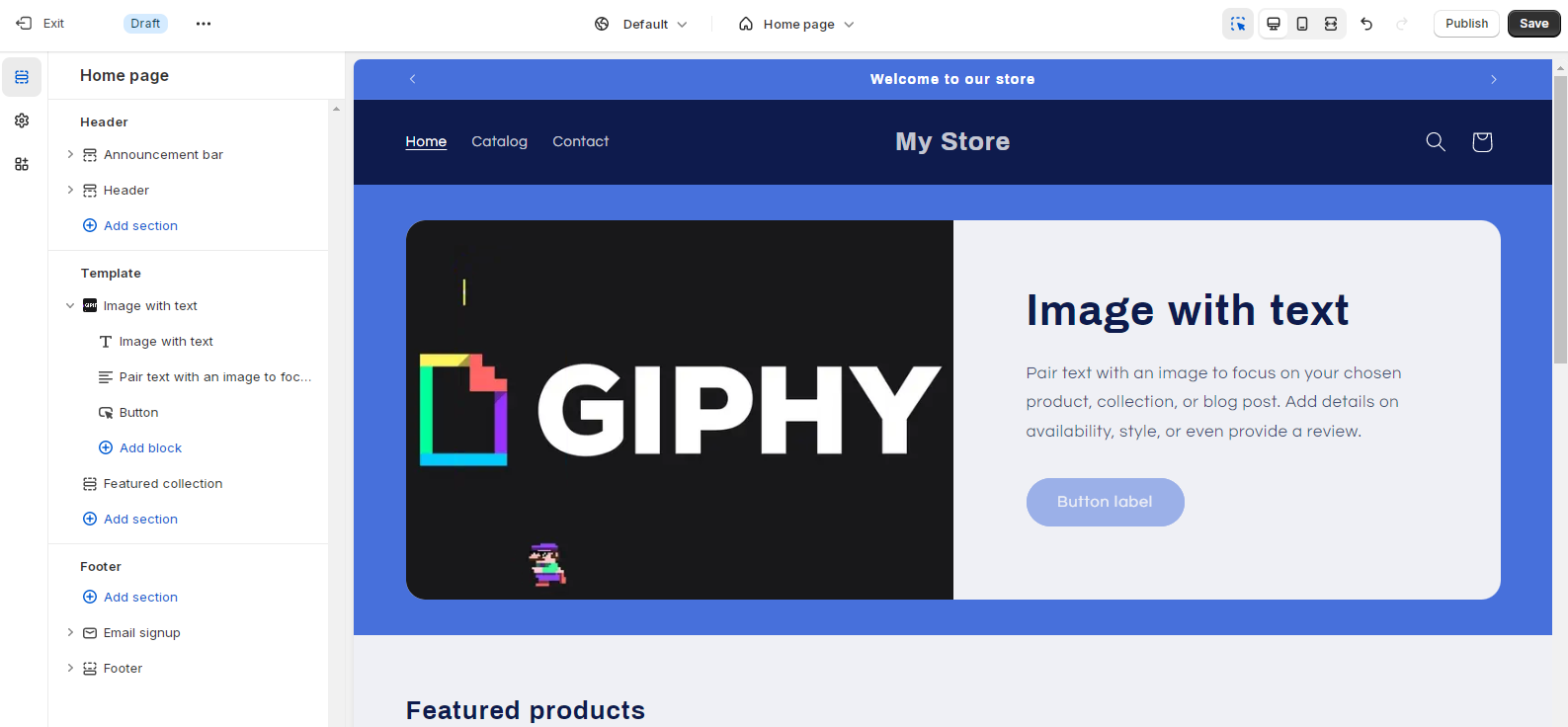
I want to make my homepage look way better. Look at the screenshot below of how i want it to look.
Thanks.
Adding a GIF with text beside it on the homepage. The requester shared a screenshot of the desired layout for zephyrshop.org; images are central to understanding the goal.
Initial guidance: Check the theme’s “image + text” section in Customize, then add a GIF and text and set the background color.
Clarification request: How to check these settings.
Latest update: A contributor examined the store/theme and confirmed it can be done in the Banner section via the Theme Customizer. Steps provided:
Key terms: Theme Customizer (the editor for modifying theme sections), Banner/Slideshow (predefined homepage sections), GIF (animated image format).
Outcome: Actionable steps and visuals supplied; the requester has not yet confirmed implementation. Status remains open pending feedback or further questions.
I want to make my homepage look way better. Look at the screenshot below of how i want it to look.
Thanks.
@ZephyrShop - please check if your theme has image+text section in customize settings… then you can add gif and text to it and then can set background to the color you want
How do I check?
Hello @ZephyrShop ,
I have checked your store and its theme, You can add gif and text in the banner section.
Please follow the below mentioned steps -:
Open the Theme Customizer
Next, you have to remove the existing Slideshow or Banner section.
Output will be like this -:
I hope this helps
Please share if you have any query.
Thank you.