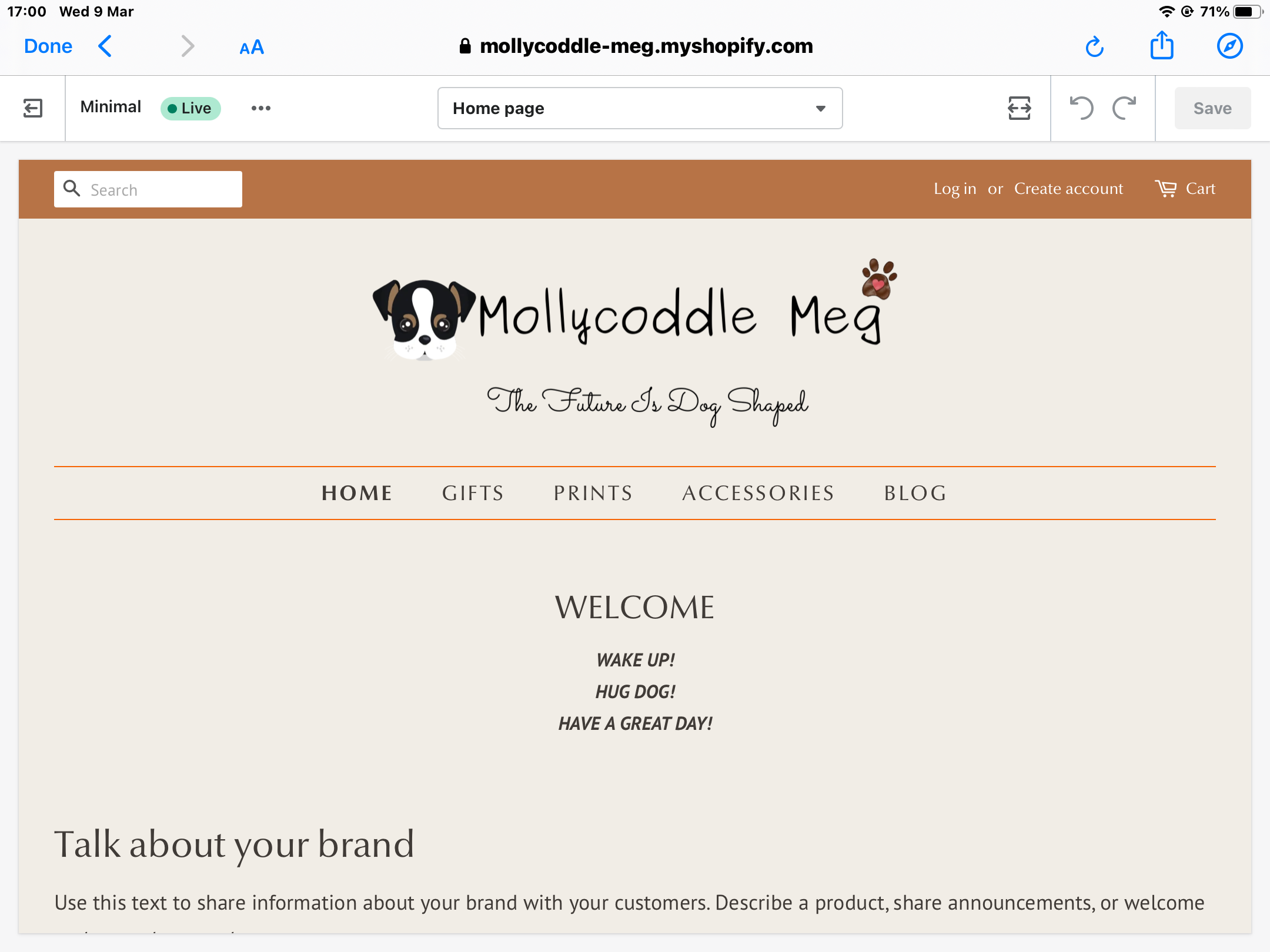
Hi
Could anyone please tell me how to add a red line underneath ‘Have a Great Day’. I want the same length as the 2 above that are above and below the ‘Main Menu’
Hi
Could anyone please tell me how to add a red line underneath ‘Have a Great Day’. I want the same length as the 2 above that are above and below the ‘Main Menu’
@Molly8 can you share the store URL?
password - preepi
@Molly8 add this css bottom of file in Assets > timber.scss.css
#shopify-section-1629550814e1a15ff4 .rte.rich-text__text--medium {
    border-bottom: 1px solid #f66405;
}
Hi Kaz
No that didn’t work.
kind regards
Louise
You have added wrong sytanx - border-bottom: 1pxsolid #f66405;
it should be border-bottom: 1px solid #f66405;
Hi Kazi
Thanks I’ll try that. I’m working on my iPad and for some reason I can’t copy and paste the code into ‘edit code’ on Shopify. So I had to type it manually. It was never a problem on PC.
@Molly8 there is still syntax error #shopify-section-1629550814e1a15ff4.rte.rich-text_text–medium
should be - #shopify-section-1629550814e1a15ff4 .rte.rich-text_text–medium
add space before the .rte
Hi Kazi
I’ll check through it again because it isn’t working.
kind regards
Louise
.rte.rich-text_text–medium has error it should be .rte.rich-text__text–medium
there is double underline after rich-text__ not single one like rich-text_
Hi Kazi
That worked a treat, thanks so much. It really isn’t helpful being without copy and paste functionality.
Kind regards
Louise.
you welcome!