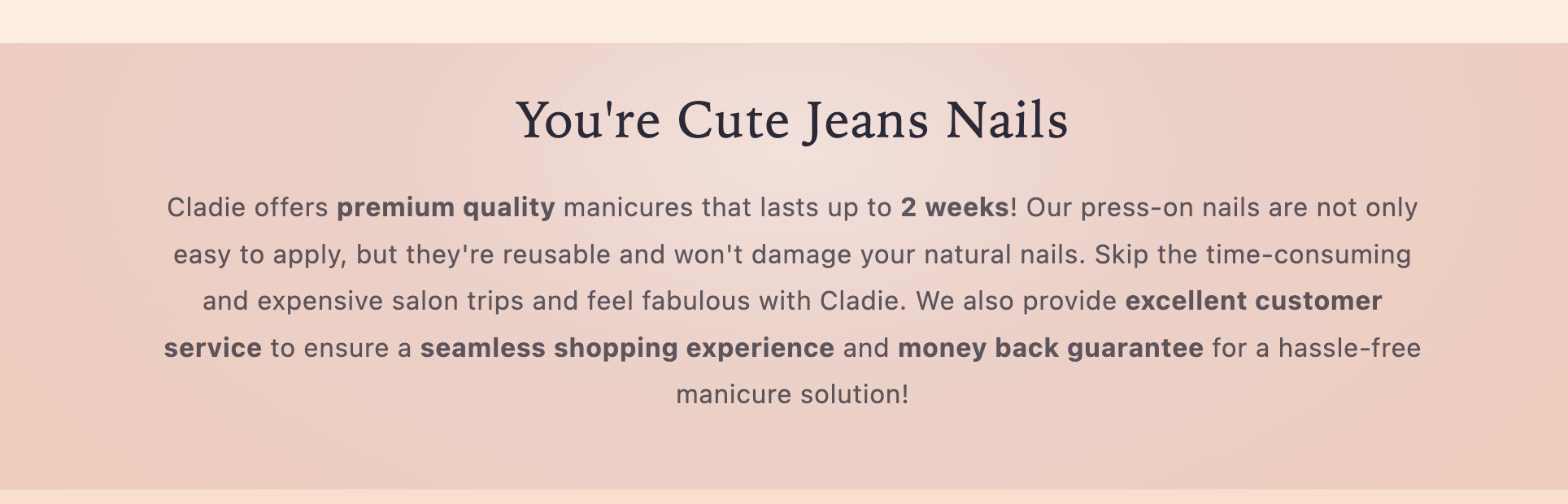
Hi,
I would like to add strikethrough formatting on 1 word. How can I do this? I have attached below image of where I want to add the strikethrough. It would be on the word “jeans”. This is a section in my homepage. I am using the Sense theme.
A Shopify store owner using the Sense theme wants to add strikethrough formatting to the word “Jeans” in their homepage heading.
Solutions Provided:
Multiple community members offered similar approaches:
<span> tag with a class (e.g., <span class="strikethrough">Jeans</span>)text-decoration: line-through to style the spanImplementation Steps:
section-rich-text.css or directly in theme.liquid before the closing </body> tagResolution:
The user initially reported the solutions didn’t work, but eventually confirmed success with the final approach, which involved editing the rich-text section code directly and using inline styling or a CSS class. Screenshots were shared throughout to illustrate the process.
Hi,
I would like to add strikethrough formatting on 1 word. How can I do this? I have attached below image of where I want to add the strikethrough. It would be on the word “jeans”. This is a section in my homepage. I am using the Sense theme.
Could you please share your share store URL(with pass if enabled),
So i can check and give you best solution for your site.
Yes, it is www.cladiegirl.com
@dtc1 follow this process ( see image)
And add this css
.rich-text__blocks strong {
text-decoration: line-through;
}
First of all you have to add that word into span tag and then apply css
To make it strikethrough follow this steps:
Step 1 : from customization add the word in to span tag which you want to make strikethrough
step 3: In your Shopify Admin go to online store > themes > actions > edit code
step 4: Find Asset > section-rich-text.css and paste this at the bottom of the file:
.rich-text__heading.h2 span span{
  text-decoration: line-through
}
Hope this works well for your site.
How do I add it to span tag?
Hello @dtc1
on theme customize where you added heading please add like this
You’re Cute Jeans Nails
and put below code on theme.liquid before tag
.strikethrough{ text-decoration: line-through !important; }Go to customization > Rich-text section
in Rich-text section find title there you can see input field.
There you have to add title like You’re Cute Jeans Nails.
I have done this (please see on website) but the code didn’t work.
Hello, thank you but this didn’t work
@dtc1 your proble is solved. follow this process
goto edit code search rich text and see image
paste this code
You’re Cute Jeans Nails
Most simple answer, thank you