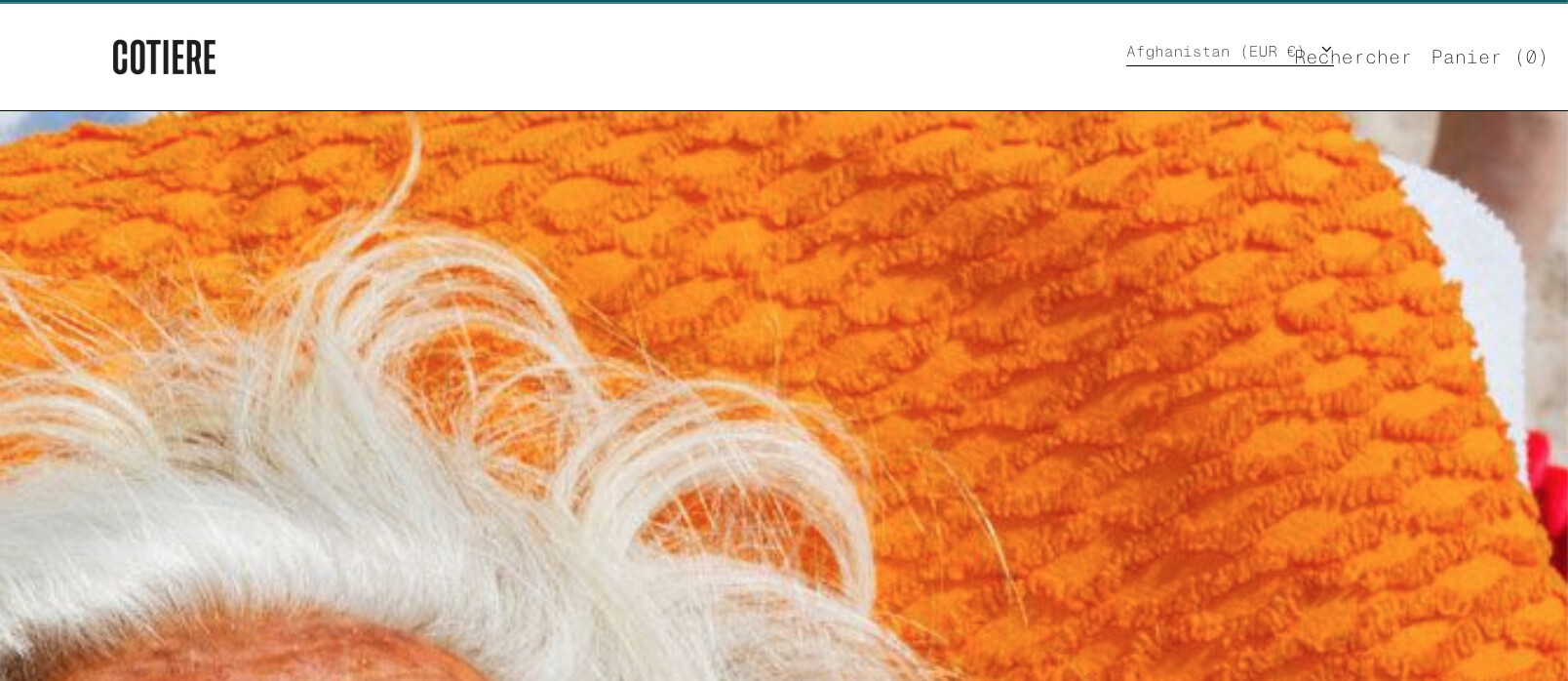
How can I add the language/country selection on the top right corner left of “Suchen + Cart”
I can activate it in the theme in the footer but I turned it off because I dont like it there.
Anybody have code that I can add in the header?
Theme: baseline
URL: https://www.cotiereofficial.com/
PW: test1234
Thank you
1 Like
@marcelp
can you try this code
- Go to Online Store->Theme->Edit code
- Asset->/theme.min.css ->paste below code at the bottom of the file.
@media (min-width: 768px) {
form#localization_form {
    position: absolute;
    top: 23px;
    z-index: 1111;
    right: 160px;
}
.disclosure-list {
    transform: none !important;
}
}
1 Like
Hi Ketan Kumar,
thank you for you help.
the code worked partly but its not perfect.
-
In French Language the currency selection is going over the “Search” text (see screenshot)
-
The “C 2022 by Cotiere” on the bottom is out of the center in the footer because I have to tick the box for the “currency selection” in the footer otherwise its not shown in the header at all.
Any Idea how to fix this?