How can I adjust product alignment on my collection page?

Topic summary

A Shopify store owner using the Refresh theme is struggling with product alignment on collection pages due to inconsistent image sizes from multiple suppliers.

Current Issue:

  • Product titles, supplier names, and prices appear misaligned across the grid
  • Images vary in dimensions, creating visual inconsistency
  • The goal is to center images while aligning all text elements (titles, suppliers, prices) at the bottom of each product tile

Attempted Solution:

  • One user suggested adjusting the image ratio in the Product card settings within the Product grid section of the theme customizer
  • However, this approach crops larger images, making it unsuitable for the store’s needs

Status:
The discussion remains open, with the original poster seeking alternative solutions that won’t result in image cropping while achieving proper alignment.

Summarized with AI on November 10. AI used: claude-sonnet-4-5-20250929.

Hello community

I am facing an issue, with all collections on my store.

I have several products with diferent image sizes (different suppliers, that is why is almost impossible to get all images with standard sizes).
In picture 1, you can see that the title of several products are not allign with the others

It is possible to get all titles, suplier and price, in the bottom of the tile, and the image on the center? you can see in the next picture, an example that i edited on paint :slightly_smiling_face:

I am using Theme ‘Refresh’

The website is www.petigo.pt

Thanks for your help
Hi @petigo

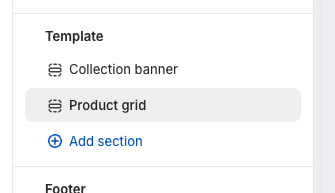
In the refresh themes, you can go to collection in the customize and find this section

In the Product grid section, you can find the Product card settings. You can change the Image ratio there

1 Like

hello @aldy-expatify

Thanks for your suggestion.

In this case, that is not an option, because some of the bigger pictures get cut, as you can see in next image

Any other suggestion?

Thanks