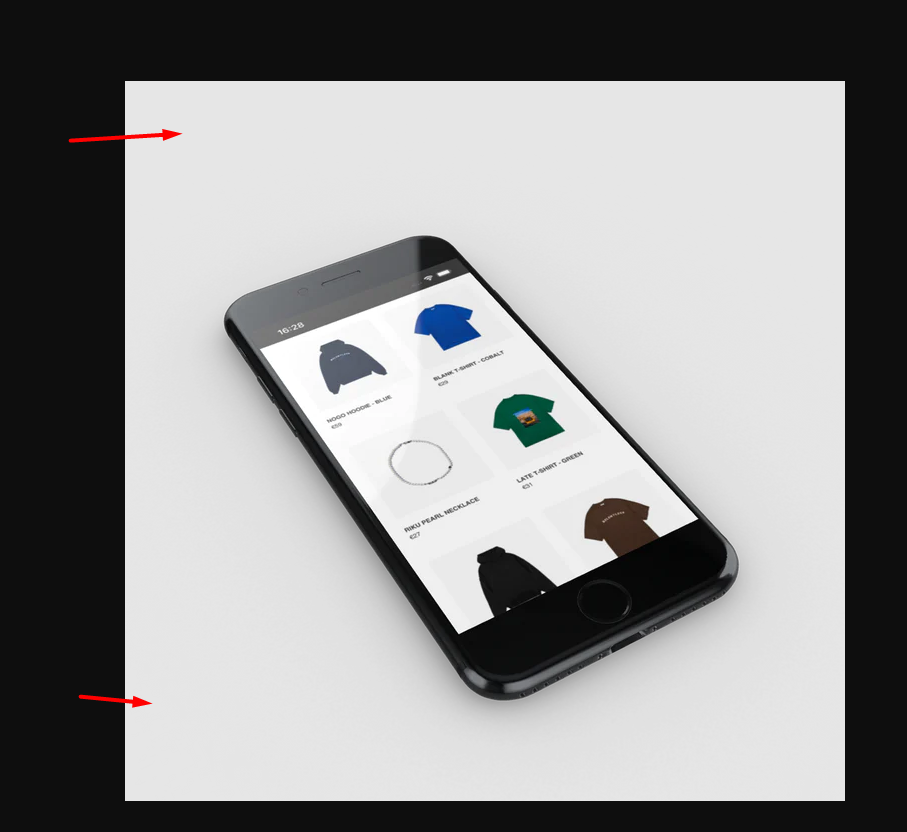
Hey,
I would like to know how can I manage the height of this specific section only on computer please ?
Thanks.
Link : https://riku-services.myshopify.com
Password : edohup

Hi,
Please go to Online Store > Theme > Actions > Edit code > Assets > theme.css
Add the code below to theme.css (under assets folder).
@media only screen and (min-width: 750px) {
  div#shopify-section-1656797446f6656c10 {
  padding-top: 5px !important;
  padding-bottom: 5px !important;
  }
}
You can change the 5px to fit your needs.
If you need any further assistance, please let me know.
Hope it helps.
Thanks.
@Ulysse1300
You don’t need coding for this.
Your image has a lot of white space around it, this is what’s causing the weird height:
If you trim these out, the problem will be gone.
Kind regards,
Diego
Hi PUNK.
This is PageFly - Free Landing Page Builder. I would love to provide my advice for your store based on 6 years of providing solutions for about 100.000+ active Shopify merchants.
Please go to Online Store > Theme > Actions > Edit code, then search index and find line 120 to edit line-height: 1.5; to 1.6 or 1.7 and tweak it to your liking
If you feel my answer is helpful, like it or mark it as a solution. Let me know if you have any questions.
Kind regards,
PageFly