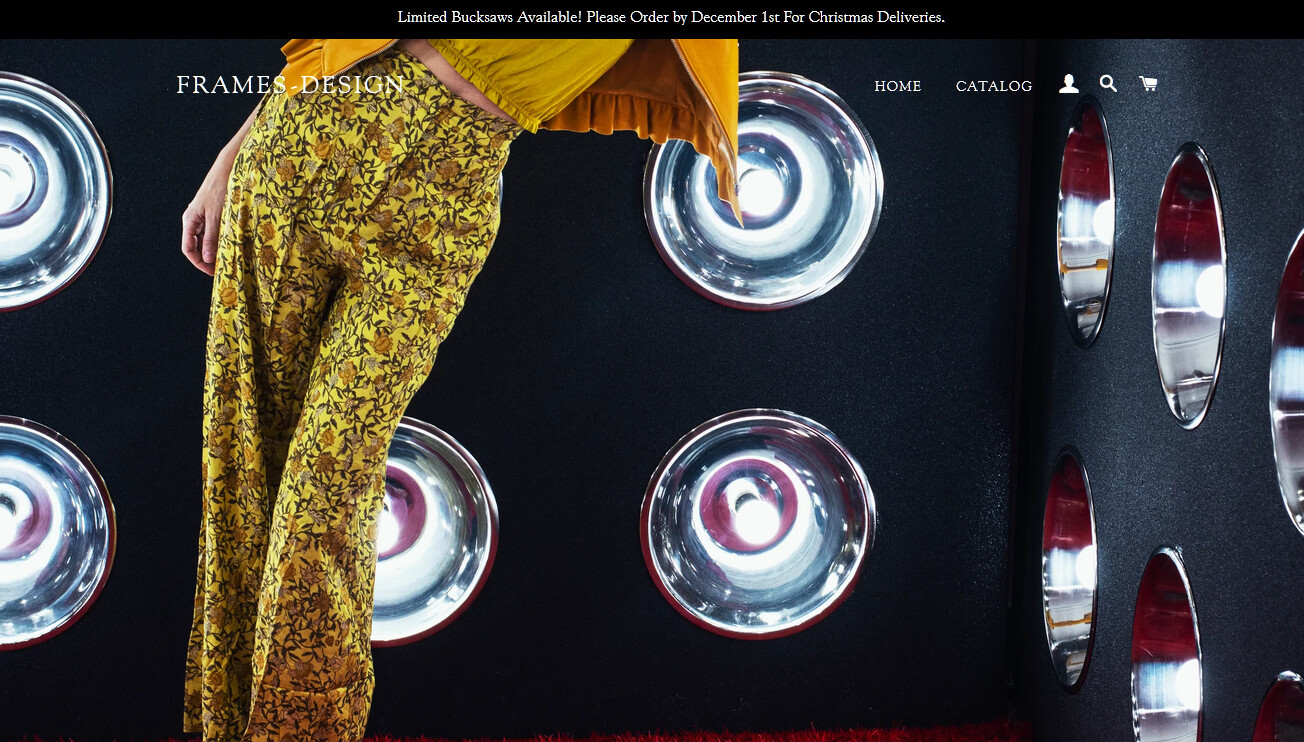
Hi,
I added a new picture on my homepage, however the picture is very zoomed in for the desktop view. For the mobile view, the picture is perfect. Does anyone know how I can change the desktop view to be a bit more zoomed out similar like the mobile view?
Best regards
Hélène
Hi @Moonmadestars
I’m creating a solution for your theme. There is only one option to add image.
Hi @Moonmadestars
I’m adding some photos and a code snippet below. Just follow the steps below, even if you don’t know coding, these steps will guide you to fix the issue you have on your store.
Step 1:
Click on “Edit code”
Step 2:
Under Sections find slideshow.liquid file and click on it.
Step 3:
First, take a backup of all the code and then copy code from below url
https://raw.githubusercontent.com/impulsebyte/Shopify-Brooklyn-Separate-image-for-Desktop-and-Mobile-in-Slider/main/slideshow.liquid
Then replace all the code and paste the code that you copied from above, given url.
And SAVE and tada!!
You can now add separate images for Desktop and Mobile.
Working snapshots.
MOBILE:
DESKTOP:
I hope this will save you a lot of time.
Thanks for being awesome.
Hi SHees,
When applying below, I receive the following error message?
- New schema is incompatible with the current setting value. Setting ‘home_hero_auto_speed’ must be a string
What should I do now?
Best regards
Hélène
Hi @Moonmadestars
Kindly remove your current banner and then save the customize section.
Then, open the code editor thing and do the above needful as advised.
Let me know if that works for you. It was working for me as I shared screenshots of the working solution.
Thanks