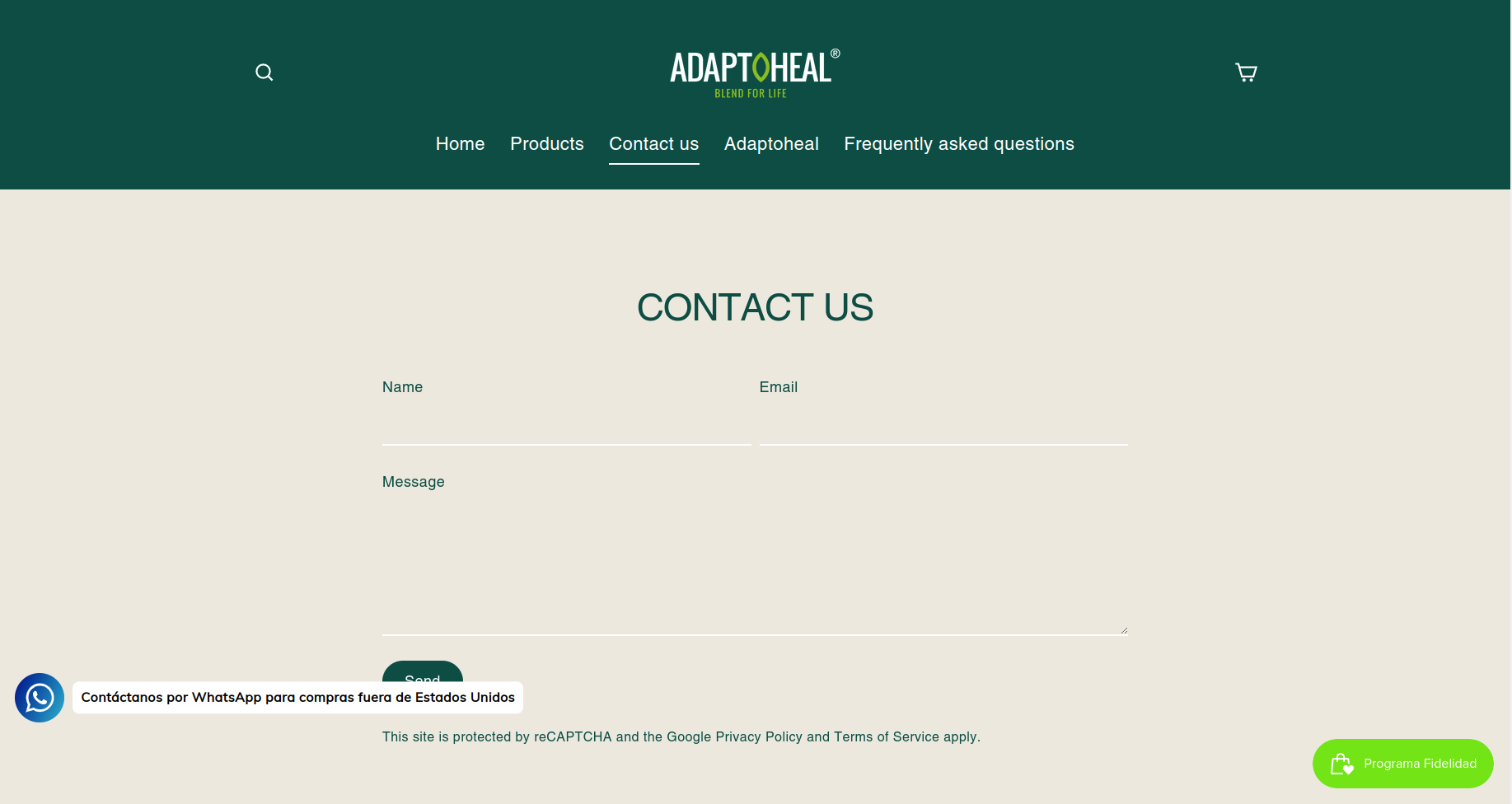
Hi, I want to change the color of the contact form to create contrast with the site header and maintain consistency with the pages in the rest of the site. I want to create the effect of setting it as to use the site’s alternate color, but can’t find a setting to do such.
I’m attaching here the current contact form and that of our Spanish sister site, which somehow is set up to achieve the desired look.
Thanks in advance,
Luis
I Want to add we are using Streamline Theme from Archetype.
Hello @luis-zadel
Can you send me the URL of the page with your Contact Form Section? That way it will be easier for me to guide you through the editing.
Kind & Best regards,
GemPages Support Team
Hi @luis-zadel
Can you kindly share the URL of the page with us? We will help you to check it.
Hi @BSS-Commerce , @GemPages .
Thank you, sure the URL of the contact form page is https://adaptohealusa.com/pages/contact
For reference the URL of the Spanish sister site which we want to model the form after is https://adaptohealue.com/pages/contact. Both use the same theme but I can’t manage to get the same effect. We want the contact form to have the beige background with the header and navigation remaining with the current color scheme.
Thanks for replying.
Hi @luis-zadel ,
First, you need go to Online Store > Edit code > theme.liquid find the closing tag and then paste this script in front.
<script>
  let tag = document.querySelector("#shopify-section-template--15561982345403__form")
  tag && tag.closest('.main-content').classList.add("formCustomBg");
</script>
Then go to assets/theme.css file and add the following css at the end of the file
.formCustomBg {
 background-color:  #f5f5dc !important;
}
#shopify-section-template--15561982345403__form .grid{
  background-color:  #f5f5dc !important;
}
I hope this work for you!
Thank you @BSS-Commerce , excuse me for my delayed reply.
Couldn’t make it to work following your response, I pasted the script inside the body:
The theme uses Online Store 2.0 I think so the css is in assets/theme.css.liquid instead of assets/theme.css, so I pasted the css there.
I also tried the transition-body class but it changes other pages in the site which is not what I want.
Was there something I did wrong?
Hi @luis-zadel
If possible, please keep the code as our guide so that we can check why it didn’t work. Currently, it seems that you deleted the part of the code we suggested.
Please consider it, thanks.
Hi @BSS-Commerce , I left the code you suggested, it is there in the theme.liquid and theme.css.liquid files in the shopiffy code editor. Hope you can help me figure out why it’s not working and why you can’t see it on the site code.
I’m sharing you a screen capture of the theme.liquid here:
And the theme.css.liquid
Hi @luis-zadel
After double-checking, the form ID changed, so you need to catch the form again. Please change the code I suggested before to the following code
- File theme.css.liquid and edit the following CSS at the end of the file:
.formCustomBg {
 background-color:  #f5f5dc !important;
 color: #004d43 !important;
}
#shopify-section-template--15605530329249__form .grid{
  background-color:  #f5f5dc !important;
}
I hope that it will work for you.
Hi @BSS-Commerce , the form ID is the one you corrected and the solution you provided in your last post now works, though the appearance achieved is not exactly the one we want. I’ve been playing with some css to tweek it closer to what we want but I-m not totally happy with the result.
What would be perfect is if I could change the .transition-body class relative to the custom grid you provided. If I change the style in .transition-body it works perfectly for the contact form but affects the whole site. Is there a way I could do this only for the contact page?
.transition-body {
    	background-color: #EDE8DE;
	color: #004D43;
}
Hi @luis-zadel
I understand what you want. Please follow these steps:
- Please change the code I suggested before to the following code in the file Theme.liquid
In file theme.css.liquid, please edit the following CSS at the end of the file:
.formCustomBg {
 background-color: #EDE8DE !important;
 color: #004D43 !important;
}
The result is:
I hope that it works for you.
1 Like
Thanks so much @BSS-Commerce , works as a charm now!
1 Like