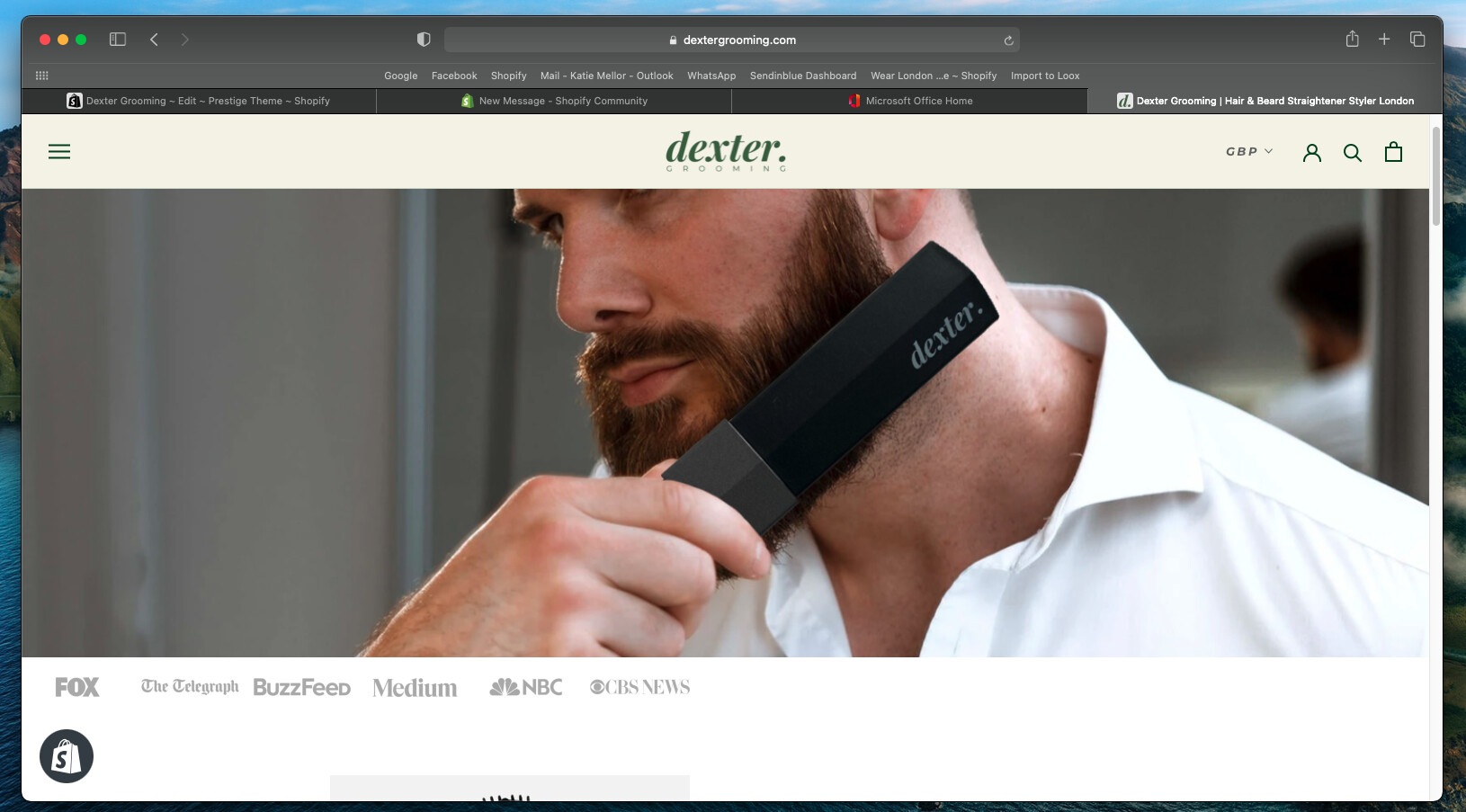
Hi, I’m having issues with the display of a logo list. As you can see on desktop they are not equally spaced or centred.
Website is: https://dextergrooming.com
Help would be greatly appreciated!!
Hi, I’m having issues with the display of a logo list. As you can see on desktop they are not equally spaced or centred.
Website is: https://dextergrooming.com
Help would be greatly appreciated!!
sorry for that issue can you please try this code
#shopify-section-1609421961f4bf1ad3 ul {
    text-align: center;
}
that worked great thank you
its my pleasure to help us
@RC94 oh sorry for that issue can you please share your store url so i will check issue and give you proper code
Thank you for responding however, I have found a solution! Thank you
@RC94 Wow That would be great
thanks for update.