Hi,
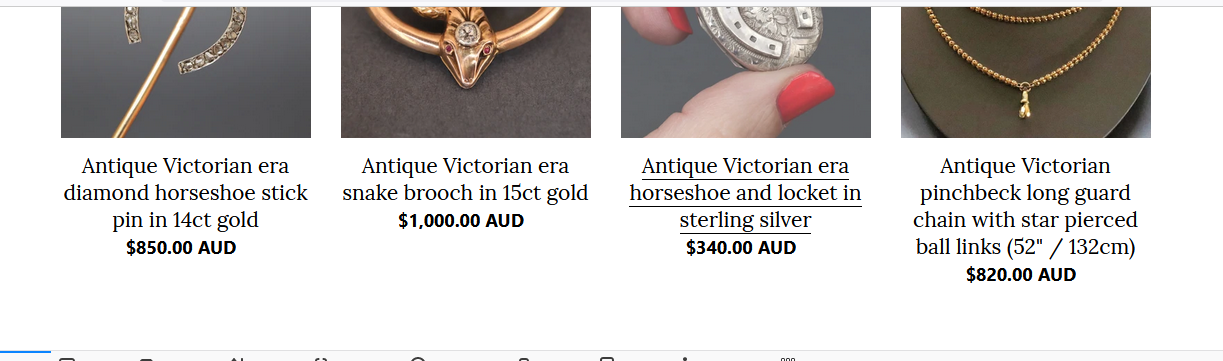
How do I centre the product titles and prices on both the ‘Featured Collections’ on the Home tab and all the products on the Catalogue tab? I’m using the Debut theme. My shop is onyx-and-elm.myshopify.com
Thanks.
Hi,
How do I centre the product titles and prices on both the ‘Featured Collections’ on the Home tab and all the products on the Catalogue tab? I’m using the Debut theme. My shop is onyx-and-elm.myshopify.com
Thanks.
@shelleyd
hi,
welcome to Shopify Community.
Your Store is password protected kindly Share your Store Front Password.
So that we can help you.
Thank you.
Hi
Your store is password protected. Please share frontend password.
You can do this by using custom css. If you have css knowledge you can do this easily.
Thanks. It’s KZ-vdHfR-eASE85
Sorry, it’s aulick
Hi
use this css it would work for you.
#shopify-section-featured-collections .grid.grid–uniform.grid–view-items li .price.price–listing .price__regular {
width: 100%;
}
#shopify-section-featured-collections .grid.grid–uniform.grid–view-items li {
text-align: center;
}
Thank you. Do I just add this code to the end of the theme.css page?
yes
It worked perfectly. Thank you!
Sorry, it has centred the titles on the Home page, but not on each of the individual collection pages. Is there a way to do this too?
I’ve looked, but I can’t work out how to do this. Where do I find the ID?
Hi @shelleyd
You added that css code which was sent to you.
Just replace that code with this one.
.grid.grid–uniform.grid–view-items li .price.price–listing .price__regular {
width: 100%;
}
.grid.grid–uniform.grid–view-items li {
text-align: center;
}
It’s working perfectly now. Thanks!