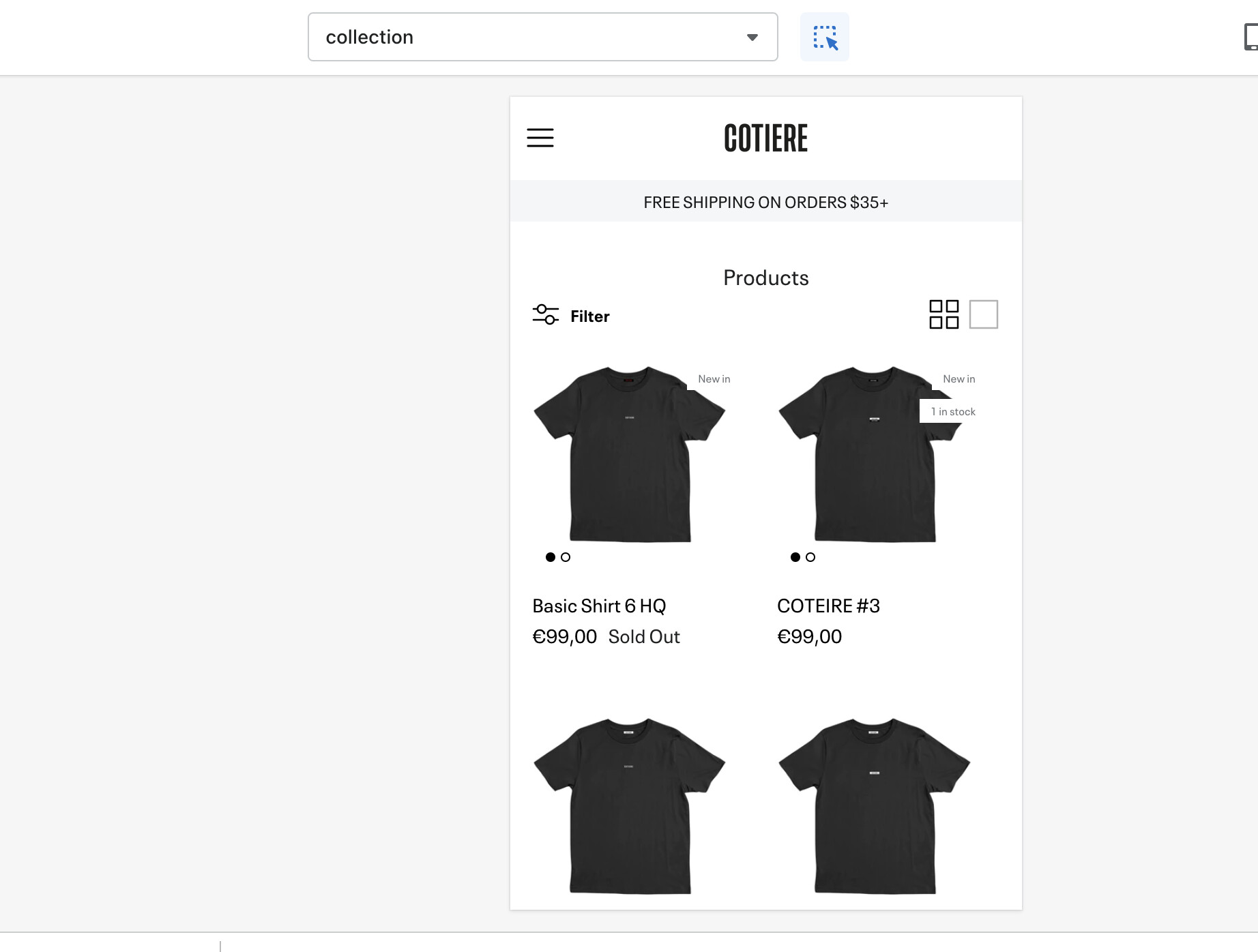
Hey I have received a code to center the text and price under the product photo on the desktop version but I still haven’t got a code to center it on the mobile version too? Can anybody help me with that?
Thank you
URL: https://www.cotiereofficial.com/collections/all
PW: test1234
Theme: Symmetry
Hi @marcelp ,
Add the following css code to the bottom of your styles.css in the assets folder. I would also like to mention that your product images are a little offset and should be centered (unless thats how you want them to be). I attached screenshots to show you what I mean.
.product-price, .innerer {
    justify-content: center;
    align-items: center;
    margin: 0;

}
.product-price__item {
    margin: 0;
}
.price-label--sold-out {
    margin-left: 0.5rem;
    margin-right: 0
}
@Abdi_Issak thank you for you help attemp but the code does not work for the mobile phone version. On the phone its still not centered (see screenshot - code is added when I took it).
@marcelp when you add this code to the bottom of assets/styles.css it should look like the following screenshot on a Iphone.
.product-price, .innerer {
    justify-content: center;
    align-items: center;
    text-align: center;
    margin: 0;

}
.product-price__item {
    margin: 0;
}
.price-label--sold-out {
    margin-left: 0.5rem;
    margin-right: 0
}
1 Like
I have added the code but it does not work (see screenshots).
@marcelp
add this code to your style.css file.
Navigate to online store >> Click edit theme code.
Now find style.css and paste the following code:
@media (max-width: 767.98px){
.product-block .product-info .innerer {
    align-items: center;
}
}
Hi @eFoli-Marvic , thank you for your help but this code doesn’t work either for the mobile phone version. Any idea why or what could work?
@marcelp
Send me a private message, I will troubleshoot your problem free of charge.
1 Like
@Abdi_Issak I have added the code and saved it but it does not change anything on the phone. Do you have an idea why or another code?