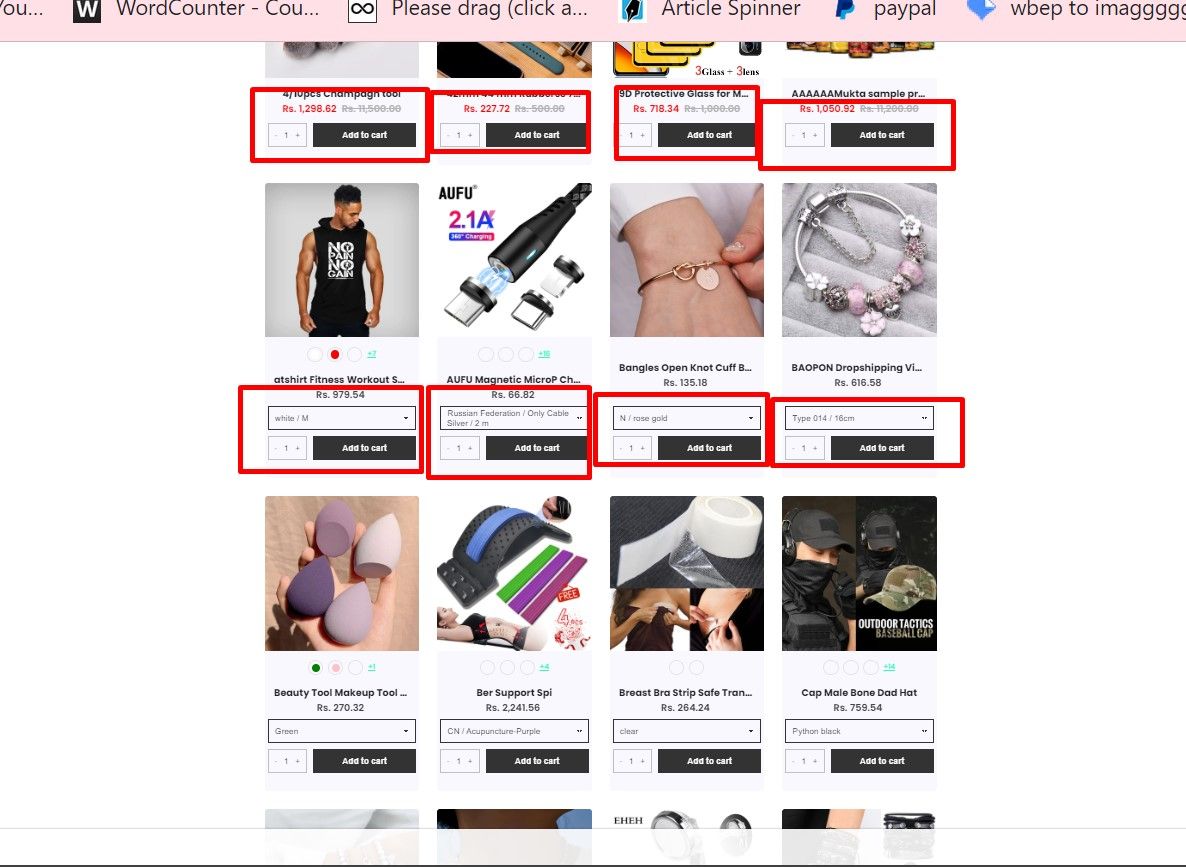
I have integrated an app on my Shopify store named “AddToCart on the collection page”.
Site - https://uniquestoreall.myshopify.com/collections/all
Psw - 1234
Now I need exact same design Add to Cart button with quantity picker and variations button by custom coding without any app.
Can you help me, please?
1 Like
Hello @Mukta_92
Just follow the steps for Debut theme for Add to cart button on collection pages.
- From Shopify Admin select Online Store and click on Themes
- Choose your main theme
- Click the . . . on the top left-right (see below) and hit Edit code
- Open Snippets → product-card-grid.liquid File and paste below code at the end of the page.