Hi!
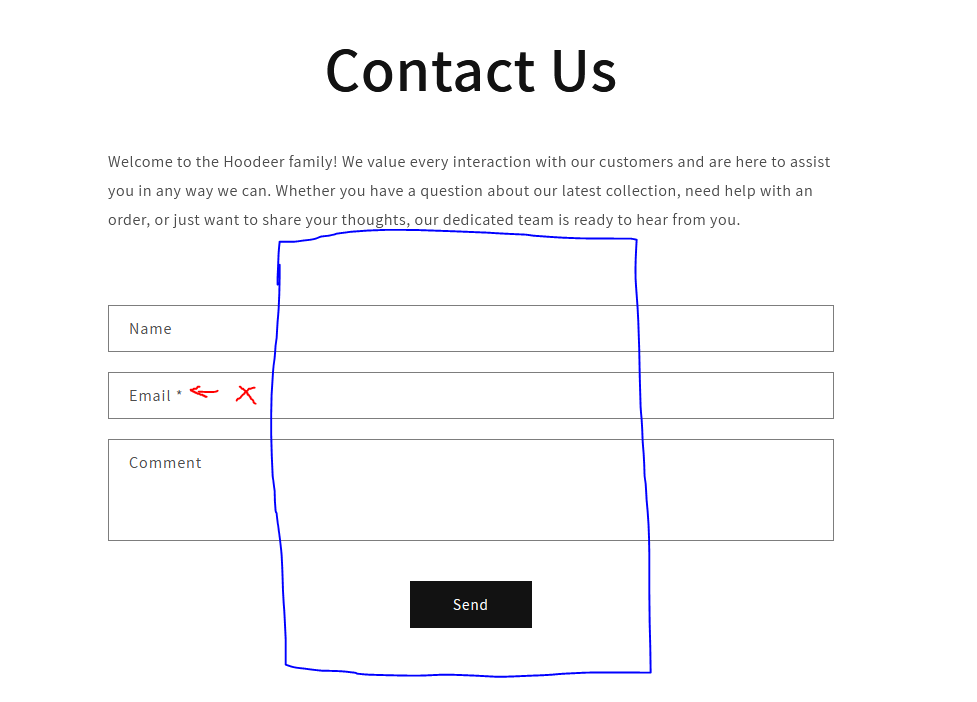
I would like to customize my contact form. So i want to make it more narrow so it would be approximately the size of blue box below. Also i want to remove “*” from email and change “comment” to “message” and “send” to “submit”.
Hi!
I would like to customize my contact form. So i want to make it more narrow so it would be approximately the size of blue box below. Also i want to remove “*” from email and change “comment” to “message” and “send” to “submit”.
Hi @AdrianS05 , can you share your store url?
@AdrianS05 , go to base.css and add the following code :
.section-template--21656516723005__form-padding {
    padding-top: 36px;
    padding-bottom: 36px;
    text-align: -webkit-center !important;
}

.form#ContactForm {
    max-width: 60% !important;

}
Unfortunately it didn’t work
@AdrianS05 , Go to theme.liquid and add this code before the tag :
I added the code but still nothing
Hi Adrian, Can you please share the URL of your Store?
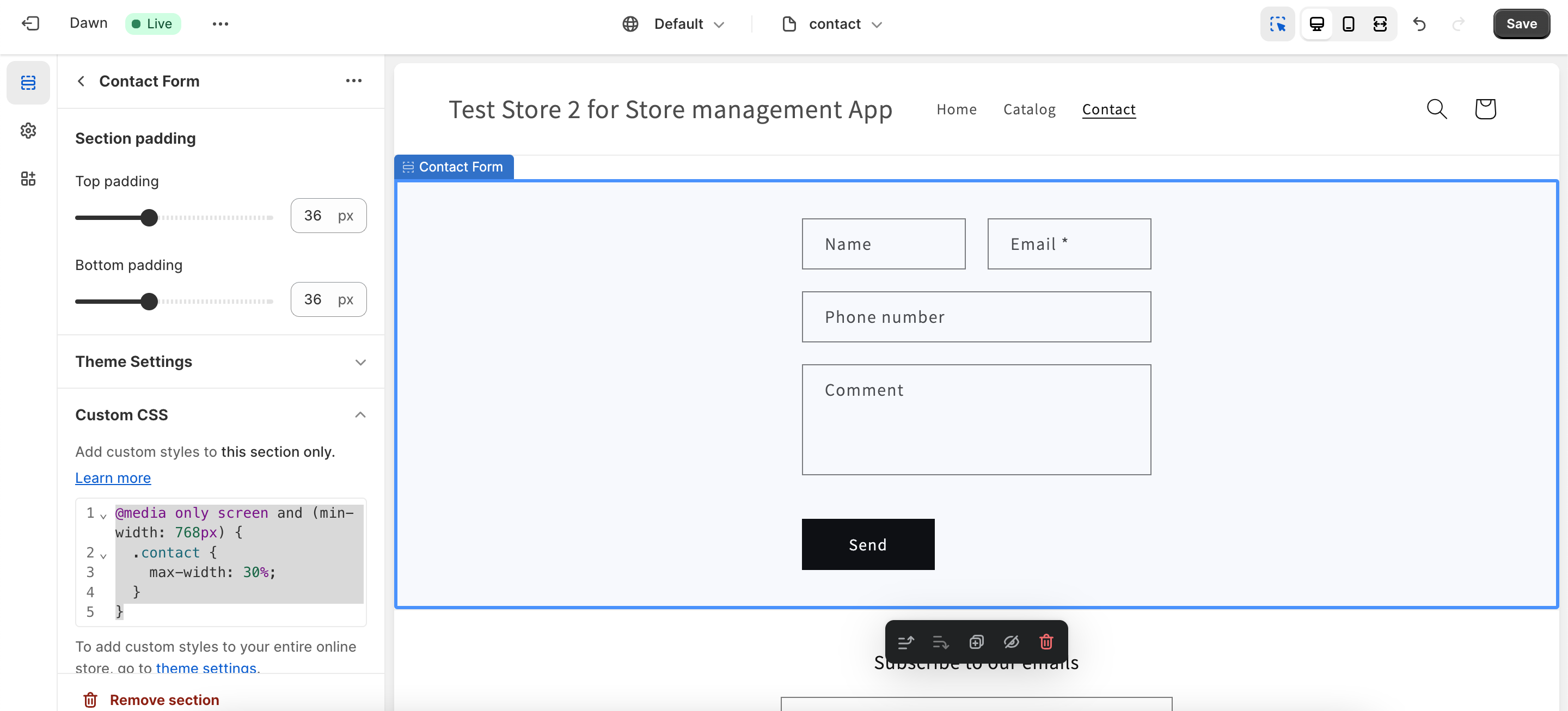
Hi, you can follow these steps to set the width of contact form:
@media only screen and (min-width: 768px) {
  .contact {
    max-width: 30%;
  }
}
Thanks, It worked!
You are welcome. 
Hi, I encountered one problem in editor it works great making it more narrow, but when i enter the page as normal visitor I don’t see any changes. What should I do?
Hi, Please make sure to press the save button on top right.
and then hard refresh the page or check the page in the incognito mode of browser
I checked it on diffrent browsers both with incognito and without, but still it doesn’t work. And in the editor it is fine.
Hello @Abdosamer can you help me please with some problems on my website ? I have the Dawn theme and I want to add some more field in the contact forms and make the banner images resize when the user is on the website from the phone. Can you please help me?