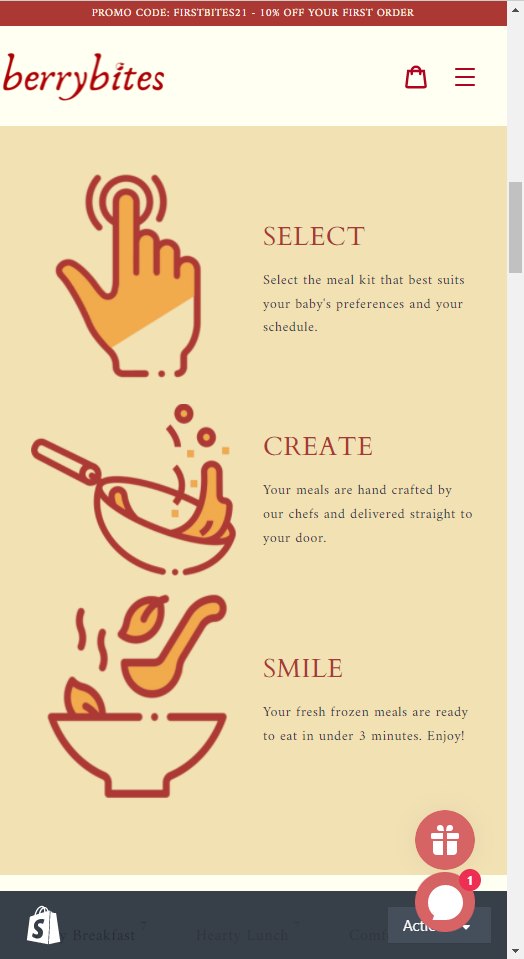
Hello, I’d like help with reducing the size of these 3 images/icons on the mobile version. Thanks in advance!
Topic summary
-
Goal: Reduce the size of three images/icons on the mobile version of a Shopify storefront (URL and screenshots provided to show layout).
-
Proposed fix: Add a CSS media query for small screens (max-width: 767px) targeting the section’s images (class custom-content__image) and set a smaller width (100px). A media query applies CSS rules only at specified viewport sizes.
-
Result: The images resized correctly on mobile to the desired size.
-
New issue: After resizing, the images are not centered within their grid/block. The poster requested guidance to center them (no centering solution provided yet).
-
Additional request: Another participant asked how to achieve a similar size change on the desktop version (outside the mobile media query).
-
Status: Partially resolved. Mobile resizing works; centering and desktop-specific adjustments remain unanswered/ongoing.
Hi @winnado11
I hope you are doing good !
You can add this code in css file
@media(max-width:767px){
#shopify-section-1623276090444d7601 img.custom-content__image {
width:100px !important;
}
}
Thanks
@hawkscode Thanks for the code. The image does reduce, which is exactly the size I want. However, the problem is that it’s not in the center of its own grid/ block. Do you know how to adjust that to the center?
Thanks for your time and help in advance!
How can I do it on the desktop version? (not the mobile)

