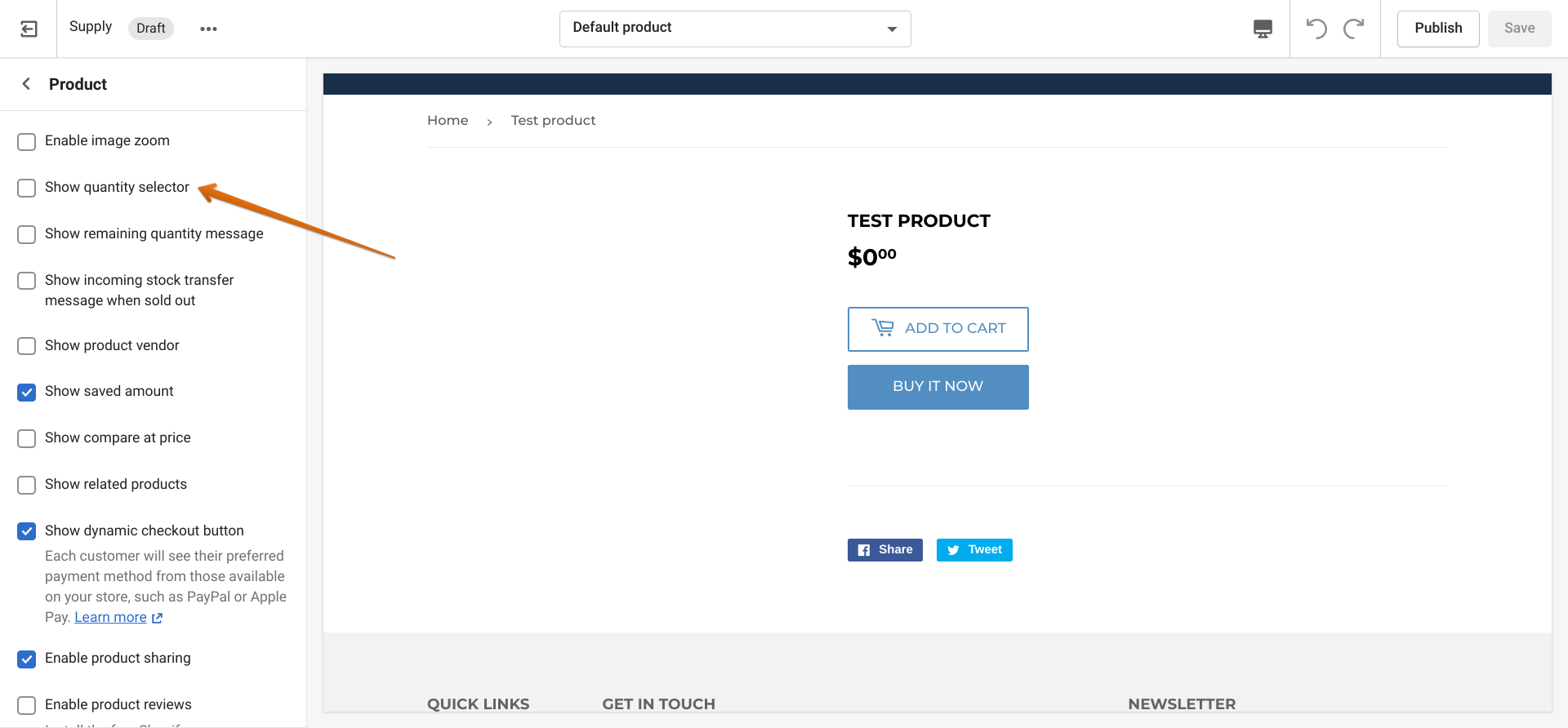
I use the Supply Theme. A customer contacted me saying she wanted to order 2 of one item but there was no way to do this unless she went back and ordered another one of the same thing.
Is there a way to add a quantity choice for products?
Thank you.
I use the Supply Theme. A customer contacted me saying she wanted to order 2 of one item but there was no way to do this unless she went back and ordered another one of the same thing.
Is there a way to add a quantity choice for products?
Thank you.
Hi there, @bytheriver !
Great question, I can definitely show you how to add a quantity selector to our Supply theme. You’ll want to follow these steps:
And voilà! Once that is checked off, your customers will be able to add more than one of a product to their cart at a time. It will look something like this:
If you want to read some more about customizations and sections for the Supply theme, as well as tips, you can check out our help document!
I hope this helps, and please let me know if you have any more questions.
Thank you so much! It worked!