How can I enter tables in collapsible rows? Metafield options only allow text and numbers

Topic summary

Main issue: The poster wants to display tables inside theme “collapsible rows,” but the available metafield types only allow plain text/numbers, causing content to bunch up. They referenced a JSON-based approach seen elsewhere but lack the expertise to implement it.

Proposed workaround: You cannot add tables directly via metafields. Instead, link a Shopify Page to the collapsible row; Pages support full HTML, including

tags.

Follow-up request: The poster asked for step-by-step instructions on how to connect a Page to the collapsible row.

Latest update: A helper provided a screenshot (no written steps) showing the setting where a Page can be selected as the content source for the collapsible row.

Assets central to understanding: Multiple images are key—examples of the current bunched content, the desired table layout, and the settings screenshot indicating how to attach a Page.

Status: Partially addressed. A viable workaround (using a Page with HTML tables) is identified, but detailed instructions are image-only and no code/JSON solution was provided. Resolution not confirmed; discussion remains open.

Summarized with AI on January 14. AI used: gpt-5.

I am looking for a way to enter tables inside the collapsible rows. There isn’t an option in the metafields to enter tables. I came across another thread that mentioned using JSON but I do not have the expertise and knowledge to carry out something like this. Might there be another way perhaps? Can some sort of code be edited to allow tables? Any assistance would be greatly appreciated!

Currently, This is the problem I am experiencing. Without tables, My contents just bunched up.
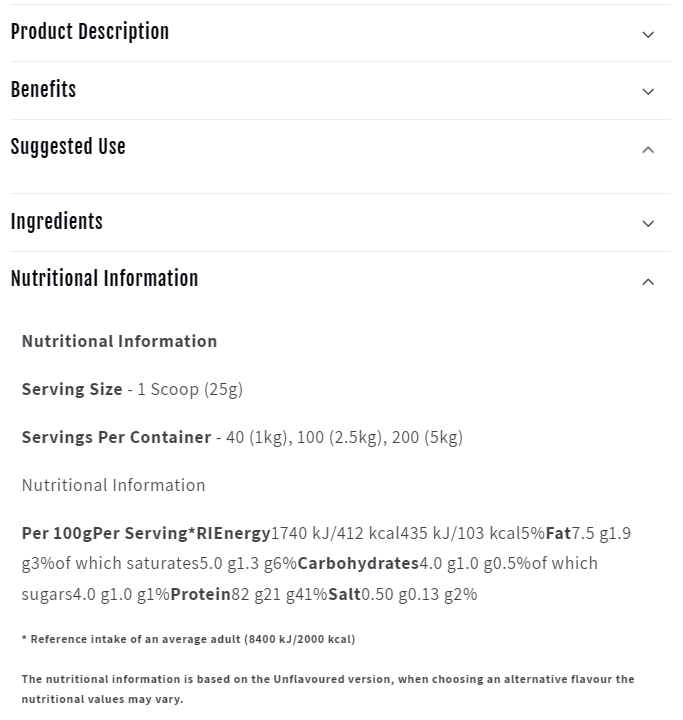
What I am looking for is something like this,

I hope these images help you get a better idea of what I am getting at.

Hi Matt_TYH,

You can’t but you can connect page in collapsible row which can contain any HTML tags.

Hope this will helps…

1 Like

Any idea how I can do that? Would you happen to have any instructions on this?

Please refer the below screenshot