How can I improve my new online store?

Topic summary

A new Shopify store owner seeks feedback before running ads, particularly regarding SEO and organic traffic performance.

Performance & Technical Issues:

  • PageSpeed scores are critically low (41 mobile, 88 desktop per Google PageSpeed Insights)
  • Recommended fixes include image optimization, lazy loading, reducing server requests, and removing excess apps

Homepage Improvements Suggested:

  • Feature highlighted or best-selling products prominently
  • Display Instagram feed content instead of just icons (using apps like Instafeed)
  • Add brand story section to help customers understand the business
  • Include customer testimonials for credibility

Product & Collection Pages:

  • Add product reviews and average ratings with review counts
  • Implement detailed filters (size, color, category) on collection pages
  • Replace pagination with “Load More” button for better browsing experience

Customer Experience Enhancements:

  • Add contact form on Contact Us page (currently missing)
  • Create FAQ section to answer common questions and reduce support workload
  • Build About Us page reflecting business personality and purpose

Marketing Opportunity:
With Mother’s Day 2023 approaching (ranked third-largest holiday after Black Friday/Christmas), consider special discounts and themed color palettes (Pastel Pink & Green, Red & White, Lilac & Light Blue).

Content Strategy:
Maintain consistent blogging schedule to improve organic traffic and online reputation.

Summarized with AI on November 21. AI used: claude-sonnet-4-5-20250929.

Hi there!

I just launched my Shopify store and would love some feedback on it. I have not run any ads to push traffic towards it. I’m waiting to see how the organic traffic is with my SEO. All feedback it welcome.

Website: www.reneeandgrey.com

1 Like

Hi @reneeandgrey ,

This is Richard - CRO Expert at PageFly - Shopify Advanced Page Builder app.

Congrats on your new store! From my CRO expertise, I’d love to give you my suggestions as hereby:

1. Check pagespeed for your store:

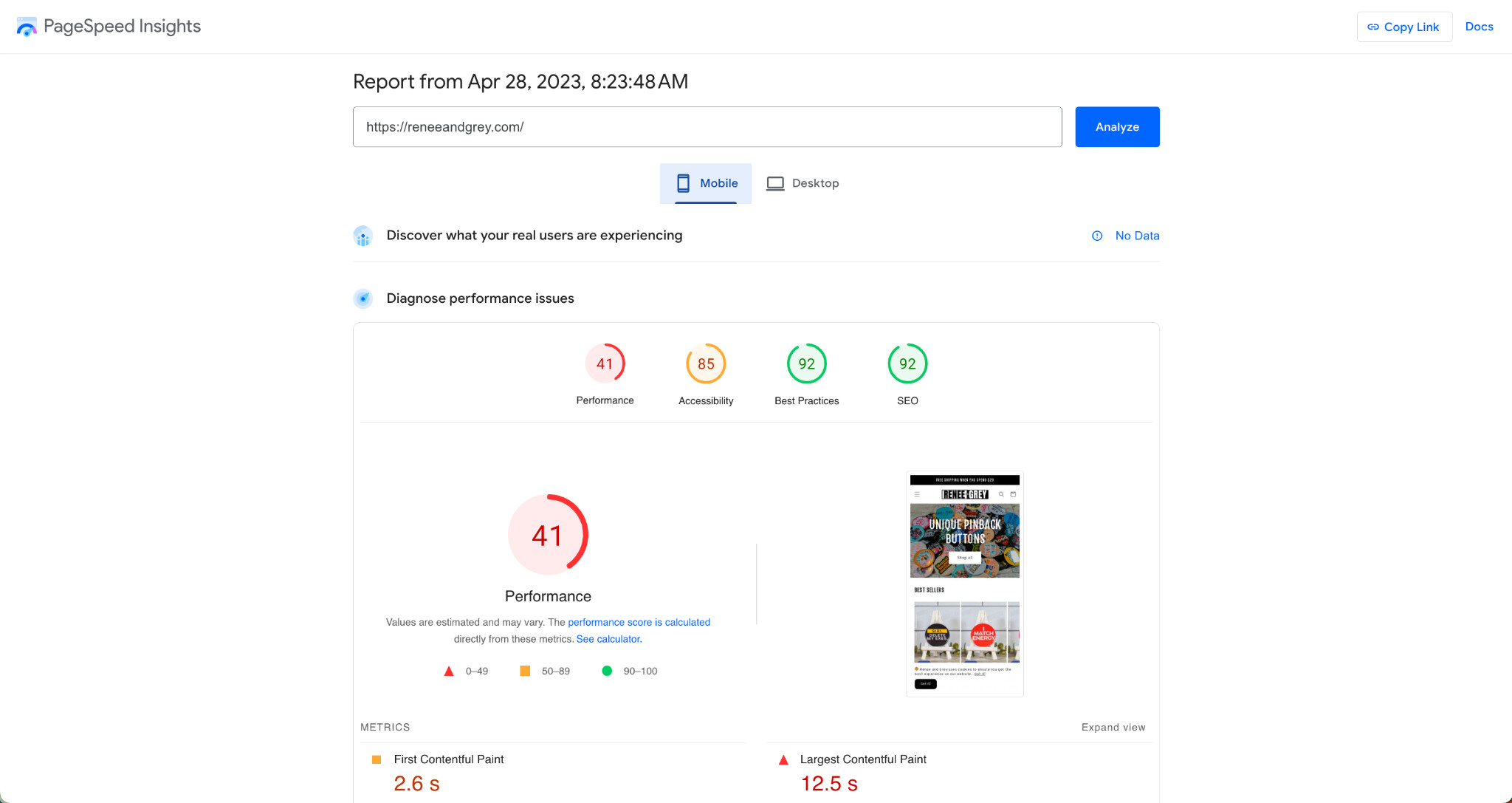
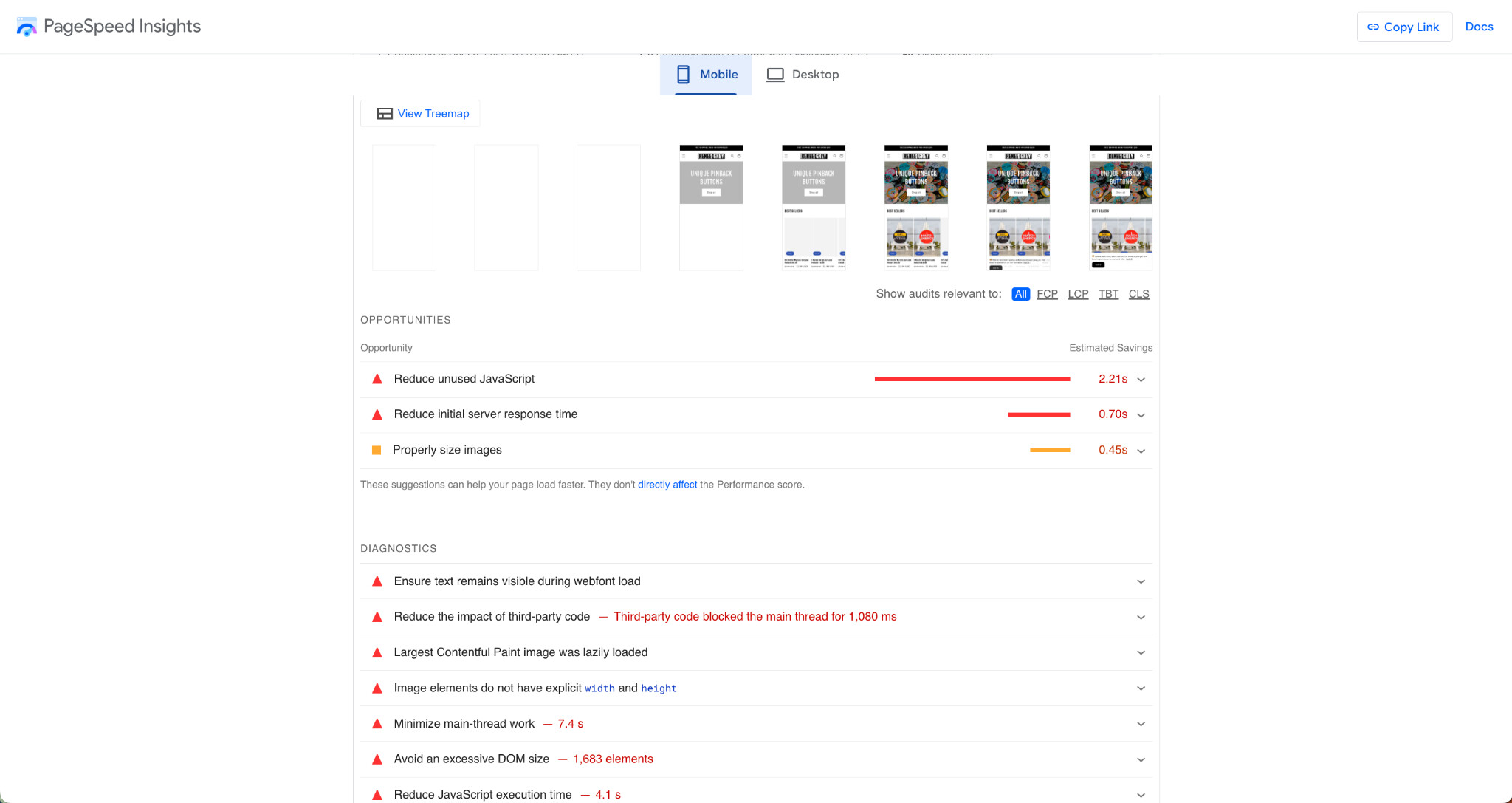
According to the Google Pagespeed Insights, the pagespeed of your homepage is 41 for mobile and 88 for desktop. This score is quite low for a page. If your stores have a low loading time, then your visitors won’t stick around and they will bounce. Stated differently, if your stores have a longer time checkout, your customers can give up. Pages load slowly gives people more time to change their minds.

These are some ways for you to apply to make your store run faster and quickly as well as reduce the loading time:

  • Optimize your images
  • Reduce server requests and remove excess apps
  • Fix server errors
  • Lazy loading
  • Reduce server requests and remove excess apps

And you can try to improve these factors suggested by Google PageSpeed Insights here:

2. Homepage

2.1 Show a highlighted product or the best seller product

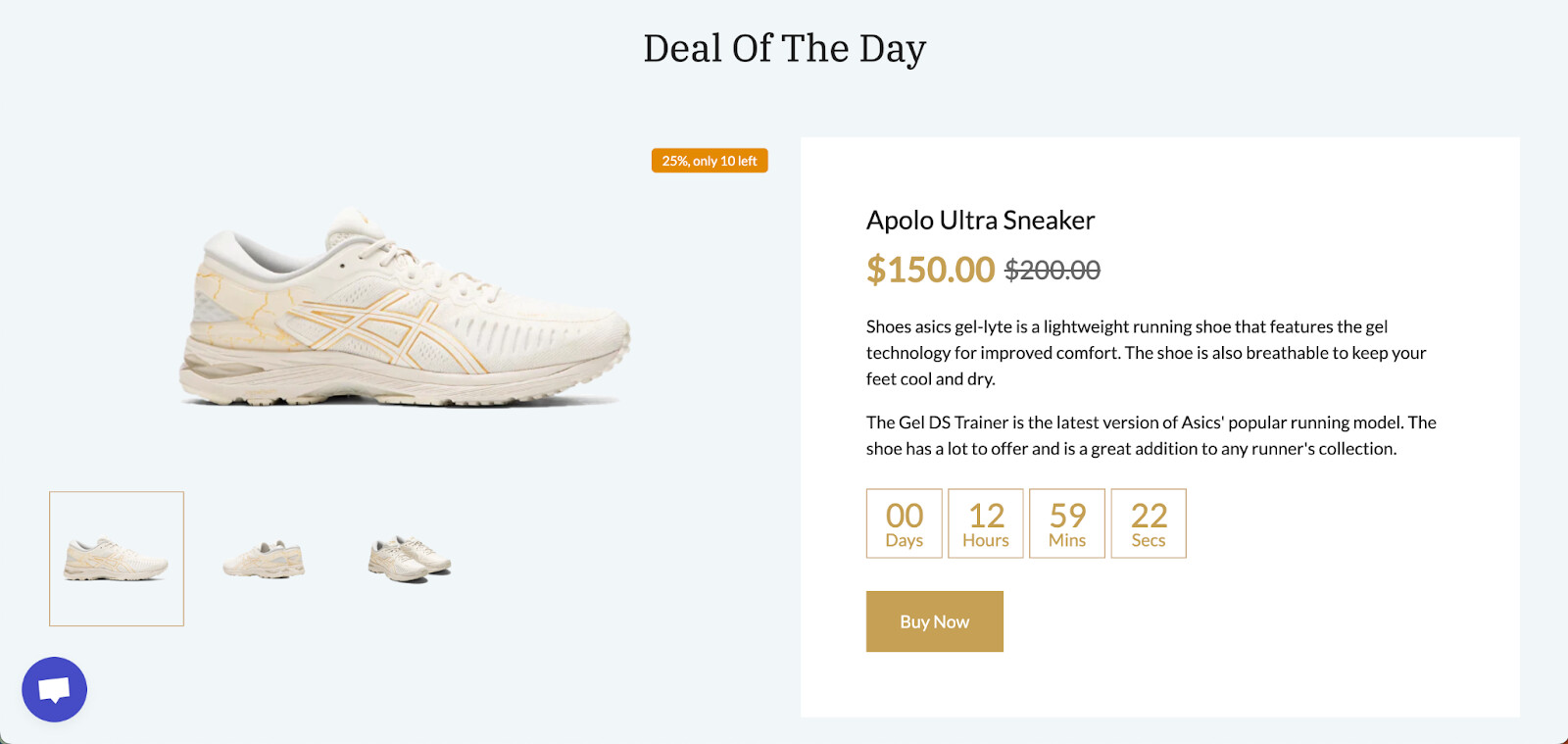
Showing a highlighted product or best seller product will help to boost sales for this product. You can take a look at one of our pre-made templates here as an example:

2.2 Show social media (optional)

The homepage now is showing the Instagram icon. Instead of using the icon only, you can show the media from your Instagram to boost sales.
You can try the Instafeed by SocialWidget or Instafeed | Instagram Feed app.

2.3 Add the benefit bar above the fold (optional)

  • The idea is to start off by showing a full width bar that is visible above the fold.
  • Benefits The bar container is then populated with 2-4 benefits or reassurances. These are answers to commonly asked customer questions or pain points. These may refer to concerns about shipping, delivery, ratings or any active bonuses.

2.4 Add the testimonial - customer reviews section

  • Customer reviews are proof of your product quality. This section will help you build customers’ trust. You can show rating stars for each product or you can add customer reviews as text and photos.
  • Reviews are crucial when it comes to shopping online. PageFly allows you to add testimonials and product review to the page in ease ways

2.5 Add section about your brand story

A brand story helps customers understand more about your business and also helps your store look more professional.

3. Collection page - Use Load more instead of pagination

  • By using the Load more button, customers can compare products loading on one page. This helps to create a constant buying experience for customers
  • Instead of switching to many pages, go and back, you can replace the pagination with a Load more button.

Additionally, with Mother’s Day 2023 fast approaching, also ranked as the third most significant holiday following Black Friday and Christmas, it is an opportune time to consider some compelling concepts for your business to take full advantage on this occasion.

1. Use colors palette associated with Mother’s Day

This kind of change makes your store more welcoming. You can refer to these pairs of colors:

  • Pastel Pink and Green: This color palette is soft, delicate, and feminine, making it a popular choice for Mother’s Day. It includes shades of light pink, blush, and pale green, which evoke feelings of tenderness, love, and springtime.
  • Red and White: This classic color combination is timeless and elegant, and it’s often used to symbolize the love and appreciation we have for our mothers. It’s a bold and impactful color palette that can be used to create a variety of different designs.
  • Lilac and Light Blue: This color palette is soft and soothing, with shades of pale purple and blue that are reminiscent of springtime flowers and clear skies. It’s a calming and peaceful color palette that’s perfect for creating a relaxing and tranquil atmosphere on Mother’s Day.

2. Offer special discounts

Create special deals during Mother’s Day event like bundle or 1+1 offer is one of the best ways to boost your sales. You can highlight them on your homepage to be visible as soon as visitors reach your page and make it easy to navigate through your product offerings.

3. Create gift guides or a special section with product recommendations.

Creating gift guides or a product recommendation section can help increase engagement and sales on your Mother’s Day landing page. By organizing products by categories and themes, you can make it easier for shoppers to find the perfect gift for their mothers. Including product descriptions, images, and customer reviews can also help improve the shopping experience and boost conversion rates.

Best regards,

Richard | PageFly Team

Hello @reneeandgrey ,

I am Gina from flareAI app helping Shopify merchants get $6Million+ in sales from Google Search, on autopilot.

Having taken a close look at your store, I believe that below suggestions could help drive sales.

  1. Add product reviews as most of the customers read the review before purchasing the product. Even sometimes by reading reviews, customers may look to understand whether your product will suit their particular situation and make the decision to purchase the product.
  2. Add a form in the Contact Us page for better customer interaction.

  1. You can add testimonials on the home page to make the store look more professional. Testimonials allow your satisfied customers to step forward and address the questions and objections that fill the minds of your prospective buyers for you.
  2. A FAQ would be useful to provide quick information to help customers make a purchasing decision and also to reduce the time your employees need to answer simple questions.
  3. Add About Us page which is a reflection of the purpose and personality of the business.
  4. Add detailed filters in collection pages to help your visitors narrow in on the specific product they’re looking for and find products they might be interested in based on certain features (e.g. size, color, category)

BIRTHDAY PINBACK BUTTONS – ReneeandGrey 2023-04-28 00-15-21.png

  1. Add average ratings for each product
    Including both user rating and number of ratings on the products will help users to make decision whether to buy your product or not.
  2. Blogging is a great tool to enhance your website’s visibility and online presence, it’s crucial to maintain a consistent blogging schedule and provide engaging content that resonates with your target audience. By doing so, you can increase your website’s organic traffic and improve its online reputation.

Hope this helps

Gina