hello! please help me how to make this submenu bold.
Topic summary
A user seeks help making submenu items bold on their Shopify store. They provide a preview link and password for troubleshooting.
Initial Solutions:
- Two contributors offer CSS snippets to add to either the theme.liquid file (before closing
</body>tag) or theme.scss file - The first solution uses
.site-nav__dropdown .site-nav__linkselector withfont-weight: bold
Refinement:
- The initial CSS makes all menu items bold, but the user only wants specific submenus bolded (shown in an attached image)
- A revised solution targets
.site-nav__child-parent--linkwithfont-weight: bold !important
Resolution:
- The refined CSS successfully bolds only the desired submenu items
- The issue is marked as resolved with the user confirming it “worked perfectly”

@Pedz23 - can you please share this page preview link?
the password: adm!n321
@Pedz23 - password to view page?

@Pedz23 - add this css to the very end of your theme.scss file and check
.site-nav__dropdown .site-nav__link {font-weight: bold;}
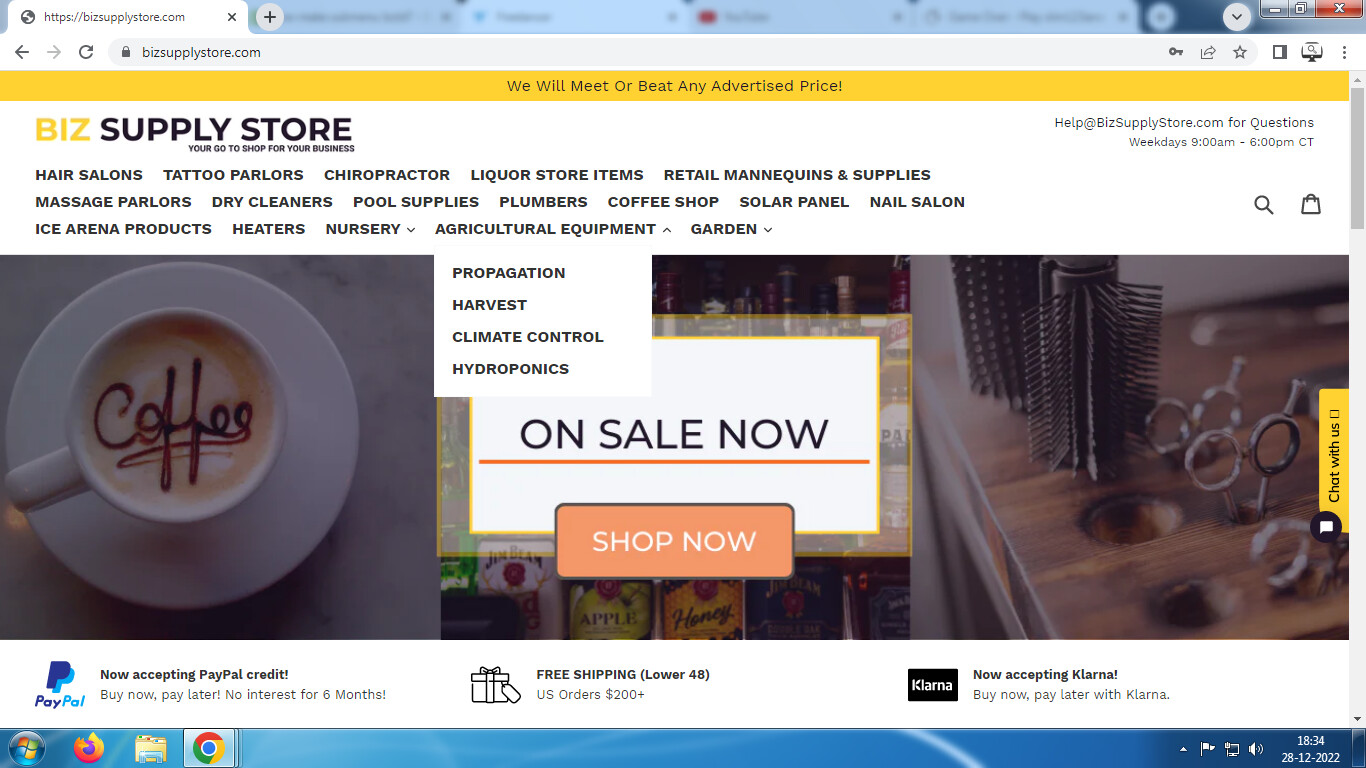

@Pedz23 - try this css
.site-nav__child-link--parent {font-weight: bold !important;}

1 Like
it worked perfectly! thank you!