Hey, can I make the clickable links on header bold somehow? thanks
Topic summary
A user seeks to make header navigation links bold in Shopify’s Dawn theme.
Solutions Provided:
Two approaches were offered:
-
theme.liquid method: Add CSS styling above the
</body>tag inlayout >> theme.liquidtargetingnav.header__inline-menuelements withfont-weight: 700 !important -
base.css method (recommended):
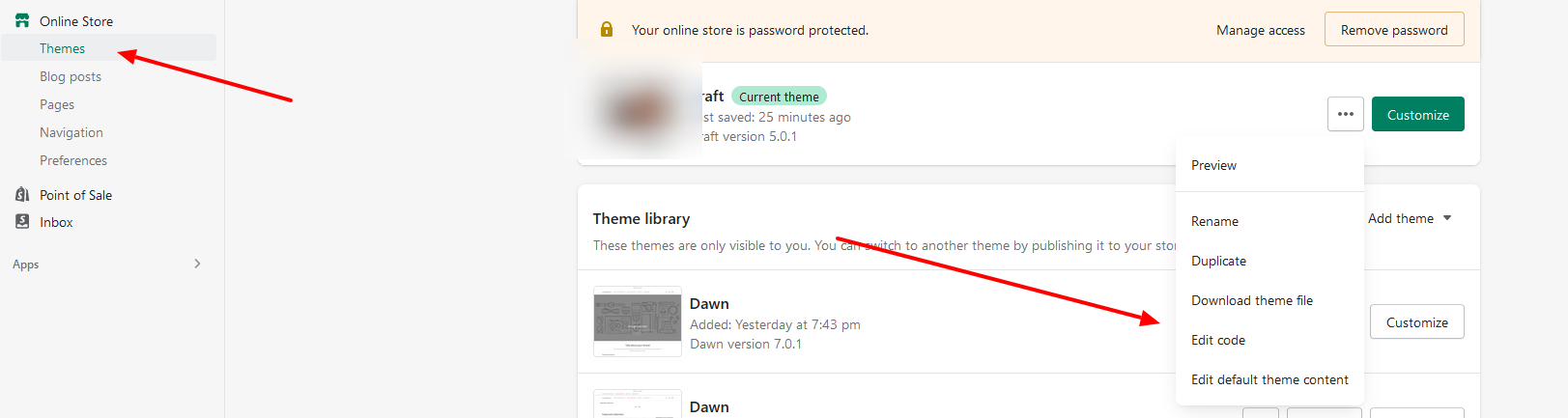
- Navigate to Online Store → Themes → Edit Code
- Open
Assets/base.css - Add CSS at the bottom:
.header__menu-item { font-weight: bold; } - For active links only:
.header__active-menu-item { font-weight: bold; }
Outcome: The user confirmed one solution worked successfully. Both responses included screenshots showing exact file locations and code placement.
Hello
Please add the below code above in theme.liquid
layout >> theme.liquid
nav.header__inline-menu .list-menu li a.header__menu-item span { font-weight: 700!important; }
Hi @Piirretty
May I suggest to update code these steps:
- Go to Store Online-> theme → edit code
- Assets/base.css
- Add code below to bottom of file

.header__menu-item span,
.header__active-menu-item {
	font-weight: bold;
}
If you only want bold active link you use code below

.header__active-menu-item {
	font-weight: bold;
}
2 Likes
Thank you! This one worked.