Hello, does anyone know how to remove blog page title please ?
You can hide those with CSS
Can you please share URL and provide screenshot which title you want to hide ?
Thanks!
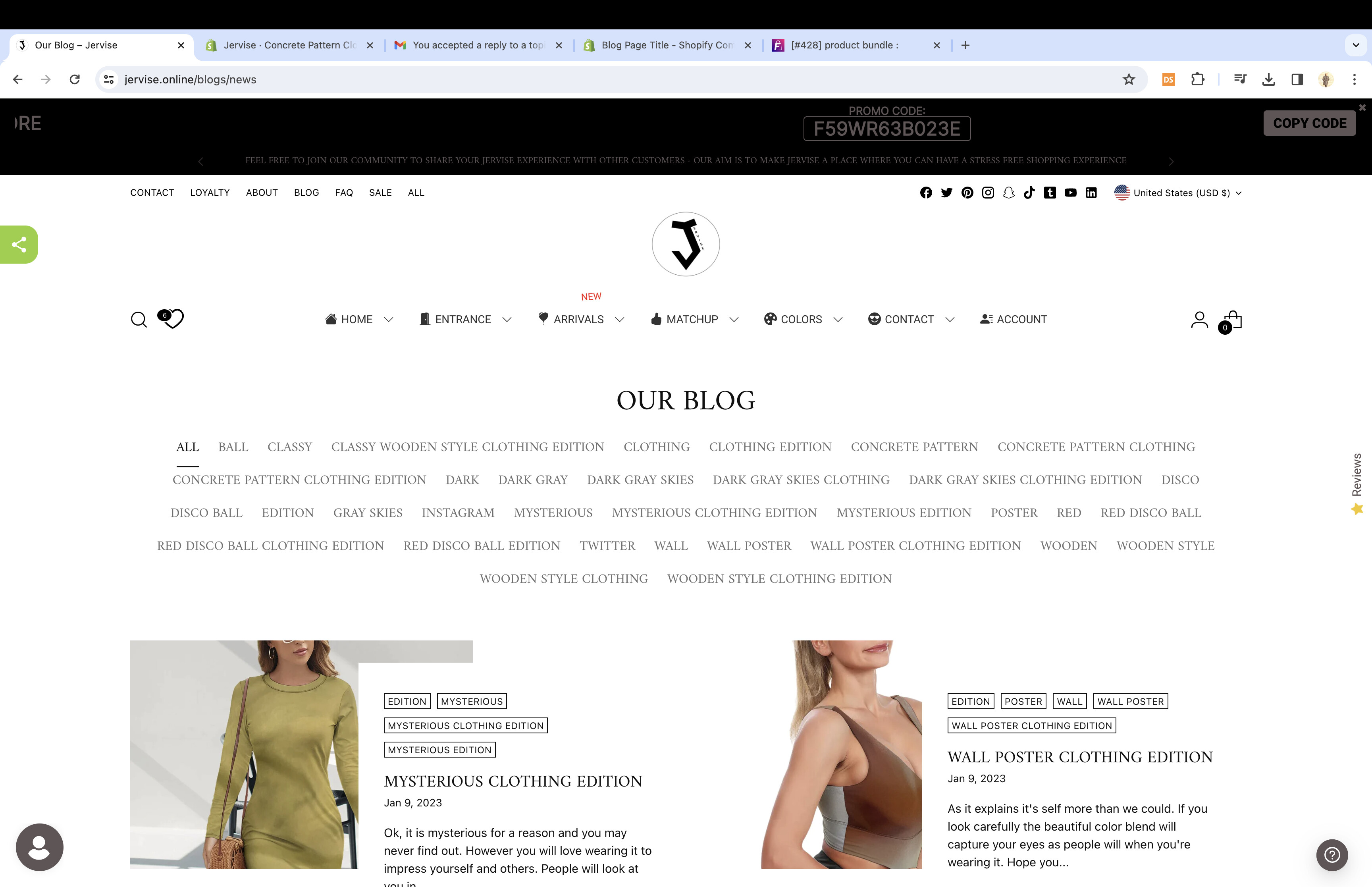
i sent preview, store is still password protected, thanks
Need to remove the OUR BLOG title please, thanks
Add this code in your base.css or theme.css:
h1.blog__heading.ff-heading.fs-heading-2-base.fs-heading-1-base-ns.ta-c {
    display: none;
}
Result:

thanks much, it worked but can i get rid of the wide space where it used to be please ?
Actually, the title space doesn’t exist; by adding display: none, you eliminate the space. The white space you see is caused by the remaining elements. One option could be the following:
.blog.section.animation.animation--blog.is-visible {
    padding-top: 0px;
}
Add it below the code I provided earlier. Hope it works; mark my responses as a solution if it does!
Actually, the title space doesn’t exist; by adding display: none, you eliminate the space. The white space you see is caused by the remaining elements. One option could be the following:
.blog.section.animation.animation--blog.is-visible {
    padding-top: 0px;
}
Add it below the code I provided earlier. Hope it works; mark my responses as a solution if it does!
thanks much
1 Like