I would like to remove the email suscrption bar only at the home page. Thanks.
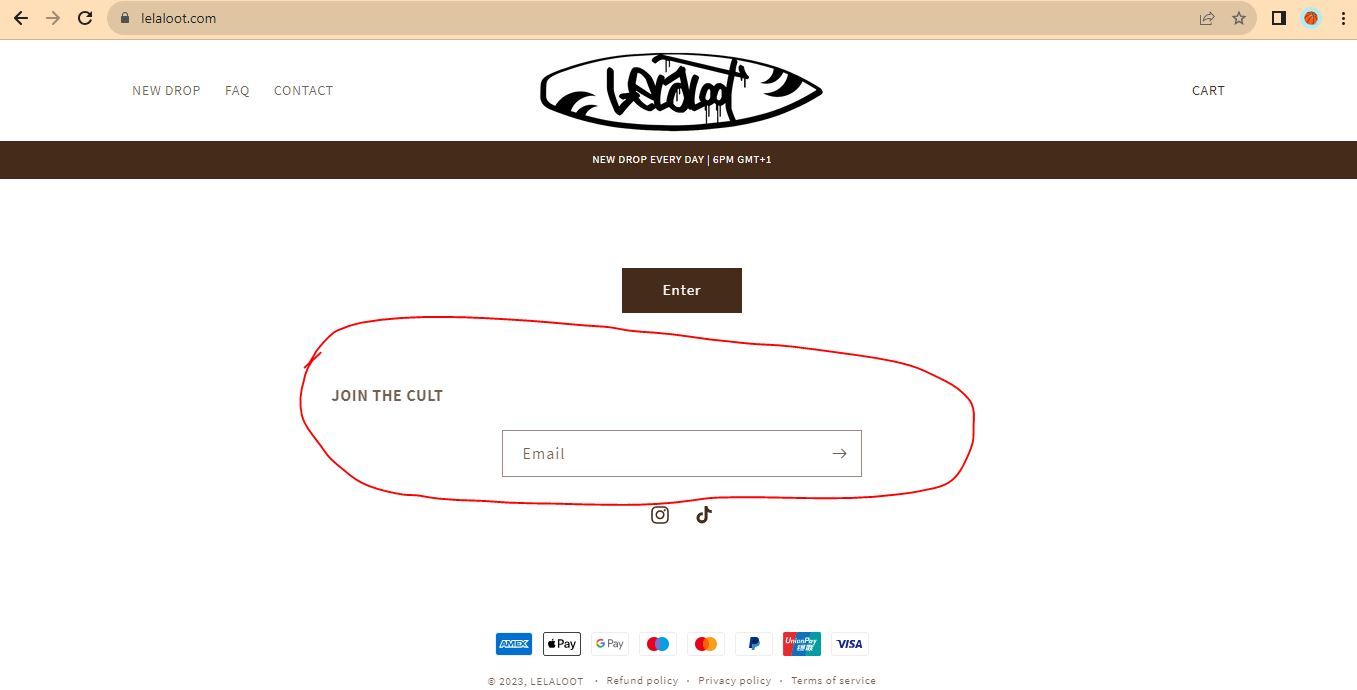
Topic summary
Goal: remove the email subscription bar only on the home page in a Shopify theme.
Proposed fix:
- Navigate to Online Store > Theme > Edit code.
- Open base.css and append: .newsletter.center { display: none !important; }
- This CSS (“display: none !important”) hides the targeted element from rendering.
Effect: The rule targets elements with the classes “newsletter center.” The response does not limit the rule to the home page, so it may hide the newsletter section across the site if those classes appear on other pages.
Evidence/attachments: A screenshot was shared for context; the CSS snippet is central to the solution.
Outcome/status: No confirmation from the requester. It remains unclear whether the home‑page‑only requirement was achieved or if page‑specific targeting is needed. No alternative approaches or theme settings were discussed.
This is Henry from PageFly - Landing Page Builder App
You can try this code by following these steps:
Step 1: Go to Online Store->Theme->Edit code.
Step 2: Search file base.css
Step 3: Paste the below code at bottom of the file → Save
.newsletter.center {
display: none !important;
}
Hope that my solution works for you.
Best regards,
Henry | PageFly
