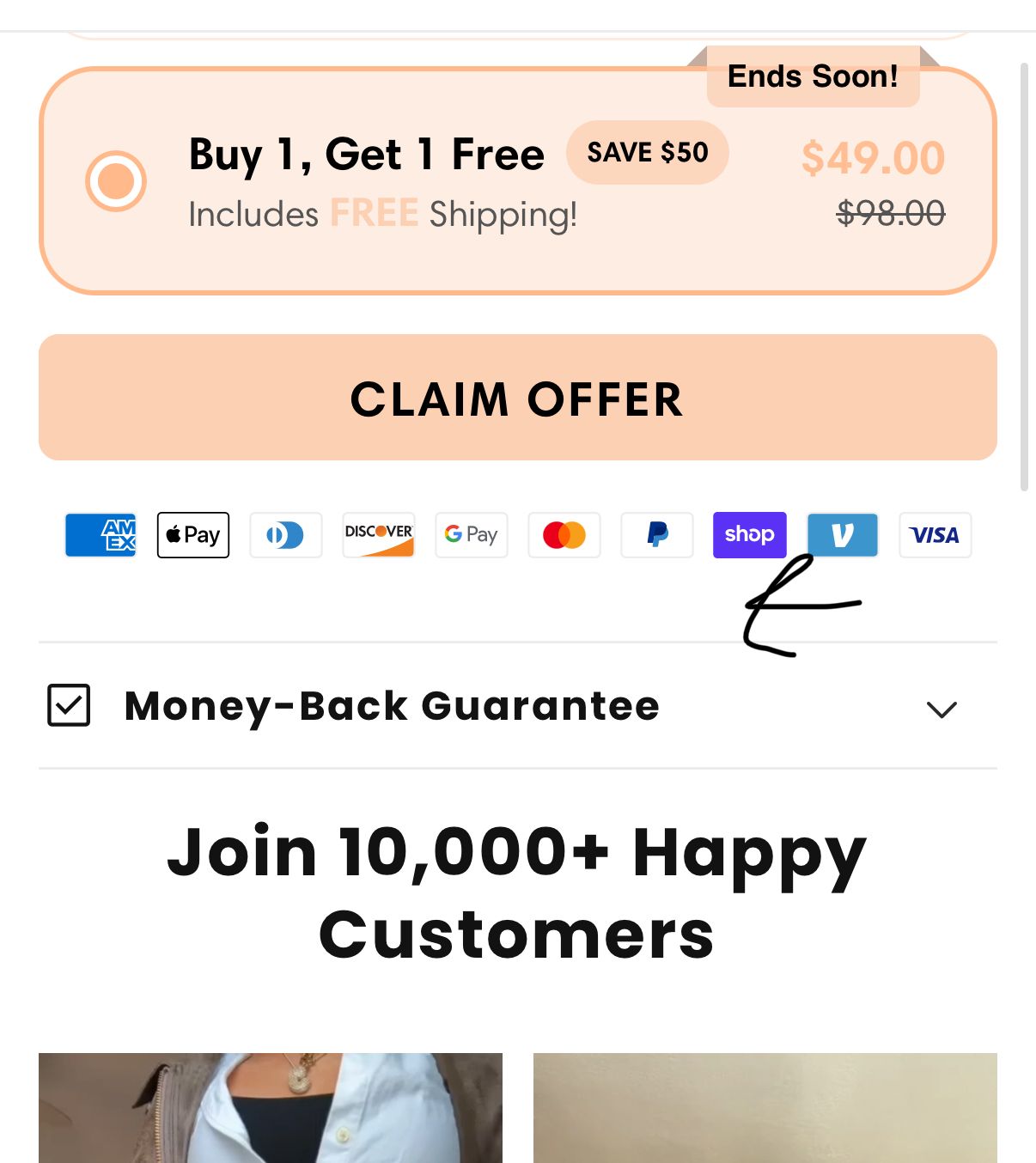
Hey, I want to decrease the space here just by a tiny bit, how do I do this?
https://charmente.com/products/charmente-flared-work-yoga-pants
Hey, I want to decrease the space here just by a tiny bit, how do I do this?
https://charmente.com/products/charmente-flared-work-yoga-pants
Hi @Simon159
You can try to follow this step
Step 1: Go to Edit code
Step 2: Find file base.css and add this code at the end of the file
.product__accordion.accordion.accordion--medium.accordion--top-border.quick-add-hidden {
    margin-top: 0 !important;
}
Result
Bet,
Liz
Hi @Simon159
I hope you are well. You can follow our instructions below:
1/ Shopify admin > Online store > Edit code: https://prnt.sc/M4p-gua99Uf4
2/ Search for “theme.liquid” file: https://prnt.sc/b6xveIKe-Rh2
3/ Open the file and search for tag and add the following code above tag: https://prnt.sc/KWtKYyZkDtYJ
Here is the code for Step 3:
{% style %}
.payment-badges-block {
    margin-bottom: 0 !important;
}
.product__accordion {
    margin-top: 0 !important;
}
{% endstyle %}
Please let me know if it works. Thank you!
Best,
Daisy - Avada Support Team.