hi,
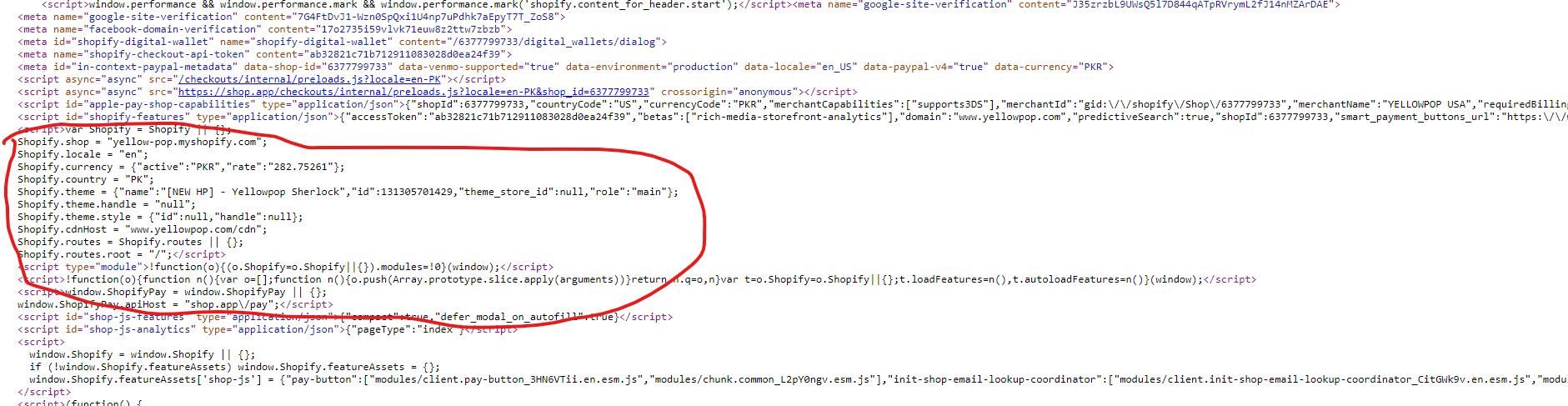
can someone help identify the theme following store using:
Open the website in Chrome
right-click on the page and select View page source
Now search for the term ‘shopify.theme’ using ctrl+f
You will then see a JSON object with the name in it. For example:
Hi @exoneon
To identify the theme used by a Shopify store, you can use the following method:
Right-click on the page and select “View Page Source” or press Ctrl + U (Windows/Linux) or Cmd + Option + U (Mac).
Use Ctrl + F (Windows/Linux) or Cmd + F (Mac) to open the search function in your browser.
Search for keywords like theme, Shopify.theme, or Shopify.theme.name.
These steps should help you locate the theme name.
I hope this helps! If it does, please like it and mark it as a solution!
If you need further assistance, feel free to reach out!
Regrads,
Sweans
hey, thanks, but this i know. They have theme id null and theme name modified. Is not there any other from code to check?
Hi @exoneon ,
When the theme_store_id is null, it means the theme isn’t from the Shopify Theme Store.
It’s likely a custom-built theme or a heavily modified version of an existing one.
You can do the following steps to identify the theme:-
Inspect the Page:
Open Developer Tools: Right-click the page and select “Inspect,” or press Ctrl+Shift+I (Windows/Linux) or Cmd+Option+I (Mac).
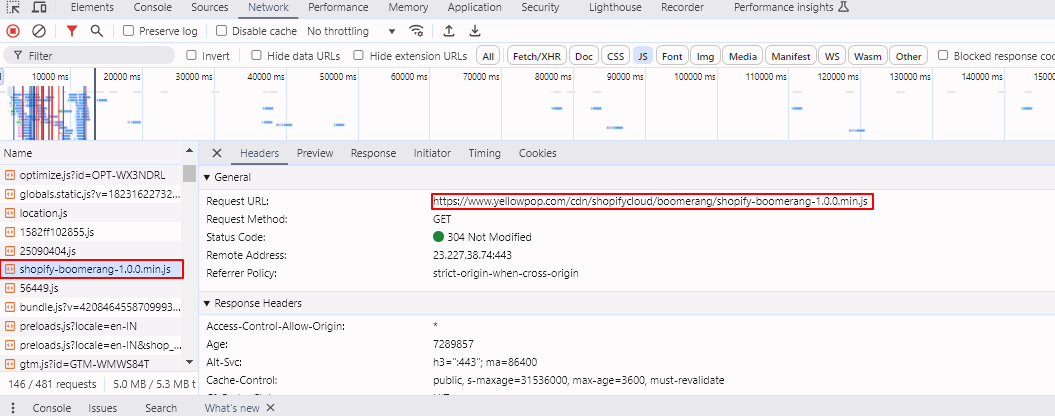
Network Tab: Alternatively, in the “Network” tab, you can see all the resources being loaded when the page is refreshed.
Look for CSS and JavaScript files, and inspect their URLs for potential theme-related information.
Based on the information from the Network tab, it appears that the Shopify store is using a theme named "Boomerang.
" The URL for one of the JavaScript files includes “boomerang,” indicating that the theme in use is likely “Boomerang.”
For further details or verification, you might want to compare this with available themes on the Shopify Theme Store.
If you need further assistance, feel free to reach out!
I hope this helps! If it does, please like it and mark it as a solution!
Regards,
Sweans