Hello,
How am I able to make a dropdown menu for the icon ‘account’ through the dawn them.
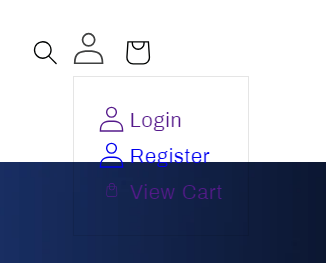
For example like this:

But with my own wording etc. Thank you
Issue: A Shopify store owner wants to add a dropdown menu to the account icon in the Dawn theme header, similar to examples showing login/register options.
Solution Provided:
sections/header.liquid file below the customer accounts conditional blockFollow-up Request:
The original poster successfully implemented the dropdown but requested schema settings to customize it through the theme editor instead of editing code directly. They want to:
Advanced Implementation:
A helper provided detailed schema code to add customizable dropdown settings:
sections/header.liquid with select options for different icon styles (login1-4, register1-4, cart1-4)This creates a “Custom Header Icon drop down Menu” section in the theme editor with selectable icon options for login, register, and cart functions.
Hello,
How am I able to make a dropdown menu for the icon ‘account’ through the dawn them.
For example like this:
But with my own wording etc. Thank you
Thank you for your reply, I am still new to code editing, Can you please show me step by step where to find this area of code to implement please & Thank you!
Hi,
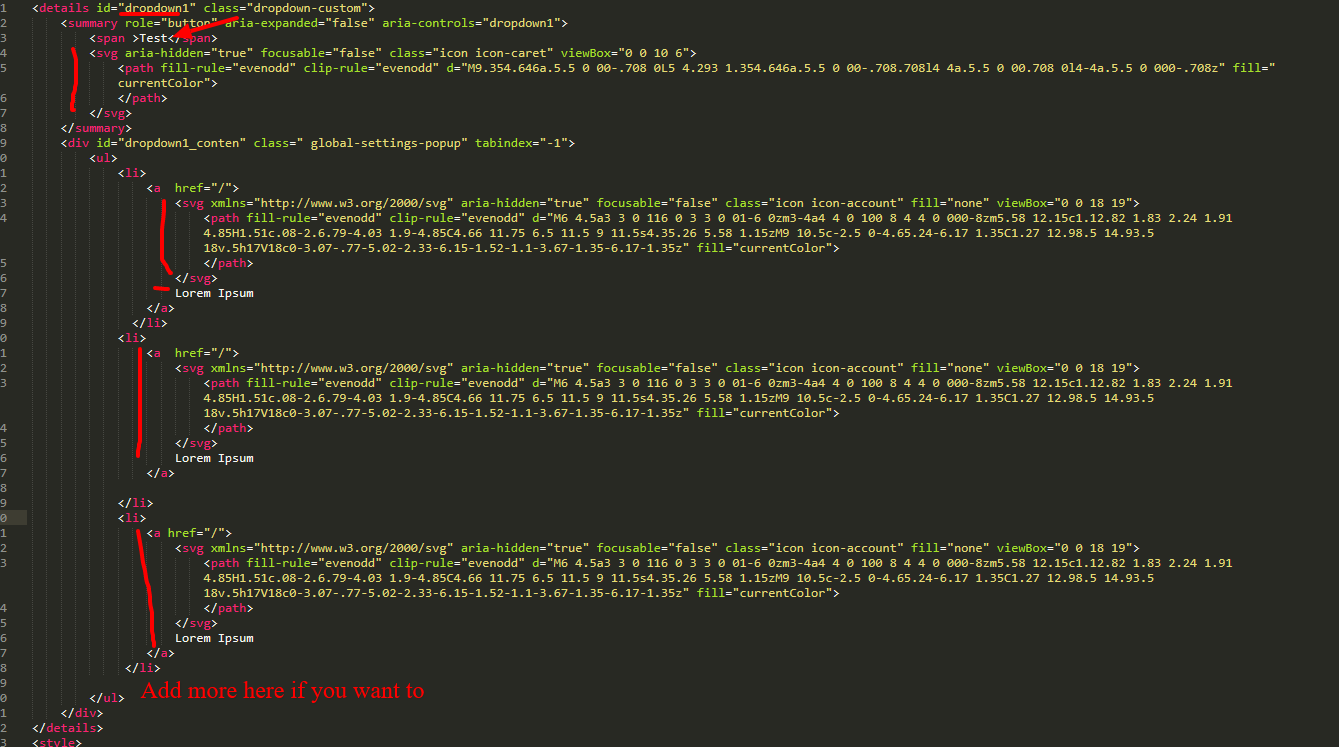
May I suggest to update code these steps:
{%- if shop.customer_accounts_enabled -%}


      {%- endif -%}
Thank you so much! 
It now looks like this;
Would you have the code to add a schemer so I can edit these changes for example “Custom Header Icon drop down Menu” directly from my editor rather then needing to update & change the code each time? So I would be able to also make it match the websites already implemented dropdown menu but with Icons etc. Please & Thank you
Hello,
Thats what I would like to have, but mine doesnt show that, example of my header section in editor;
Hi,
I am not sure your request. However I suggest code below
{
      "type": "select",
      "id": "iconlogin",
      "options": [
        {
          "value": "login1",
          "label": "Login icon 1"
        },
        {
           "value": "login2",
          "label": "Login icon 2"
        },
        {
           "value": "login3",
          "label": "Login icon 3"
        },
        {
           "value": "login4",
          "label": "Login icon 4"
        }
      ],
      "default": "login1",
      "label": "Custom Header Icon drop down Menu Login"
    },
    {
      "type": "select",
      "id": "iconregister",
      "options": [
        {
          "value": "register1",
          "label": "Register icon 1"
        },
        {
           "value": "register2",
          "label": "Register icon 2"
        },
        {
           "value": "register3",
          "label": "Register icon 3"
        },
        {
           "value": "register4",
          "label": "Register icon 4"
        }
      ],
      "default": "register1",
      "label": "Custom Header Icon drop down Menu Register"
    },
    {
      "type": "select",
      "id": "iconcart",
      "options": [
        {
          "value": "iconcart1",
          "label": "Cart icon 1"
        },
        {
           "value": "iconcart2",
          "label": "Cart icon 2"
        },
        {
           "value": "iconcart3",
          "label": "Cart icon 3"
        },
        {
           "value": "iconcart4",
          "label": "Cart icon 4"
        }
      ],
      "default": "iconcart1",
      "label": "Custom Header Icon drop down Menu Cart"
    },
{%- if shop.customer_accounts_enabled -%}


      {%- endif -%}