Hello,
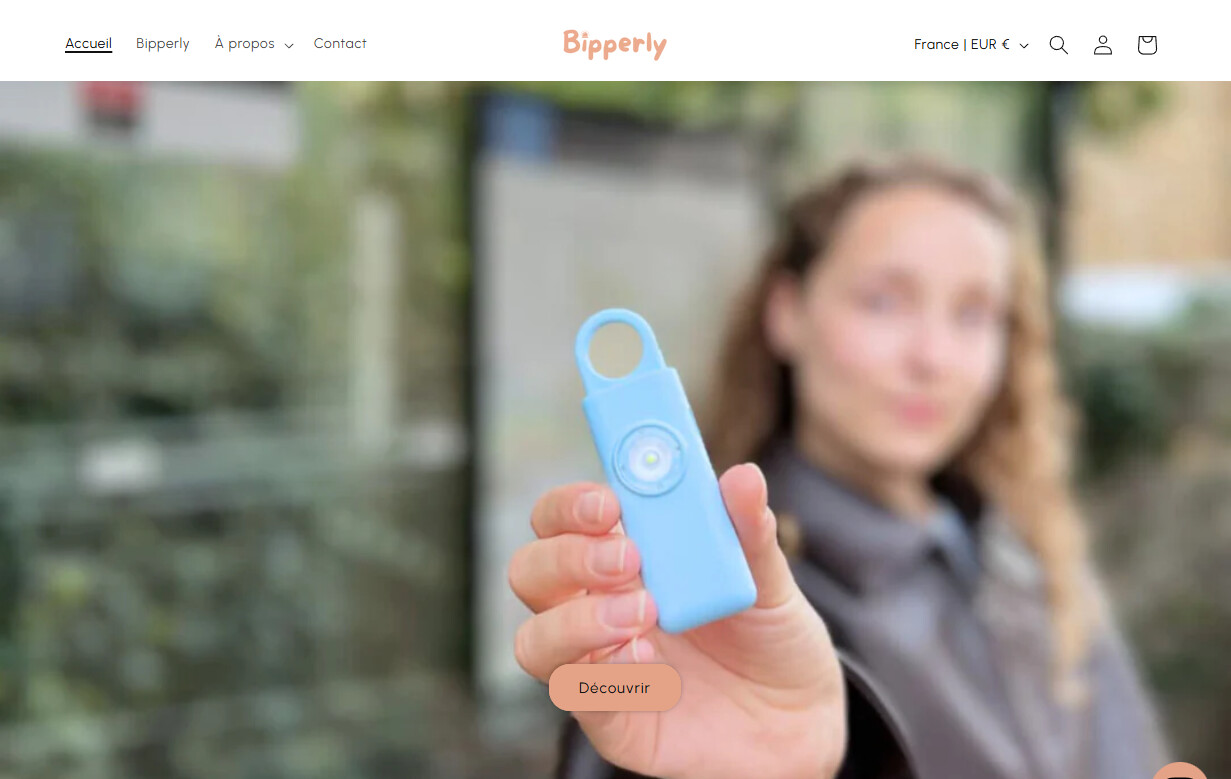
I added the code bellow to make my header transparent. The problem is that now the announcement bar is covered by it and i have an empty white space at the very top of the page and i want to remove this space..
Kind regards, Bipperly
{% if template == ‘index’ %}
.shopify-section-group-header-group.announcement-bar-section{ height: 5px; } .header-wrapper{ position: absolute; width: 100%; background: transparent; } .header-wrapper .header{ margin-top: 20px; }
{% endif %}
1 Like
This usually happens because when the header becomes transparent, the announcement bar and header overlap leaving that white space at the top.
You can fix it by adjusting your CSS to remove the extra padding and make sure the announcement bar sits correctly above the header.
Hello, @Bipperly
The solution is to make the entire header section (including the announcement bar) float over the page content and then make both of their backgrounds transparent.
Here is the corrected code that will achieve the look you want.
-
Inside the Assets folder, find and click on a file named base.css or theme.css.
-
Scroll to the very bottom of this file. It’s always best practice to add custom code at the end.
-
Delete the old code you added and replace it with the following code:
{% if template == 'index' %}

  #shopify-section-header {
    position: absolute;
    top: 0;
    left: 0;
    width: 100%;
    z-index: 10;
  }

  #shopify-section-header .announcement-bar,
  #shopify-section-header .header {
    background-color: transparent !important;
  }

  #shopify-section-header .header,
  #shopify-section-header .header__heading-link,
  #shopify-section-header .header__icon {
    color: #FFFFFF !important;
    text-shadow: 0 0 3px rgba(0, 0, 0, 0.4);
  }

{% endif %}
Save it,
Thank You!
2 Likes
Thank you so much for your reply. I added the code but now i don’t have the transparent header anymore, i let you see 
1 Like
Hey @Bipperly,
Could you please share your store url so that i can take a look into it and provide you with the Solution code.
Thanks
1 Like
Hi ! https://bipperly.com/
The websensepro code is pretty good ! but just wondering if its possible to have the transparent header and still have the annoucement bar at the very top like on my website right now
1 Like
You can add this code to theme.liquid file, after <head> and save file
{% if template == 'index' %}
<style>
  body .section-header sticky-header {  background: transparent; }
  #MainContent { margin-top: -85px; }
  @media (max-width: 749px) {
    body #MainContent { margin-top: -67px; }
  }
</style>
{% endif %}
Best regards,
Dan from Ryviu: Product Reviews App
1 Like