EandT
August 15, 2021, 8:02pm
1
Hello again everyone,
I’ve just noticed a few things on my store that are hard to read with the background colour…
Continue shopping link
Remove link (from cart)
View cart button
Add to cart button
I’ve had a look in theme settings but can’t see a way to change these. Any (simple) advice please?!
@EandT ,
Please share your store URL.
EandT
August 15, 2021, 8:06pm
3
@EandT ,
In your Shopify Admin go to: online store > themes > actions > edit code
Find Asset > theme.css and paste the code at the bottom of the file.
For Add to cart button and View Cart. #000000
.btn--secondary-accent {
    background-color: #000000 !important;
}
For Continue Shopping and the other One.
.text-link--accent {
    color: #000000 !important;
}
Do let me know if it works for you.
1 Like
EandT
August 16, 2021, 7:06pm
5
Thank you! The buttons have changed colour BUT the text is now hidden (it was the same colour as what the button now is!). How can I also change the button text colour? When I hover over the button it reverts back to what it was before, is there a way to stop that (no major issue if not).
The three links (view cart, remove and continue shopping) didn’t change colour when I entered the code.
thanks SO much for your help!
@EandT ,
I added the updated code you can change the text color and background. Text color is now set to white.
/* For Buttons */

.btn--secondary-accent {
  background-color: #9ecbc8;
  color: white !important;
  border-color: var(--color-btn-primary);
}

/* For Button Hover Effect */

.btn--secondary-accent:not([disabled]):hover, .btn--secondary-accent:focus {
    background-color: #7db9b5;
    color: white !important;
    border-color: var(--color-btn-primary-focus);
}

.text-link--accent {
  color: #3a3a3a !important;
}
1 Like
EandT
August 16, 2021, 7:56pm
8
Thank you! That has worked and looks a million times better.
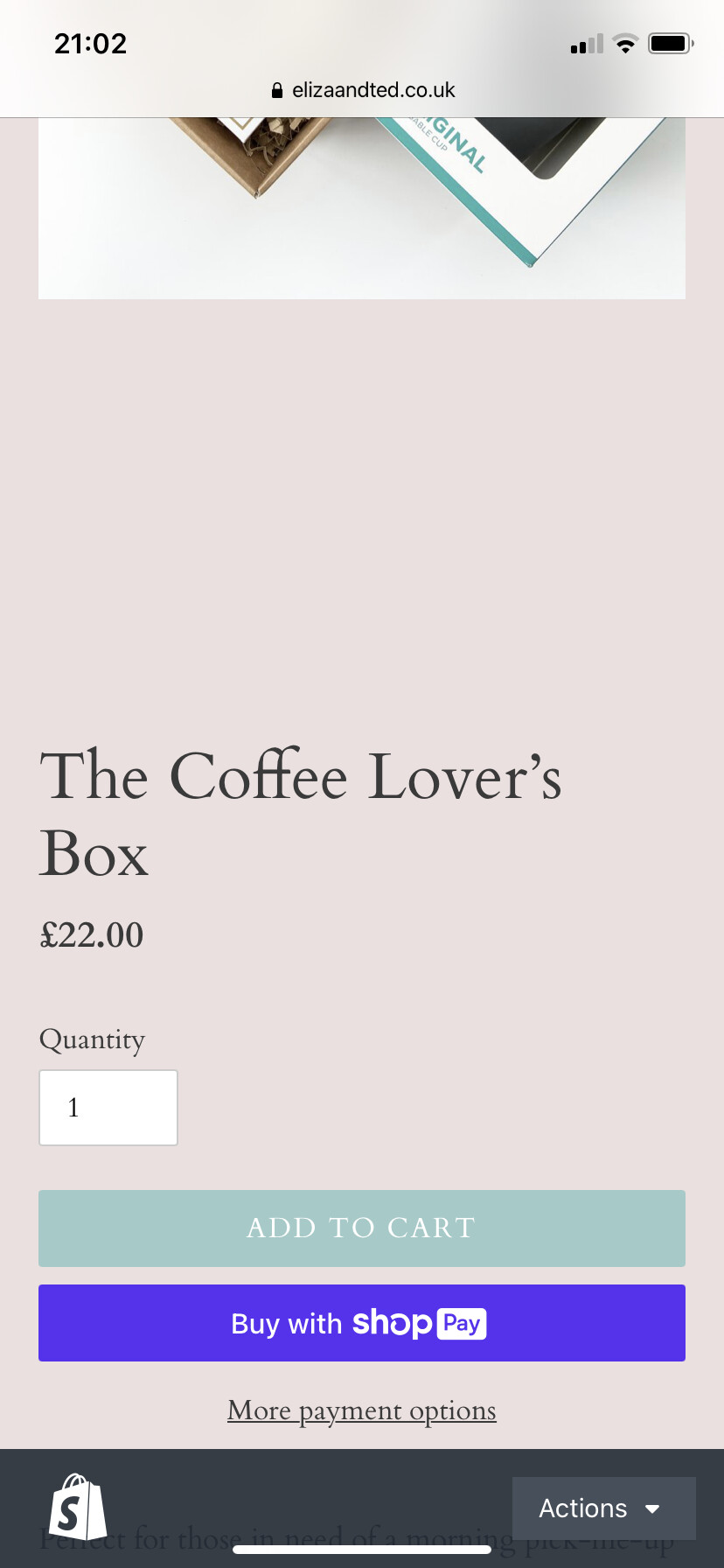
Last thing, in making all of these changes, there is now a large space between product photo and title on mobile. Can you advise how to remove the extra spaces? See here for example: https://elizaandted.co.uk/collections/shop-curated-gift-boxes/products/the-coffee-lover-s-box
thanks SO much again!
@EandT ,
Please attach a screenshot.
EandT
August 16, 2021, 8:03pm
11
Please see below, hopefully you can see what I mean
@EandT ,
Refresh the page and check now.