How to change font size on collection page? (Symmetry)

Hi all,

I would like to make the fonts on my collection-page more subtle and less bold.
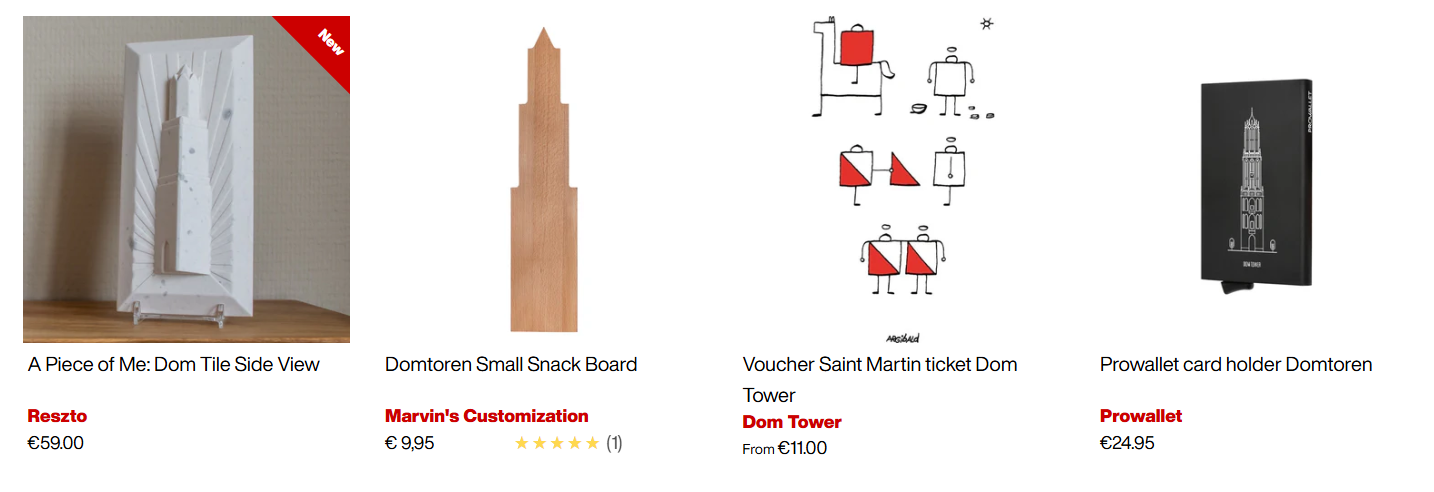
How would I be able to reduce the font size from this:

To this:

If possible, it would be awesome to have my product titles outlined in 1 sentence instead of 2.

Thanks in advance!

1 Like

Hey @WVU

Follow these Steps:

  1. Go to Online Store

  2. Edit Code

  3. Find theme.liquid file

  4. Add the following code in the bottom of the file above tag


RESULT:

If I managed to help you then, don’t forget to Like it and Mark it as Solution!

Best Regards,
Moeed

Hi @WVU

Try this one.

  1. From your Shopify admin dashboard, click on “Online Store” and then “Themes”.
  2. Find the theme that you want to edit and click on “Actions” and then “Edit code”.
  3. In the “Assets” folder, click on “base.css, style.css or theme.css” file, depending on which file your theme uses to store its CSS styles. At the bottom of the file, add the following CSS code:
.collection-listing .product-block__title.t-left {
    font-size: 1.2rem;
    font-family: "HelveticaNowDisplay", sans-serif !important;
}

Your Feedback Matters! Please mark the solution and give likes to posts that helped you. Your appreciation fuels our motivation to assist you better!

Hello @WVU

  1. In your Shopify Admin go to online store > themes > actions > edit code
  2. Find Asset > base.css and paste this at the bottom of the file:
.collection-listing .product-block__title.t-left {
font-size: 1.2rem;
font-family: "HelveticaNowDisplay", sans-serif !important;
}

Thanks a lot Made4uo-Ribe!

Is there also a way to prevent the vendor (text in red on screenshot) from displaying?
I’d like to only have the title, price and review-stars displayed! :slightly_smiling_face:

Thanks in advance!