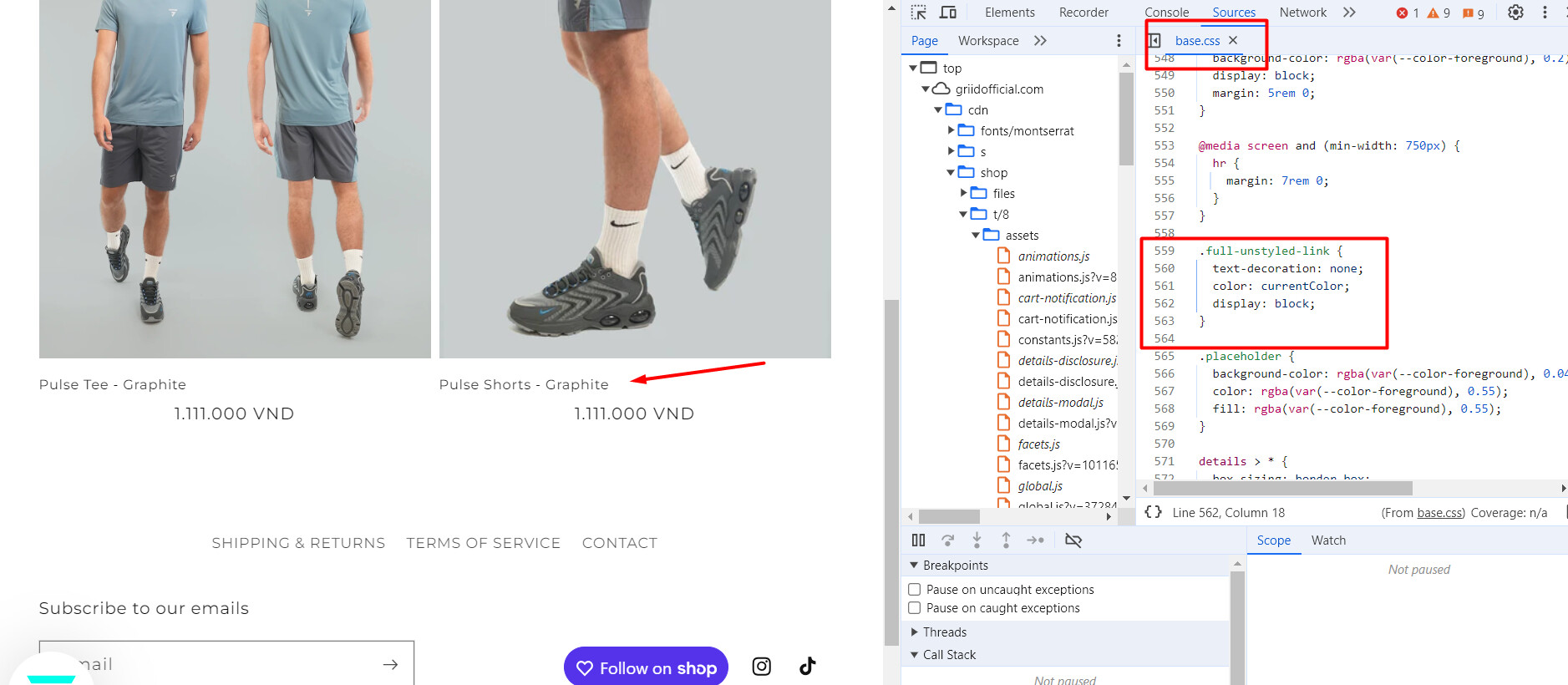
I Have coded my titles to be centred, but if I search for a certain product and the results come in all the titles are back on the left, seems to be only when I do a search. not a massive issue but something I would like addressed
domain is griidofficial.com , you can see what I am talking about if you search a product onboard my site.
1 Like
-Please follow these steps:
- Then, find the file base.css and add the following code:
.full-unstyled-link {
 text-align: center !important;
}
Hi @GRIID23
- In your Shopify Admin go to online store > themes > actions > edit code
- Find Asset > theme.css and paste this at the bottom of the file:
.card__heading {
text-align: center;
}
unsure where I am going wrong did not work for me?
unsure where I am going wrong did not work for me? thanks
Hello @GRIID23 , Please check the details below.
Go to online store ---------> themes --------------> actions --------> edit code -----> go to Assets----------> search file “component-predictive-search.css”
-----> go to line number 68, search for this code below
.predictive-search__result-group {
  display: flex;
  flex-direction: column;
  flex: 1 1 auto;
  gap: 2rem;
}
and replac this with code below
.predictive-search__result-group {
    display: flex;
    flex-direction: column;
    flex: 1 1 auto;
    gap: 2rem;
    align-items: center;
}
and the result will be
let me know if this solved your issue.
Thanks
Hello @GRIID23
Sorry for the issue you are facing. I’ve checked and see how it can be placed back on left in product card.
Here is the solution for your issue. you need to just follow below steps:
- In your Shopify Admin, go to online store > themes > actions > edit code.
- In the code directory, find Asset > theme.css and paste this at the bottom of the file and save the file:
.card__heading,
.card__heading .full-unstyled-link {
  text-align: center;
}
Hope this code works best for you.
If the solution helps you, then kindly accept and like the solution.