YIVAN
June 8, 2024, 12:28am
1
Hello,
I’m trying to create a transparent header with white text that turns black on scroll. I’ve tried various codes but a problem always occurs. I also need it to work on mobile.
Here is a perfect example of what I’m looking for - https://rh-ude.com/
URL: https://www.yivan.us/
Pass: YV2024
Thank you very much
Hi @YIVAN ,
Step 1: Go to Shopify Admin → Online Store ->Theme → Edit code
Step 2: Search file base.css, theme.css, styles.css, custom.css or theme.scss.liquid
Step 3: Insert the below code at the bottom of the file → Save
.header {
  max-width: 100% !important;
}

body:has(.header--has-menu.transparent) ul.list-menu.list-menu--inline a span,
body:has(.header--has-menu.transparent) .header__menu-item.list-menu__item span,
body:has(.header--has-menu.transparent) .header__menu-item.list-menu__item svg.icon.icon-caret,
body:has(.header--has-menu.transparent) .header__icon .icon
{
    color: white !important;
}

body:has(.header--has-menu.transparent) img.header__heading-logo {
    filter: invert(1) !important;
}
Here is result:
Hope this can help you,
If our suggestions are useful, please let us know by giving it a like or marking it as a solution. Thank you
YIVAN
June 8, 2024, 1:35am
3
Hello, thank you for your time. However, when I tried to paste the code at the bottom of the base.css file nothing changed.
Hi @YIVAN ,
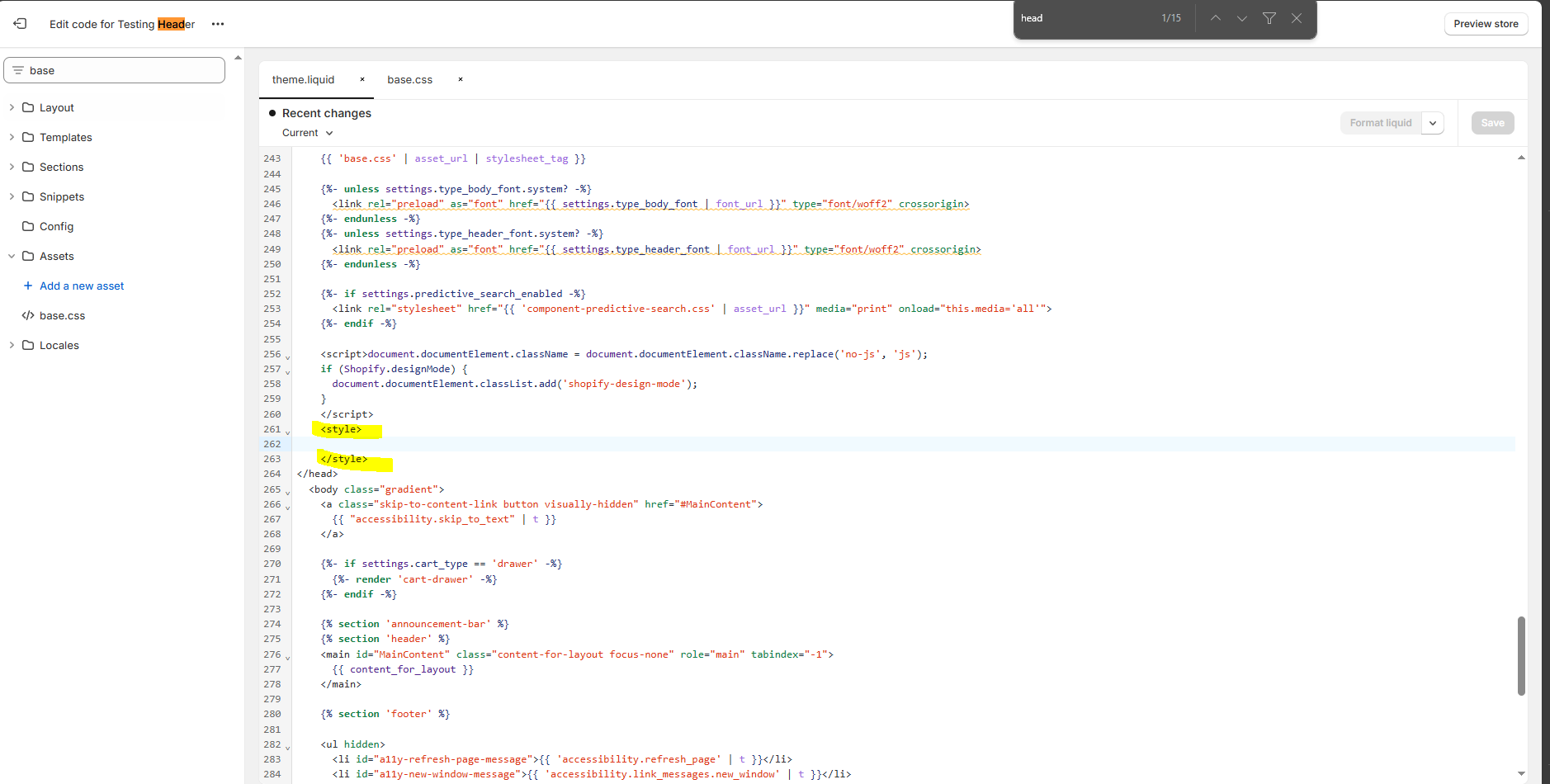
Step 1: Go to Shopify Admin → Online Store ->Theme → Edit code
Step 2: Search file theme.liquid
Step 3: Inside head tags. You need create style tags. After insert my code inside it
Hope this can help you,
If our suggestions are useful, please let us know by giving it a like or marking it as a solution. Thank you
YIVAN
June 8, 2024, 1:50am
5
Unfortunately, that also did not fix the issue.
YIVAN
June 9, 2024, 3:34am
6
Is there a way to make the mobile header a bit higher.
Hi @YIVAN ,
Step 1: Go to Shopify Admin → Online Store ->Theme → Edit code
Step 2: Search file theme.liquid
Step 3: Find my code in the theme.liquid file and insert this new code inside the style tag
Code:
@media only screen and (max-width: 767px) {
   body:has(.header--has-menu.transparent) img.header__heading-logo {
     height: 80px;
   }
}
Hope this can help you,
If our suggestions are useful, please let us know by giving it a like or marking it as a solution. Thank you
MRamzan
September 11, 2024, 1:29pm
9
Create transparent header: