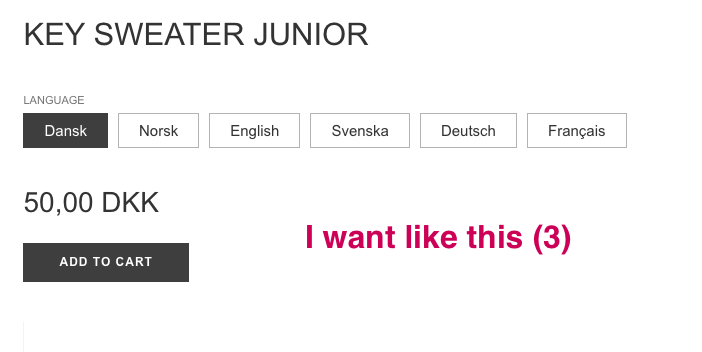
A user seeks to modify Dawn 15 theme’s product variant behavior to prevent auto-selection and require customer interaction before purchase.
Desired functionality:
No variant pre-selected on page load
“Add to Cart” button initially displays “Select a Language” and remains inactive
Validation message appears if customers attempt to proceed without selecting a variant (English, German, or French)
Button activates and changes to “Add to Cart” only after variant selection
Proposed solutions:
One respondent offered to review the store directly with collaborator access
Another outlined a technical approach: conditionally remove the “checked” attribute from radio inputs (preserving it when variant ID exists in URL), implement JavaScript validation to detect option selection, and disable the dynamic buy now button to ensure validation works
A third user provided JavaScript code to insert in theme.liquid above the </body> tag
Current status: The original poster tested the provided code but reported it didn’t work. Another user later inquired whether a solution was found, and the response confirmed the issue remains unresolved.
Summarized with AI on November 2.
AI used: claude-sonnet-4-5-20250929.
Customers must select a language (English, German, or French) from the options provided. If a customer clicks the inactive button without choosing a language, a message like “Please select a language first” should appear.
Thank you for reaching out to check this. I’ll need access to your store to review the theme and determine if custom code is required. If you’re comfortable sharing access, I’d be happy to take a look and provide you with an update accordingly.
Please feel free to message me via email, and I’ll assist you further. Thanks!
Remove attribute “checked” which is added to input radio on page load but make sure to make it conditional.
I mean if variant ID is available in the URL then don’t do anything to this attribute.
Write a JS code to detect if there option is selected or not. If not show a validation message to the customer else leave atc as it is to perform its action.
For dynamic buy now button. I suggest to disable it if you want to use this feature.
Because with buy now button custom validation will not work.
btw let me know if you need a developer to implement it.