How to display color-specific images for a single product in Debut theme?

Topic summary

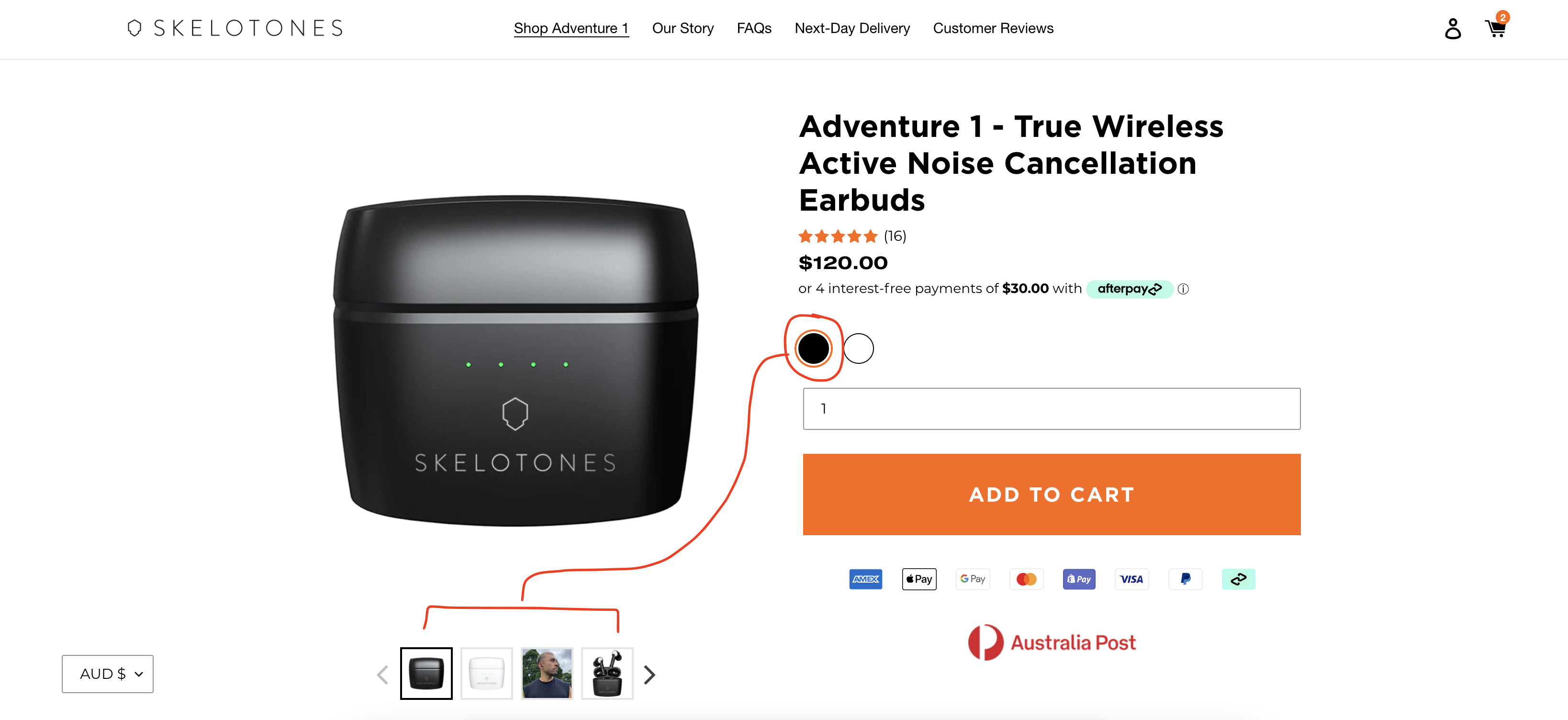
A store owner using the Debut theme needs help implementing color-specific image filtering for a product available in black and white variants.

Current Issue:

  • When customers select a color option (black or white), all product images remain visible
  • Goal is to show only the 4 images matching the selected color variant below the main preview window

Context:

  • Single-product store
  • Product has two color variants: black and white
  • Screenshots were provided showing the current product page layout
  • Store link included for reference

Status: Awaiting community guidance on implementing this variant-based image filtering functionality, likely requiring CSS or theme customization.

Summarized with AI on November 21. AI used: claude-sonnet-4-5-20250929.

Hi everyone,

I have a one product store with a product in colours (Black and white).

Can someone please show me how to make it when I select either black or white as my colour choice I will only see the 4 images with the corresponding colour choice underneath the large preview window.

I have added screen shots so you know what I’m asking help for.

I am using Debut theme and my store link is below

www.skelotones.com

Thank you kindly!