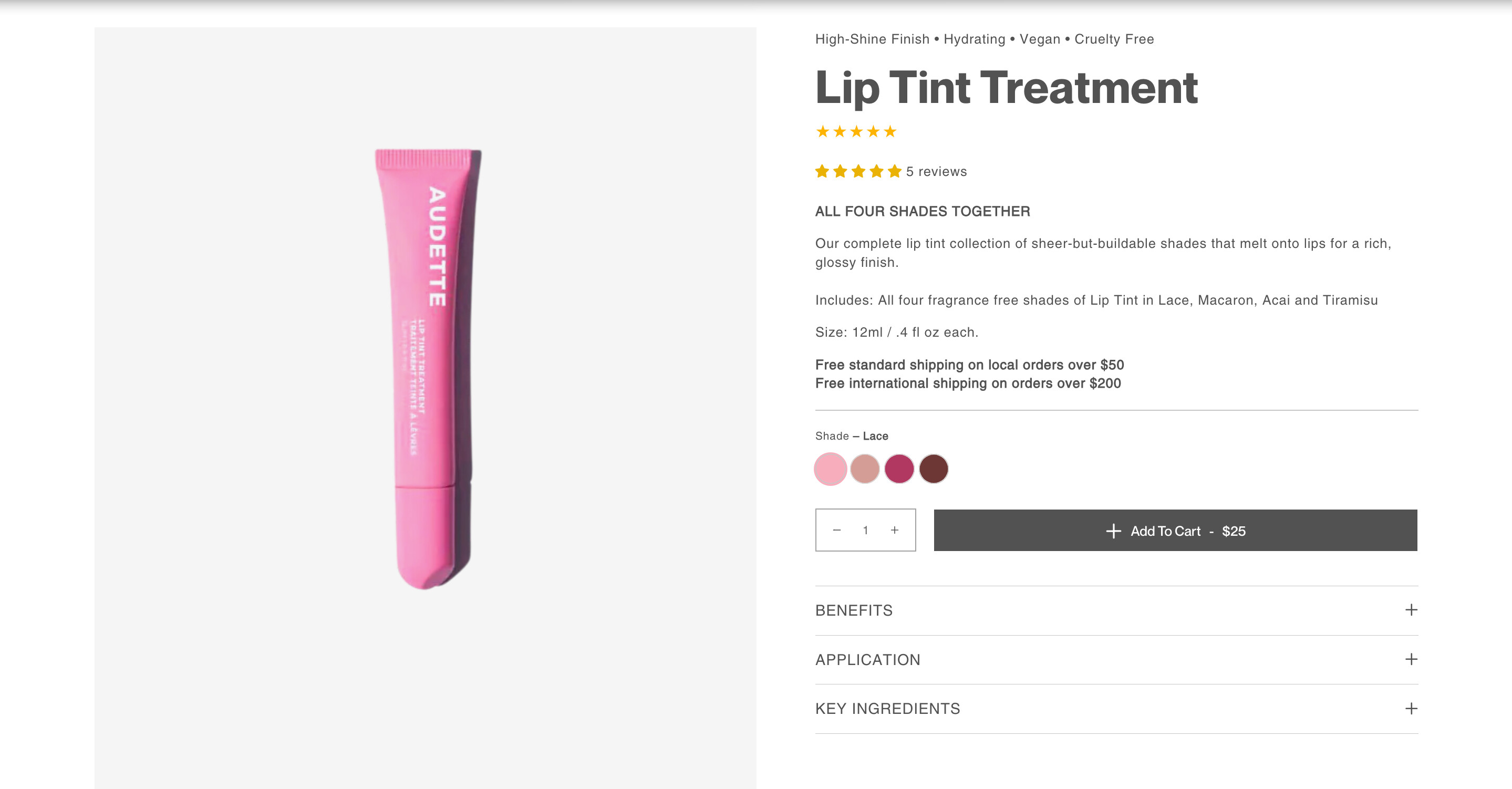
as you can see there are white spaces at the side, how to make it full width?
Topic summary
A Shopify store owner is trying to remove white spaces on the sides of their product pages to achieve a full-width layout.
Problem: The product pages at www.audette.store display unwanted white margins on both sides instead of extending edge-to-edge.
Proposed Solutions:
Three community members offered CSS-based fixes:
- Solution 1: Add custom CSS via
<style>tags in thetheme.liquidfile above the</body>tag - Solution 2: Modify
base.cssby adding.page-width.section--padding { margin: unset !important; } - Solution 3: Target the same class with
max-width: 100% !important;in the theme’s CSS file
Current Status: The issue remains unresolved. The original poster tested multiple solutions but reports that white spaces persist on their product pages. Screenshots were provided showing both the initial problem and the lack of improvement after attempting the fixes.
The discussion is ongoing with no successful resolution yet.
2 Likes
my store is www.audette.store
1 Like
Hey @withaudette
Follow these Steps:
-
Go to Online Store
-
Edit Code
-
Find theme.liquid file
-
Add the following code in the bottom of the file above tag
RESULT:

If I managed to help you then, don’t forget to Like it and Mark it as Solution!
Best Regards,
Moeed
Go to online store ----> themes ----> actions ----> edit code ----> base.css
add this code at the end of the file and save.
.page-width.section--padding {
margin: unset !important;
}
result

If this was helpful, hit the like button and accept the solution.
Thanks
hi it doesn’t work
hi it doesn’t work,
Hi @withaudette
TRy this one.
- From your Shopify admin dashboard, click on “Online Store” and then “Themes”.
- Find the theme that you want to edit and click on “Actions” and then “Edit code”.
- In the “Assets” folder, click on “base.css, style.css or theme.css” file, depending on which file your theme uses to store its CSS styles. At the bottom of the file, add the following CSS code:
section.page-width.section--padding {
    max-width: 100% !important;
}
- And Save.
- Result:

Please don’t forget to Like and Mark Solution to the post that helped you. Thanks!
