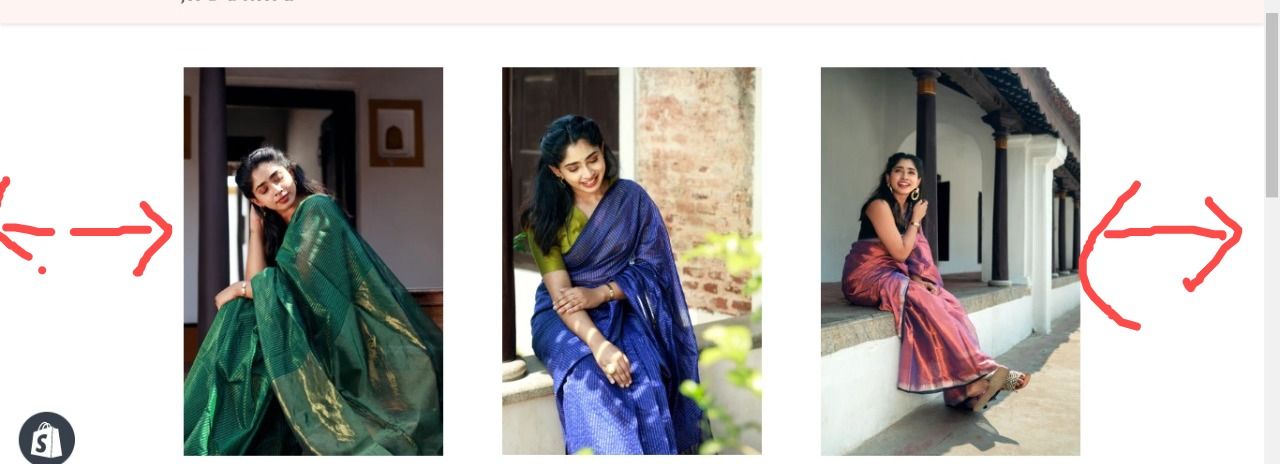
Hi, Can any of the experts please help me with reducing the margin in the collection page on either sides in brooklyn theme.
Thanks in advance.
Hi, Can any of the experts please help me with reducing the margin in the collection page on either sides in brooklyn theme.
Thanks in advance.
Hi,
Please share your store URL and if your store is password protected then also provide password too.
Thank you.
Hi,
In this issue your wrapper size is max-width:1050px .
If you reducing the margin in the collection page please give max-width: 1280px.
so, your entire site should be large.
Thank you.
Hi, where do i do the change?
Please add below css code in bottom of assets/timber.scss.css file
.wrapper {
max-width: 1280px;
}
Thank you.
Thank you!! its working