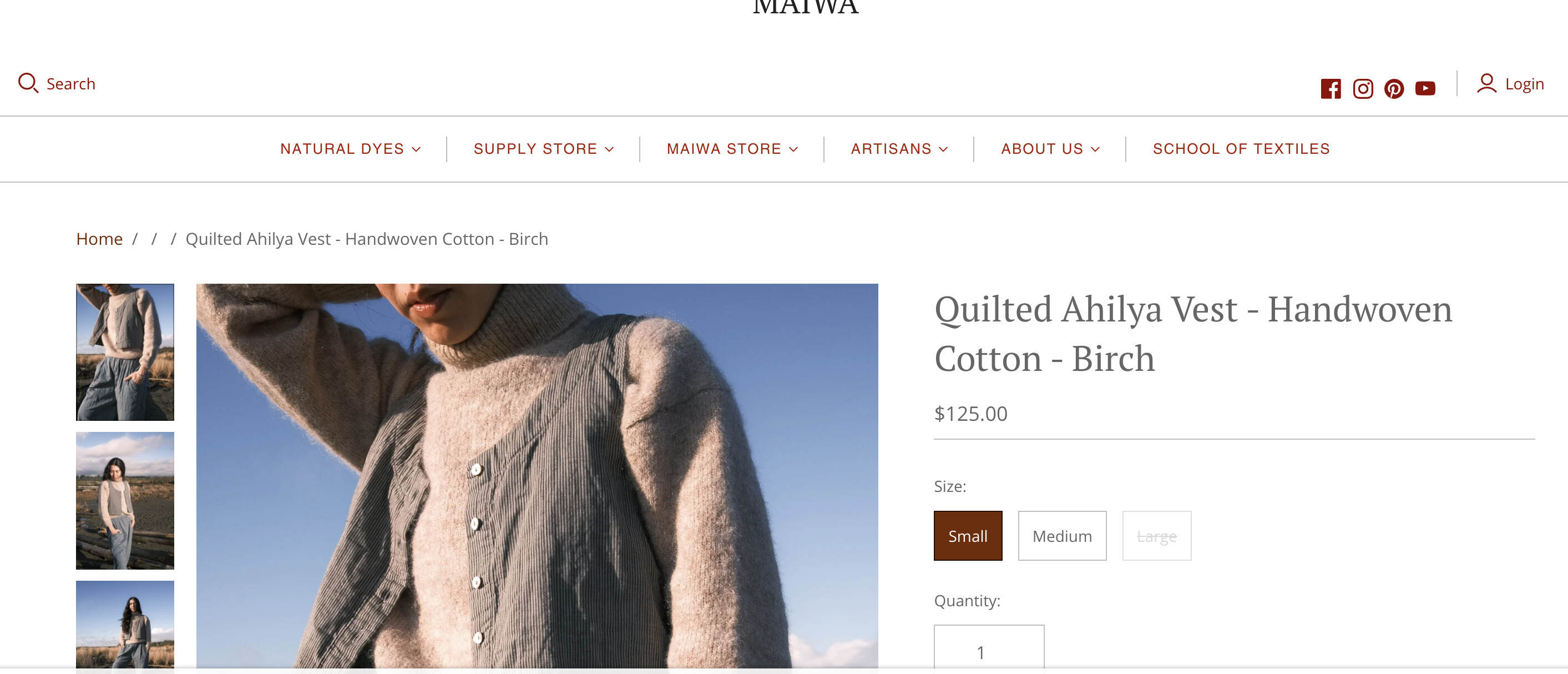
I am trying to remove part of the breadcrumbs that are showing on our site. We use the Atlantic theme.
I would like the breadcrumbs to NOT INCLUDE the breadcrumb that is showing as “Collections” - this links to https://maiwa.com/collections - a wonky page listing too many collections. We would like it to ONLY show…
Home / Maiwa Clothing (the collection navigated through) / product title

The code we are using is as follows:
{% if section.settings.show-breadcrumbs %}
{% if template contains “product” %}
{% if collection %}
/ {{ ‘general.breadcrumbs.collections’ | t }} / {{ collection.title }}
{% else %}
/ {{ ‘general.breadcrumbs.products’ | t }}
{% endif %}
/ {{ product.title }}
{% elsif template contains “list-collections” %}
/ {{ ‘collections.listing.header’ | t }}
{% elsif template contains “collection” %}
/ {{ collection.title }}
{% elsif template contains “blog” %}
/ {{ blog.title }}
{% if current_tags.size > 0 %}
/ {{ ‘general.breadcrumbs.tagged’ | t }}: {% for tag in current_tags %}{{ tag }}{% unless forloop.last %}, {% endunless %}{% endfor %}
{% endif %}
{% elsif template contains “page” %}
/ {{ page.title }}
{% elsif template contains “article” %}
/ {{ blog.title | link_to: blog.url }}
/ {{ article.title }}
{% elsif template contains “cart” %}
/ {{ ‘general.breadcrumbs.cart’ | t }}
{% elsif template contains “404” %}
/ {{ ‘general.breadcrumbs.404’ | t }}
{% elsif template contains “search” %}
/ {{ ‘general.search.header’ | t }}
{% elsif template contains “customers/login” %}
/ {{ ‘customer.login.header’ | t }}
{% elsif template contains “customers/reset_password” %}
/ {{ ‘customer.reset_password.header’ | t }}
{% elsif template contains “customers/activate_account” %}
/ {{ ‘customer.activate_account.header’ | t }}
{% elsif template contains “customers/account” %}
/ {{ ‘general.account’ | t }}
{% elsif template contains “customers/addresses” %}
/ {{ ‘general.account’ | t }} / {{ ‘customer.addresses.header’ | t }}
{% elsif template contains “customers/order” %}
/ {{ ‘general.account’ | t }} / {{ ‘customer.orders.order’ | t }}
{% endif %}
{% endif %}