How can I remove the wording in the subfooter (Terms & Conditions Privacy Policy)?
Link to site: https://1p0ugltgdz6oyihi-57200312371.shopifypreview.com
A user needed to remove “Terms & Conditions Privacy Policy” text from the subfooter of a Shopify store using the Pipeline theme.
Initial Attempts:
Working Solution:
The issue was resolved by:
Additional Customization:
Optional CSS code was provided to center the copyright information if needed:
.subfooter__items {
  justify-content: center !important;
}
The solution successfully removed the unwanted policy links from the subfooter. Screenshots were shared throughout to guide the implementation process.
How can I remove the wording in the subfooter (Terms & Conditions Privacy Policy)?
Link to site: https://1p0ugltgdz6oyihi-57200312371.shopifypreview.com
Hi @awirtz !
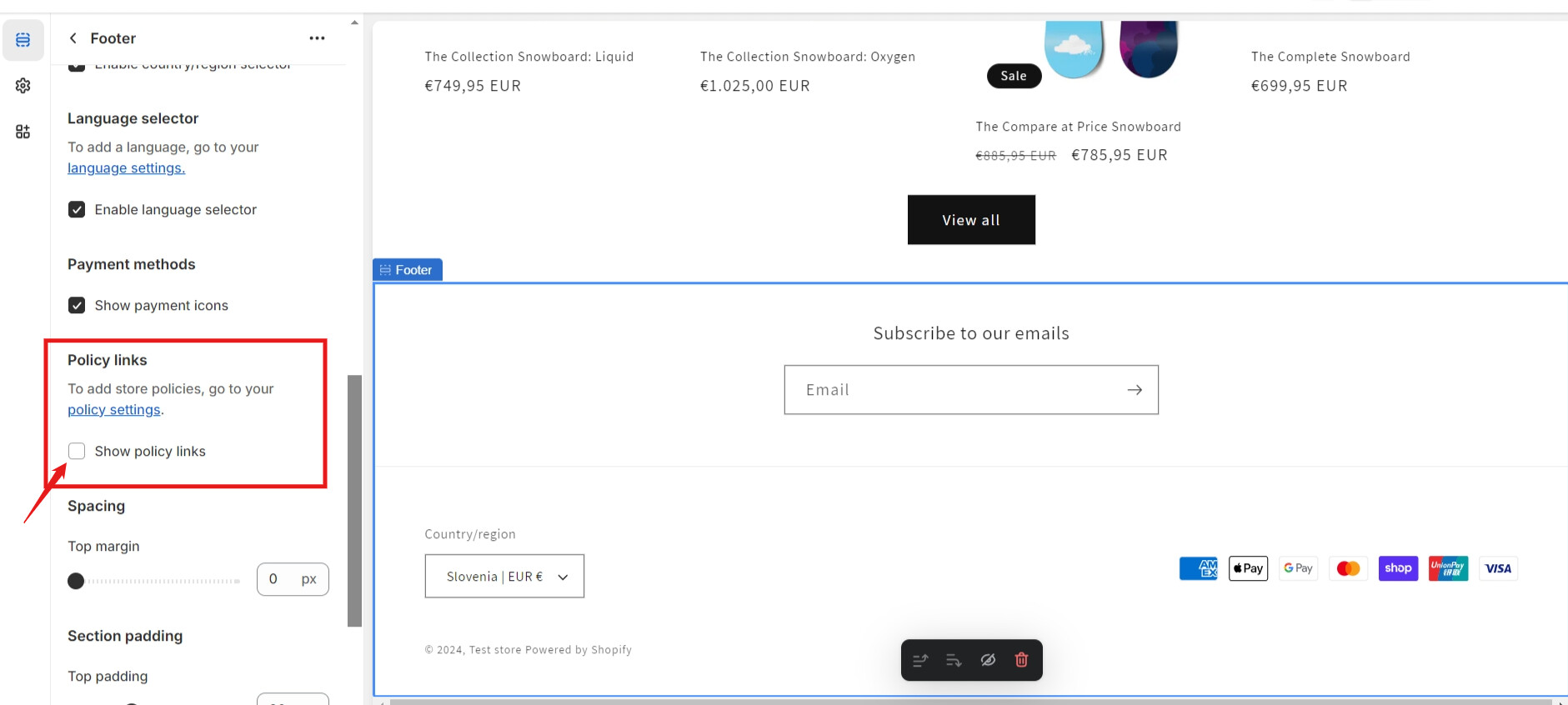
You will need to go >footer section and uncheck the “show policy” feature. Here is the screenshot for your reference:
Hello, thank you for the help. I don’t have that Policy links check box on my site, or at least where I am looking is not the correct spot. I have attached a screenshot of what my dashboard looks like. I am using the Pipeline theme. Thank you!
Link to site: https://qdwp0iwdetlih3dl-57200312371.shopifypreview.com
@awirtz Please follow below steps to remove the wordings from subfooter. Let me know whether it is helpful for you.
.subfooter__items {
    justify-content: center !important;
}
Then, the final output will be like,
Please provide your support by click “Like” and “Accepted” if our solution works for you. Thanks for your support.
Thank you very much for the help, that worked. I appreciate you time.