Shipping Fulfillment Presets are here to make your shipping process easier, especially for merchants who are fulfilling upwards of 50+ orders per week. You’ll be able to create different presets for shipping options such as, package, service, and insurance (US only) to reduce the steps needed to fulfill orders as well as reduce your costs by no longer needing third party shipping apps. Presets will enable you to create a shipping based rule which can be applied to multiple orders before purchasing shipping labels. You’ll also have the option to add further capabilities (depending on the carrier) such as signature confirmations upon product delivery.
To create a preset, follow the steps below:
- Select multiple orders in the ‘create shipping label’ flow.
- You’ll see a drop down menu for ‘creating shipping labels’.

- Click ‘Add preset options’ to build your preset.
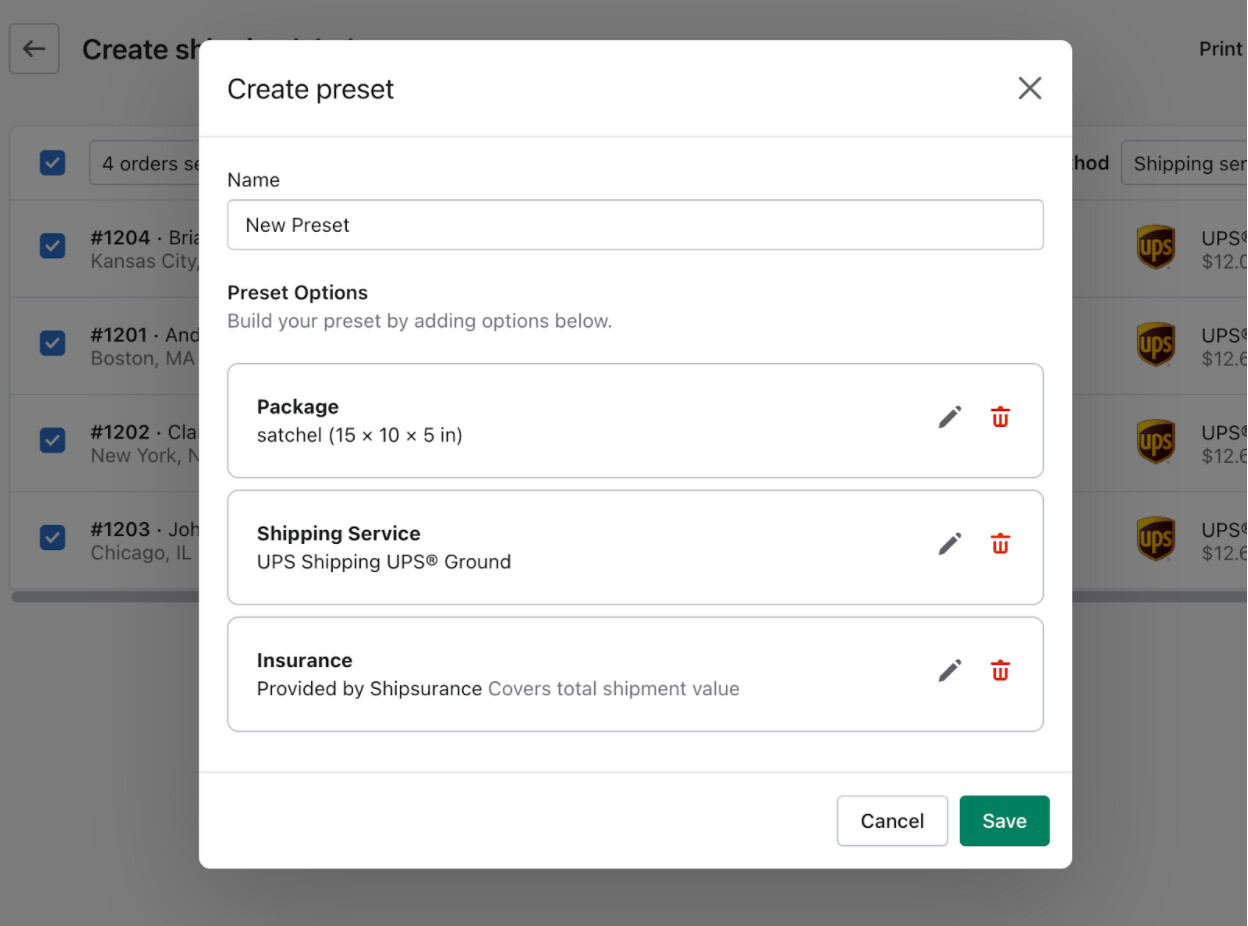
- Click ‘Save’.
To apply a preset to an order, it’s possible to add them from a drop down menu in the create a shipping label flow:

Once a preset has been created it’s possible to compare, delete or edit the existing presets. When editing a preset it’s also possible to rename or add to it:

While Presets work for international orders, they are only available for US and Canadian Shopify merchants. There is no set number of presets, you can have as many as you like, but it’s only possible to make presets via Shopify Shipping Labels.
If you delete an order/package the preset for the package will also be deleted and a new package will need to be added to the preset.
Note: Presets are only available if you have multiple open orders.
Shipping Fulfillment Presets are live from February 25th, 2022. If you’d like to learn more, please see the Shipping Fulfillment Presets help document.