Replace the “Uitverkoop” sale badge with an automated percentage-off badge in the Fabric (Horizon family) theme by calculating (compare_at_price − price) / compare_at_price × 100 and outputting “XX% OFF.”
Where to edit:
Collections/product cards: Open snippets/product-card-badges.liquid and replace the sale label (e.g., {{ ‘content.product_badge_sale’ | t }}) with the percentage calculation output.
Product page: Open snippets/price.liquid and add a variant-based calculation using selected_variant.compare_at_price and selected_variant.price, then render “{{ percent }}% OFF.”
Notes and tips:
Only show the badge when compare_at_price > price.
Fabric is a Horizon family theme; similar solutions for Horizon/Atelier/Savor often apply. If unsure, search snippets for “badge,” “sale,” “uitverkoop,” or classes like product-badges__badge.
Some themes may have a setting to enable badges; otherwise, add via code.
Display can appear after a refresh; minor caching delays were noted.
Outcome:
A working solution was confirmed: percentage badges show on collection grids, Featured collection on the homepage, and product pages (after adding the variant-based code). The thread appears resolved with no outstanding questions. Images were illustrative, not essential to implementation.
Summarized with AI on December 10.
AI used: gpt-5.
I’m looking for a way to change the sale ‘uitverkoop’ Badge into a percentage off sign. I was looking into the community for answers, but these are all outdated, the new Edit code tab and I think my theme is also different from all the tutorials I could find.
I’m sure it’s probably not that different, but I need to find the right snipped in my code.
I don’t have Fabric in my customer base yet. Therefore, I can’t tell you exactly where it is. I suspect it’s in collection-grid.liquid.
Here, I would search for the CSS class product-badges__badgeproduct-badges__badge–rectangle and start customizing there. First in the CLI, then upload to the live theme.
@CoverArt1 please open collection page in customize settings and check if your theme has an option to activate the badges, if no then it needs to be added via code. I can assist you with the coding if you are not familiar with the coding.
Hi @CoverArt1 ,
You can replace the default “Uitverkoop” sale badge with an automated percentage discount badge by editing your theme’s price / card snippet.
How to show “XX% OFF” instead of “Uitverkoop” (Fabric Theme)
Go to Online Store → Edit code
Open the snippet that renders the product card badge. In Fabric, this is usually one of these files:
snippets/product-badge.liquid
snippets/card-product-badge.liquid
snippets/card-product.liquid
(Search for: badge, sale, or uitverkoop inside your snippets.)
Find the code where the sale badge is printed. It normally looks like:
<span class="badge badge--sale">
  {{ 'products.product.on_sale' | t }}
</span>
Replace it with this automatic percentage calculation:
Thank you so much for your help! I was looking for a solution and this just works!
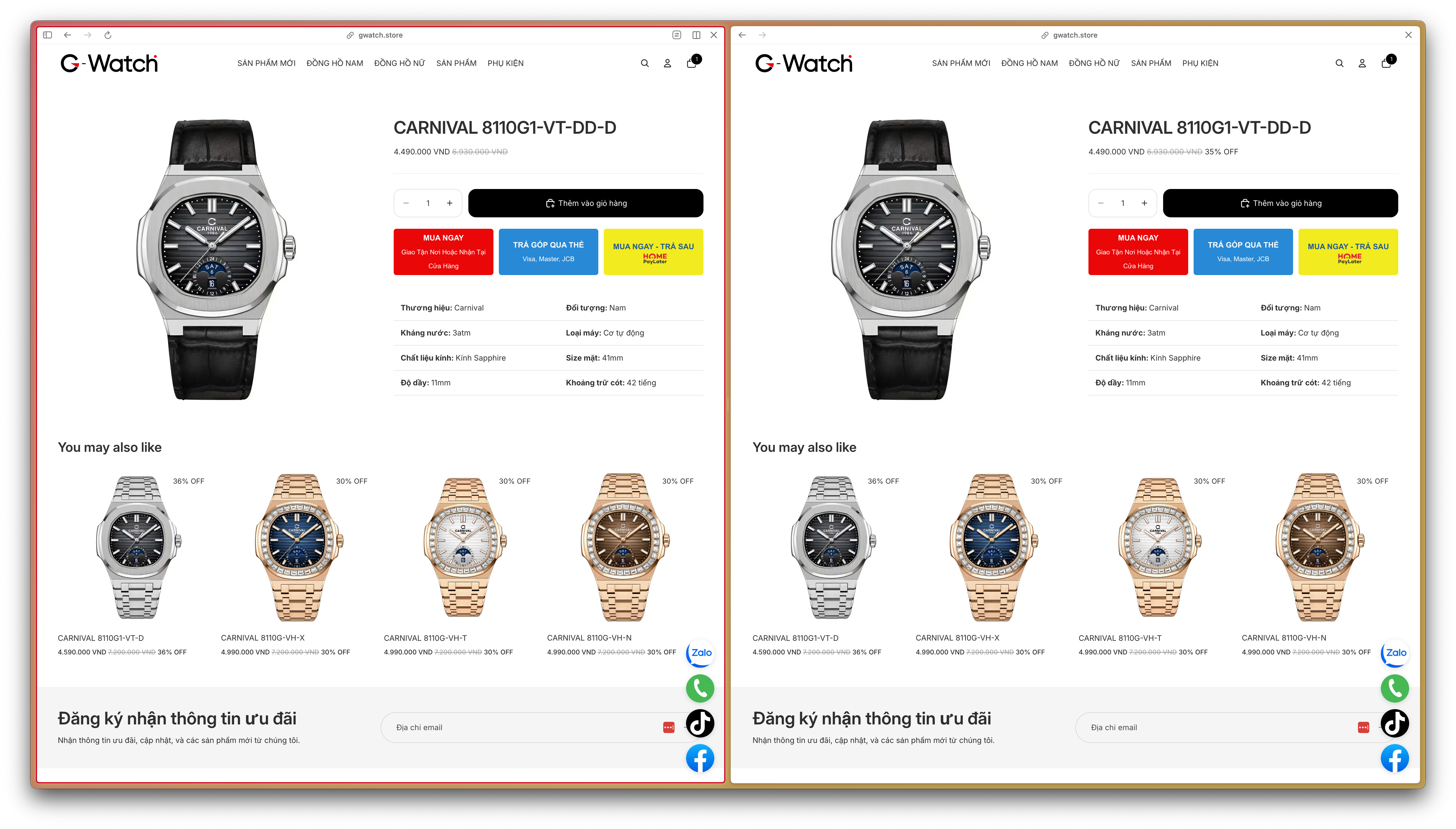
However, I notice that the percentage only shows in the collection page. Can you guide me so it also shows in the homepage (featured collection) and the product page? Thank you so much!
The code I gave you should work on the Featured collection, also. For the product page, please open snippets > price.liquid file, add the code below above </div> in very bottom of the file
Thanks for getting back to me. The code eventually applied to the Featured collection.
However, for the product page, I added your code as instructed but there’s no percentage label shown: CARNIVAL 8110G1-VT-DD-D | G-Watch
Can you take a look? Thank you.
Actually, now it’s showing. Although I refreshed many times, it still didn’t show, but when I click on the link in my previous reply, it does. Very oddly interesting…