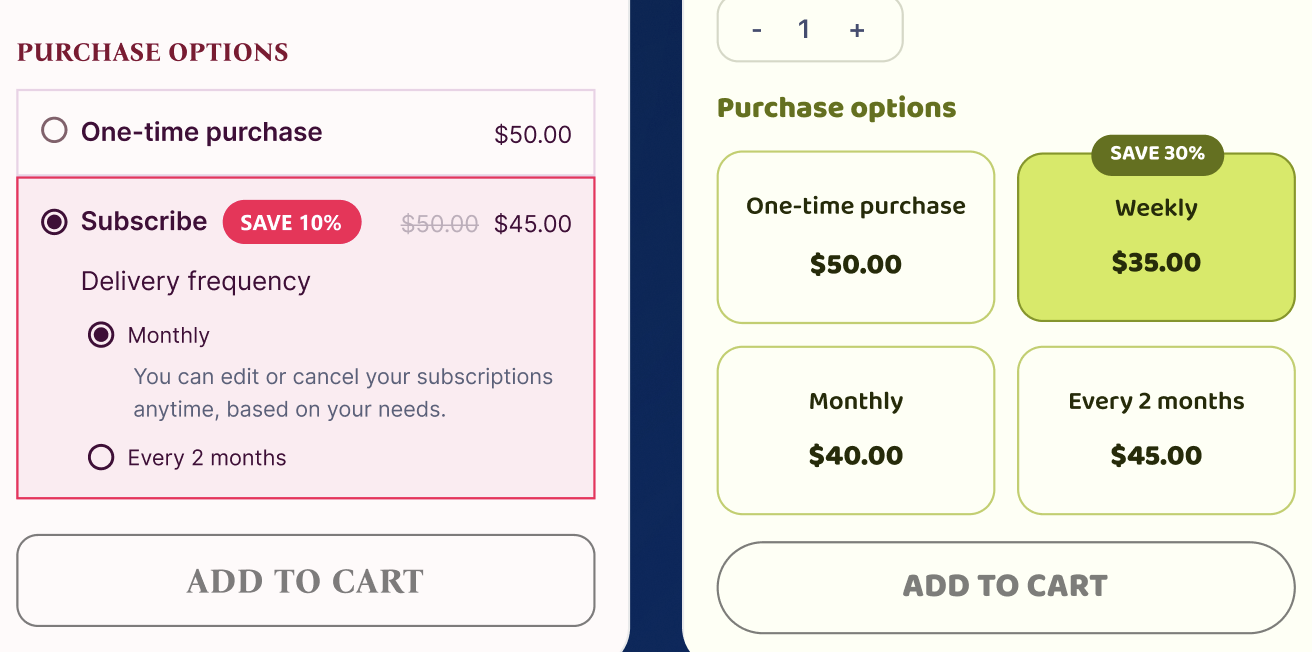
I’ve created a bundle offer product page. When I use the widget from the Shopify subscription app, the issue is that whenever I select any option like —
(Subscribe and save
• Deliver every week, 30% off
• Deliver every month, 20% off)
Password: 1
—the discounted offer price doesn’t get added to the cart. Instead, the main price gets added.
Can you help me fix this issue?
Hey @riazulsoftvence 
This happens when the bundle “Add to cart” call doesn’t send the selling_plan ID, so Shopify treats it as a one-time purchase at the main price.
Fix (works with Dawn & Shopify Subscriptions)
- Render selling plans (radio buttons) and expose the selected plan ID:
{% if product.selling_plan_groups.size > 0 %}
  {% for group in product.selling_plan_groups %}
    {% for plan in group.selling_plans %}
      <label>
        <input type="radio" name="selling_plan" value="{{ plan.id }}">
        {{ plan.name }}
      </label>
    {% endfor %}
  {% endfor %}
{% endif %}
- Send the plan in your bundle add-to-cart JS (for every item in the bundle):
const planId = document.querySelector('input[name="selling_plan"]:checked')?.value;

const items = selectedVariants.map(v => ({
  id: v.variantId,                // each variant in the bundle
  quantity: v.qty || 1,
  ...(planId ? { selling_plan: planId } : {})  // ← crucial
}));

fetch('/cart/add.js', {
  method: 'POST',
  headers: {'Content-Type':'application/json'},
  body: JSON.stringify({ items })
});
-
Double-check in the Subscriptions app
-
The product/variants are included in a selling plan.
-
Price adjustments are set (e.g., 30% weekly, 20% monthly).
-
Each variant shows selling_plan_allocations (otherwise discounts won’t apply).
If your bundle widget creates multiple line items, all of them must be added with the same selling_plan. If you need one line item, use a bundle app that builds a single virtual SKU compatible with subscriptions.
That’ll make the cart carry the discounted subscription price instead of the base $50.
 You can check out our Shopify Partner profile — we’ve built and shared several free Shopify app solutions to help store owners. Feel free to explore our profile and see how our apps can make your Shopify experience better!
1 Like
Hey @riazulsoftvence you can use RecurrinGO! RecurrinGO! Subscriptions App - Shopify Subscriptions App RecurrinGO! - Best Choice 2025 | Shopify App Store
As they are old in the market, almost 8 years and has working perfectly.
You can add ‘bundle and save‘ widget to tour product page just the one you’re currently using:
You can also offer ‘build your own box‘ widgets on product pages and on a dedicated store page.
Hope I was helpful 
1 Like