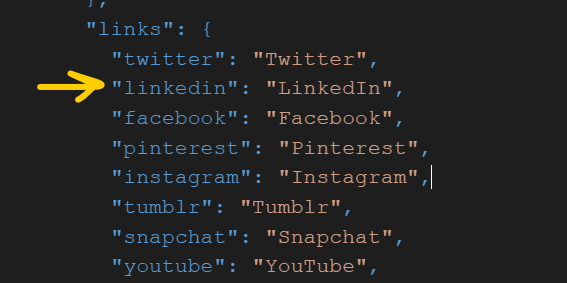
Hi @CT08
1. To add linkedin icon in the footer of your password protected page please follow the steps below:-
Step 1 : Go to Snippets->icon-linkedin.liquid, and replace the svg code with the code provided below, then save the file.
<svg aria-hidden="true" focusable="false" role="presentation" class="icon icon-linkedin" viewBox="0 0 24 24"><path fill="currentColor"d="M4.98 3.5C4.98 4.881 3.87 6 2.5 6S.02 4.881.02 3.5C.02 2.12 1.13 1 2.5 1s2.48 1.12 2.48 2.5zM5 8H0v16h5V8zm7.982 0H8.014v16h4.969v-8.399c0-4.67 6.029-5.052 6.029 0V24H24V13.869c0-7.88-8.922-7.593-11.018-3.714V8z"/></svg>
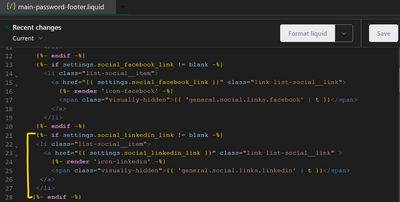
Step 2 : Go to Sections->main-password-footer.liquid, add the code provided below inside the ul
{%- if settings.social_linkedin_link != blank -%}
  <li class="list-social__item">
    <a href="{{ settings.social_linkedin_link }}" class="link list-social__link" >
      {%- render 'icon-linkedin' -%}
        <span class="visually-hidden">{{ 'general.social.links.linkedin' | t }}</span>
    </a>
  </li>
{%- endif -%}
Now, you will be able to see the linkedin icon on the footer of password page.
2. To add social media icons in automated email template, please follow the below steps:-
Step 1 : In your Shopify admin panel, go to Settings and click on Notifications.Choose the automated email you want to edit and click on its name. This will take you to the email template editor. For ex -

Step 2 : Now click on edit code, and now you will be able to edit the template of your email, here you can add any social-media icon of your choice in the footer. For exmple-
code i used for icons is provided below, you can find any icon of your choice and modify its css like - height, width etc.
<tr>
  <td>
    <a href="https://www.facebook.com/yourpage" target="_blank">
      <svg xmlns="https://www.w3.org/2000/svg" height="45px" width="45px"><path
fill="#3B5998" d="M2.77 1C1.8 1 1 1.8 1 2.77v28.5c0 .97.8 1.77 1.77 1.77h15.3v-12.4H13.9V15.8h4.17v-3.55c0-4.13 2.52-6.38 6.2-6.38 1.78 0 3.3.13 3.74.2v4.3h-2.55c-2 0-2.4.96-2.4 2.36v3.08h4.8l-.63 4.84h-4.16v12.4h8.15c.98 0 1.78-.8 1.78-1.77V2.77c0-1-.8-1.8-1.8-1.8H2.78z"></path></svg>
     </a>
     <a href="https://www.facebook.com/yourpage" target="_blank">
       <svg viewBox="0 0 24 24" xmlns="https://www.w3.org/2000/svg" height="40px"
 width="38px" style="margin-bottom: 7px;"><path fill="#0077B5" d="M19,19H16V13.7A1.5,1.5 0 0,0 14.5,12.2A1.5,1.5 0 0,0 13,13.7V19H10V10H13V11.2C13.5,10.36 14.59,9.8 15.5,9.8A3.5,3.5 0 0,1 19,13.3M6.5,8.31C5.5,8.31 4.69,7.5 4.69,6.5A1.81,1.81 0 0,1 6.5,4.69C7.5,4.69 8.31,5.5 8.31,6.5A1.81,1.81 0 0,1 6.5,8.31M8,19H5V10H8M20,2H4C2.89,2 2,2.89 2,4V20A2,2 0 0,0 4,22H20A2,2 0 0,0 22,20V4C22,2.89 21.1,2 20,2Z"></path></svg>
    </a>
  </td>
</tr>
You can preview your template, and adjust your code as per your needs.
Do give it a try and let me know if this was helpful.
Thanks