I would like to remove the frame around the size under product page, my theme is prestige and my website Is www.antoninias.com if possible I would like the chosen size to appear in opacity difference
Topic summary
A user seeks to remove the border frame around size swatches on their Shopify product pages using the Prestige theme.
Initial Solution:
- Modify
theme.cssby removing border properties and adjusting opacity for.SizeSwatchelements - This successfully removes the frame while maintaining functionality
Additional Customizations Requested:
- Remove colon from “SIZE:” label text
- Make all size options appear in black (instead of grey for out-of-stock items)
- Add underline to currently selected size
- Reference example: cultgaia.com’s product page styling
Solutions Provided:
- Add
text-decoration:underline;to.block-swatch.is-selectedCSS rule for underline effect - Code modifications target
assets/theme.cssfile - Screenshots included showing desired vs. current appearance
Current Status:
User updated theme to newer version and needs help reapplying customizations. The grey out-of-stock styling remains unresolved, with clarification needed on desired appearance since items already display in grey by default.
Hi @Antoninias , if this is the result you’d like to get:
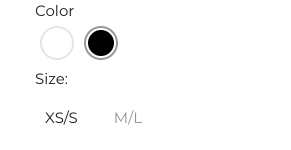

Open you theme.css file (assets/theme.css), find these elements:
.SizeSwatch.is-active:after, .SizeSwatch__Radio:checked+.SizeSwatch {
    border-color: #1d1d1d;
    color: #1d1d1d;
}
.SizeSwatch {
    display: inline-block;
    text-align: center;
    min-width: 36px;
    padding: 6px 10px;
    border: 1px solid #dddddd;
    color: #2c2c2c;
    cursor: pointer;
}
And change them to:
.SizeSwatch.is-active:after, .SizeSwatch__Radio:checked+.SizeSwatch {
    opacity:1;
    color: #1d1d1d;
}
.SizeSwatch {
    display: inline-block;
    text-align: center;
    min-width: 36px;
    padding: 6px 10px;
    opacity:0.5;
    color: #2c2c2c;
    cursor: pointer;
}
Hope this helps!
it worked thanks a lot!, do you perhaps know how I can have the text saying only Size without :, because now it says size:
You’re welcome @Antoninias . Glad I could help. 
Sure, we can change that too. Can you find this element:
It’s probably in some of your sections or snippets that are called product-form, product, or something related to product.
When you find it, please take a screenshot or copy code for that whole element (from to the point where you see ), so I can take a look.
There is even a possibility that after that element you’ll see wording ‘SIZE:’, in that case, just delete ‘:’.
Dear Marina
On further question for you since you already helped me before with this issue. Do you know how I can make all sizes in black and underline on the one that is selected and of now some think that those that are grey are out of stock?
Let me know
Best
Antoninias
Dear Marina
On further question for you since you already helped me before with this issue. Do you know how I can make all sizes in black and underline on the one that is selected and of now some think that those that are grey are out of stock? attaching an image how I would like it to be. thank you
Let me know
Best
Antoninias
Dear Marina
I have just updated the theme to a newer version could you please help me creating same effect on the current theme like last year…thank you so much
Hi @Antoninias , go to edit code > assets > theme.css and add this:
.block-swatch{
border:none;
opacity:0.5;
}

:checked+.block-swatch, .block-swatch.is-selected{
border:none;
opacity:1;
color:#1d1d1d;
}
hELLO marina
thank you so so much can we also include the following characteristics like this brand: https://cultgaia.com/products/issey-dress-olea?variant=40413855809610
1- WHEN team is out of stock it appears greyish
2- the current chosen number has an underline
For the second request, change this:
:checked+.block-swatch, .block-swatch.is-selected{
border:none;
opacity:1;
color:#1d1d1d;
}
to this:
:checked+.block-swatch, .block-swatch.is-selected{
border:none;
opacity:1;
color:#1d1d1d;
text-decoration:underline;
}
For the first request, this is how it’s currently showing. How would you like it to be, since it’s already gray:

If you find my answers helpful please like or mark resolved.
Yes occurs!=)
for example this one has two numbers out of stock