icon-caret does not show on phone

When I Inspect and click on mobile width the icon-carets do show in red. But on phone, there are just empty circles with no icon-carets in the middle to show slider buttons. Does anyone know how to fix this? Thanks in advance! DAWN Theme URL: Glow Curtain: 400 LED Lights for a Magical Ambiance – InteriorGlows
Screenshot mobile width on desktop:
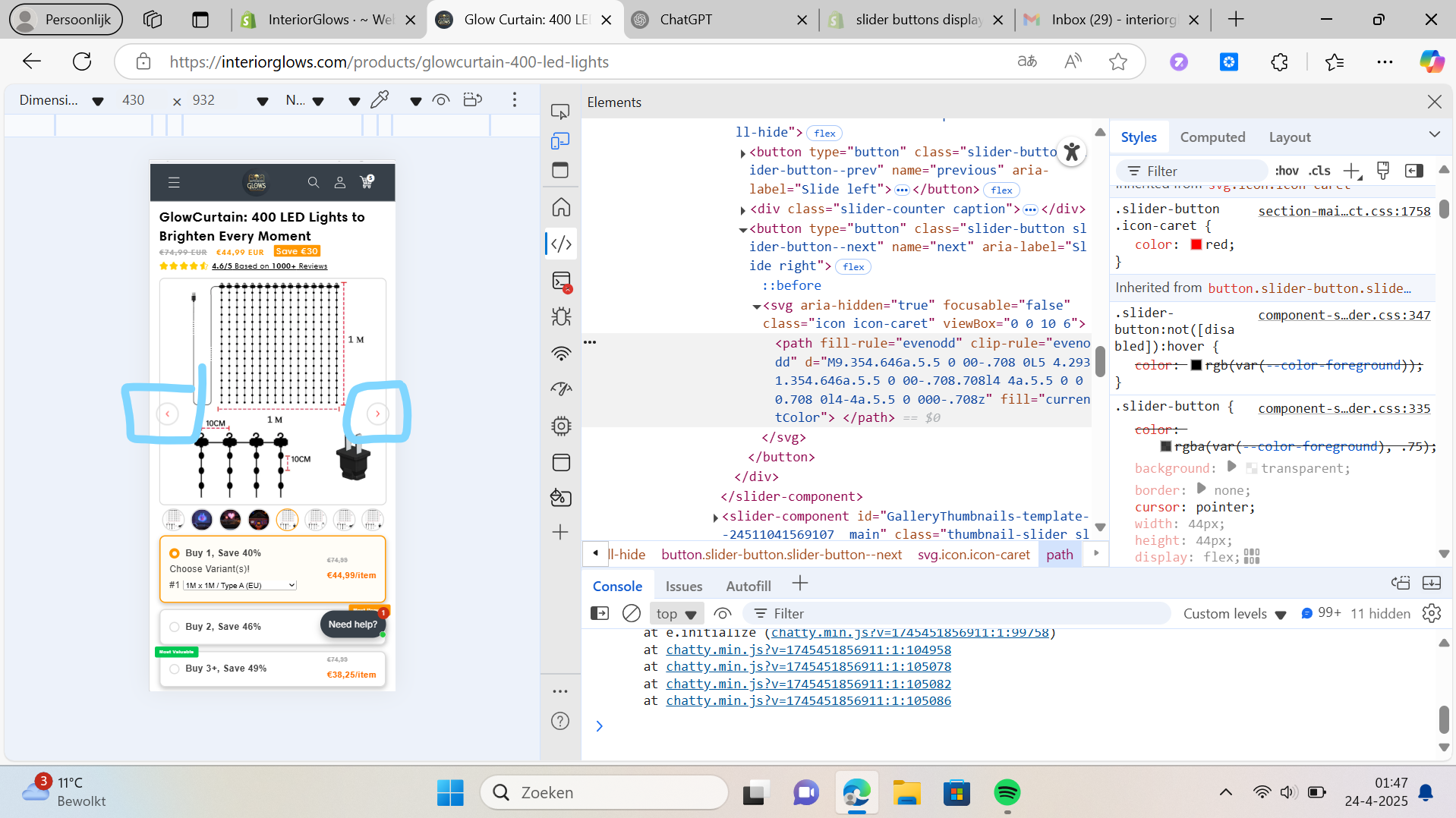
Screenshot how it looks on mobile (no < and >)

You need to add this CSS, either in “Custom CSS” of this section or in a stylesheet:

.slider-button {
  padding: 0;
}

Because it’s a button, browser applies own styles (unless overridden).

On mobile, default button padding is big and there is no space left to show the image inside fixed-width button.

And it also stretches the button, making it oval.

With zero padding: