Image with text padding

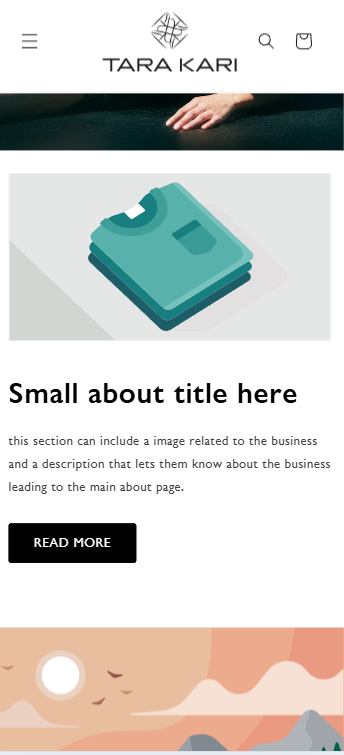
Afternoon, I wanted to ask if there is a way to decrease the image with text padding on mobile? the text is too far in and would like to decrease the left padding if possible! Thanks in advance

url is: https://rz591a-jx.myshopify.com/ and password is thuflo

Hi @kayodekevin

  1. Go to Online Store → Theme → Edit code.
  2. Open your theme.liquid file
  3. In theme.liquid, paste the below code before

Note: I don’t know which actual image or text u want, i tried my best to do this hope you will get it
If my reply is helpful, kindly click like and mark it as an accepted solution.
Thanks!

Hey @kayodekevin

Follow these Steps:

  1. Go to Online Store

  2. Edit Code

  3. Find theme.liquid file

  4. Add the following code in the bottom of the file above tag


RESULT:

If I managed to help you then, don’t forget to Like it and Mark it as Solution!

Best Regards,
Moeed

Hi Kayodekevin

  • You can try to follow this step
    Step 1: Go to Edit code
    Step 2: Find file base**.css** and add this code at the end of the file
@media (max-width: 760px) {
 div#ImageWithText--template--24051145212249__image_with_text_FpRajf {
    padding: 10px !important;
 }
}

.image-with-text__content>*+* {
    margin-top: 0 !important;
}

Result:

Best,
Liz

Thank you for your help!

Worked great thank you!

Thank you Liz, appreciate the help :slightly_smiling_face: