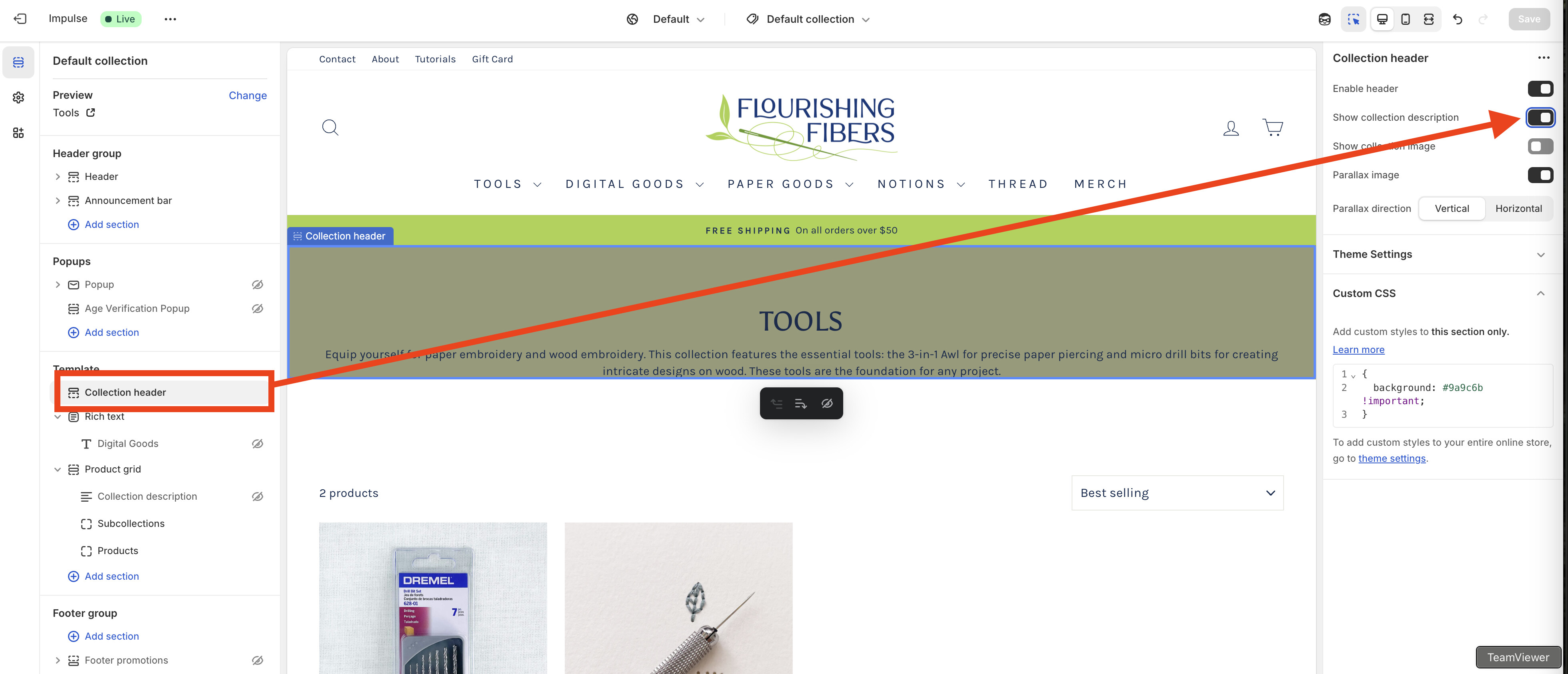
A user needed help relocating their collection description from within the product grid to directly below the collection header in the Impulse theme, wanting it centered and more prominent.
Initial Problem:
Collection description was displaying inside the product grid instead of the header area
User wanted it positioned below the title, centered, and larger
Included screenshot showing current layout
Solution Provided:
Required custom coding in theme files (collection header file), not just CSS
Developer accessed the theme via collaborator code and implemented the change
Added a toggle option in the theme customizer (Sales channels > Online Store > Themes > Customize > Collections > Default collection) to turn the feature on/off
Additional Request:
User also needed help removing links from mega menu images and titles
Developer added custom CSS code to accomplish this
Resolution:
Both issues were successfully resolved. The user expressed satisfaction with the quick turnaround and sent a tip to the developer.
Summarized with AI on October 31.
AI used: claude-sonnet-4-5-20250929.
HELP! I would like the collection description to be right below the collection header, not inside the product grid. I’ve seen other sites using Impulse with the descriptions inside the headers, so it’s possible. I don’t know what I’m doing. I want the description text to be below the title, centered and larger.
It’s not only possible by CSS and will require some additional coding in your theme files most probably in your collection header file, because will have to manually connect the collection description in that file so if you’re not familiar with coding then I would highly recommend you to hire a Shopify for developer for that. Feel free to connect with me if you want me to help you out and I would be more than happy to give you a helping hand.
If you dont mind, please give me your collab request code so I can access your theme and edit collection code to move collection description into collection hero banner for you.
Hi, it’s done. I added an option so you can turn it on/off from store admin > Sales channels > Online Store > Themes > Customize > Collections > Default collection.
Can you help me with another change? I added images to the mega menu, but I don’t want the images and titles to be linked to anything. Is that something you can help me with?