Invalid client_id

Topic summary

A developer is encountering an “Invalid client_id” error when implementing Shopify OAuth authentication in a React application.

The Issue:

  • User is attempting to authenticate via https://accounts.shopify.com/auth endpoint
  • Despite using the client ID from the app credentials section, the authentication request fails
  • The code includes standard OAuth parameters: client_id, scope (read_products), and redirect_uri

Troubleshooting Steps Suggested:

  • Verify that actual credential values are properly inserted into the clientId and redirectUri variables (not placeholder strings)
  • Test the generated loginUrl directly in Chrome by logging it to console
  • Use Chrome DevTools Network tab to inspect the server response and debug without React code interference

Current Status:
The issue remains unresolved. The developer confirmed they’re using real credentials (not the placeholder “MY_SHOPIFY_API_KEY” shown in the post), but the authentication error persists. Further debugging through browser tools is recommended to identify whether the issue stems from incorrect credentials, malformed request parameters, or app configuration problems.

Summarized with AI on November 19. AI used: claude-sonnet-4-5-20250929.

I am writing a react frontend which lets users login with their shopify credentials. I used the client id given in my app credentials section, however when i click to login i get the error shown in the image. Code:

import React, { useState } from "react";

const ShopifyLogin = () => {
  const [loggedIn, setLoggedIn] = useState(false);

  const handleLogin = () => {
    const clientId = "MY_SHOPIFY_API_KEY";
    const redirectUri = "MY_REDIRECT_URI";
    const scope = "read_products";

    const loginUrl = `https://accounts.shopify.com/auth?client_id=${clientId}&scope=${scope}&redirect_uri=${redirectUri}&response_type=code`;

    window.location.href = loginUrl;
  };

  const checkAuthorizationCode = () => {
    const urlParams = new URLSearchParams(window.location.search);
    const code = urlParams.get("code");

    if (code) {
      setLoggedIn(true);
      window.location.href = "/dashboard";
    }
  };

  React.useEffect(() => {
    checkAuthorizationCode();
  }, []);

  return (
    
      {!loggedIn ? (
        
      ) : (
        

You are logged in with Shopify.

      )}
    

  );
};

export default ShopifyLogin;

The error:
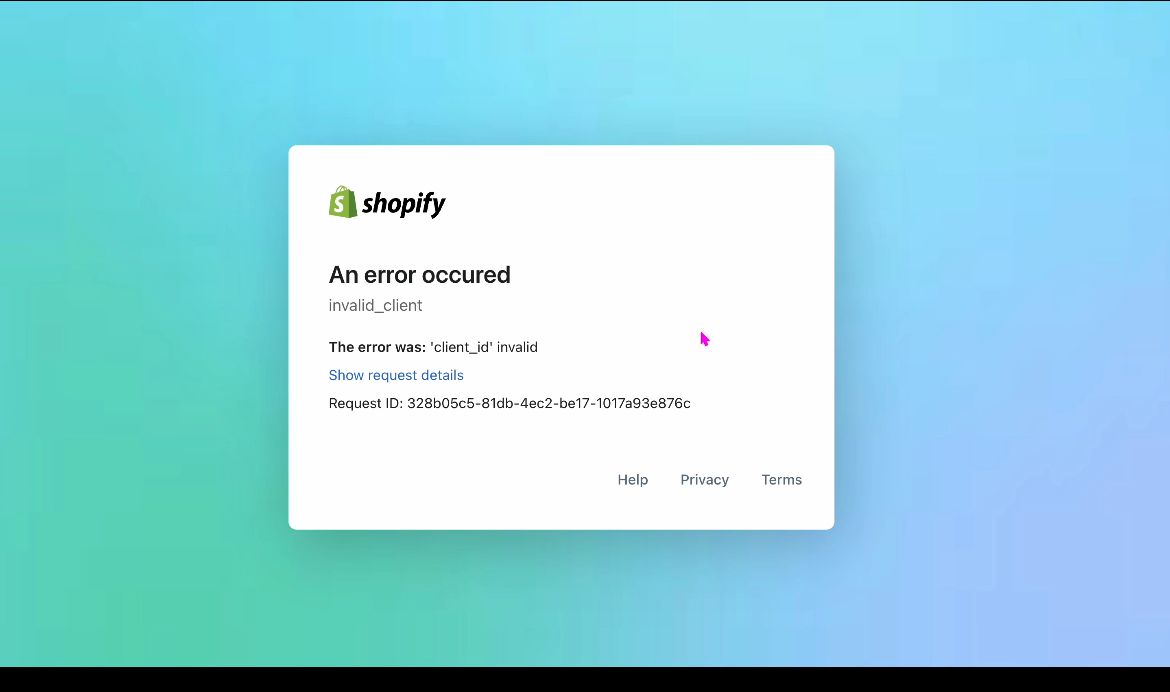
Have you inserted your values into these variables?

const clientId = “MY_SHOPIFY_API_KEY”;
const redirectUri = “MY_REDIRECT_URI”;

Yes, I used the client id in the app credentials section. I have it as “MY_SHOPIFY_API_KEY” in order to not post my actual key on here.

  1. open “loginUrl” in google chrome (with your already inserted credentials, you can console.log it and get it from the terminal)

  2. open the dev-tools: https://developer.chrome.com/docs/devtools/network/

  3. inspect the response from the server and try to get debug it without using react code.

in google chrome