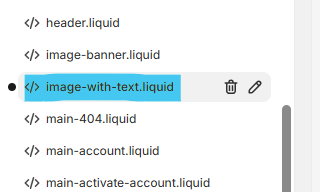
I want to use two variants of some of the sections of my theme, like Image with Text, one with h1 heading and other with h2 heading.
Can I make a copy of existing “Image with Text” section in my theme and create a copy of that section with a different name? If yes, how to make it appear with a different name in Theme Customizer interface?
Yes! You can duplicate a section and make it appear separately in the Theme Customizer.
Steps:
1 Go to Online Store → Themes → Edit Code. 2 Find sections/image-with-text.liquid. 3 Create a copy: Add a new section, e.g., image-with-text-h2.liquid. 4 Copy & paste the code from the original section.
Modify the section name in {% schema %}:
{
  "name": "Image with Text - H2"
}
"presets": [
  {
    "name": "Image with Text - H2",
    "category": "Text"
  }
]