I’m not sure why by default it registers the logo as an h1. But this is an issue. If anyone can help I’d absolutely be grateful.
Topic summary
A user questions why the Dawn theme’s header logo defaults to an H1 tag and seeks help changing it, providing screenshots showing the issue.
Solutions offered:
- Edit
sections/header.liquidfile and manually change the H1 tag to another HTML element - Reference an existing community thread with working code solutions for this specific issue
Additional concerns raised:
- Potential styling conflicts due to CSS classes bound to the H1 element
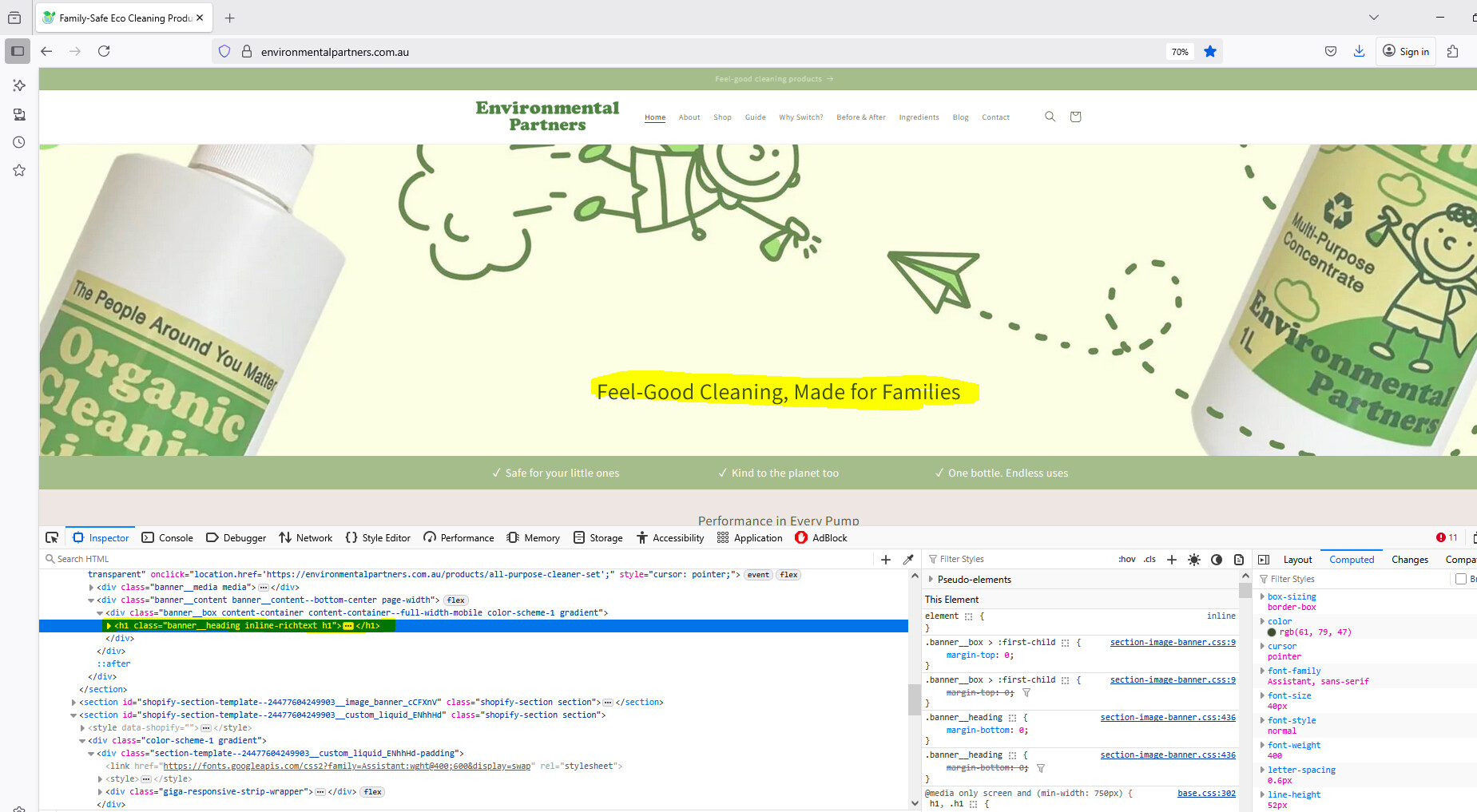
- Duplicate H1 tags appearing because the site displays different image banners for different screen sizes
SEO consideration:
- One respondent notes that using H1 for logos can benefit SEO, and that wrapping images in heading tags typically doesn’t affect styling (unlike text-based headings)
The discussion remains open regarding the duplicate H1 issue and whether changing the tag would impact existing styles.

you can change h1 to any HTML tag you want by go to edit code find file sections/header.liquid then find h1 tag:

Hi there, I recommend that you check out the replies and suggestions in this thread here https://community.shopify.com/c/shopify-design/i-am-trying-to-change-the-homepage-h1-set-to-logo/m-p/3041555
I believe that you’d find a working code there or an edit to sort it out.
hey, thanks for getting back to me. There are classes binded to that h1, wouldn’t that affect the styling in any way possibly? Also, the way my site is coded. It shows 2 different image banners depending on the screen size. But it’s registering as 2 different h1’s despite it being identical. Not sure if you know a fix to this here: https://environmentalpartners.com.au/
Actually inside a heading (h1,h2,h3,…) is an image will not affect the styling.
H1 for logo is better for SEO https://ahrefs.com/blog/h1-tag/
If inside it is the text, the styling will affect so you wawnt to change anything of h1 with text inside?